



13 best Buffer alternatives in 2026: Tested for scheduling, analytics, and workflows
Summarize this article via
Buffer is still one of the easiest social media tools to use. It is clean, approachable, and refreshingly simple. If you are a freelancer, creator, or very small team that mainly wants scheduling without a lot of setup, Buffer still makes sense with a 4.3 rating on G2 and 4.5 on Capterra.
But that same simplicity can turn into a ceiling. Once you need stronger approvals, deeper reporting, multi-brand workflows, more robust inbox management, competitor tracking, listening, or a pricing model that scales better with users or brands, Buffer may start to feel a little too light.
It also gets recurring criticism for limited analytics, technical issues, and pricing that becomes harder to justify as more accounts are added.
Buffer’s paid plans start at $5 per channel per month for Essentials and $10 per channel per month for Team when billed annually, so costs can rise quickly as you add more social accounts. For example, if you manage 5 brands and each brand has 4 connected social accounts, you would be paying for 20 channels in total, or $100/month on Essentials and $200/month on Team.
Its Essentials plan is still single-user, while approvals and unlimited team members live on Team, and paid pricing is built around connected channels rather than broader workflow depth.
So this guide is a buyer-focused comparison of the best Buffer alternatives in 2026, based on current public pricing pages, official feature docs, plan structure, analytics depth, collaboration, inbox capability, listening, and overall fit for real teams.
If you are comparing Buffer competitors because your workflow has grown beyond your scheduler, you are in the right place. 👀
TL;DR: The best Buffer alternatives by use case
If you just want the shortlist first:
- Best overall Buffer alternative: Sociality.io
- Best for agencies: Planable
- Best for enterprise teams: Sprout Social
- Best for creators and visual brands: Later
- Best budget pick: SocialPilot
- Best for analytics and reporting: Agorapulse
- Best for engagement and inbox management: Statusbrew
- Best for collaboration and approvals: Loomly
- Best free Buffer alternative: Metricool
- TL;DR: The best Buffer alternatives by use case
- Where does Buffer fall short in 2026 & why do people look for alternatives?
- Who should keep Buffer, and who should switch
- How the best Buffer alternatives were evaluated
- Buffer alternatives comparison table
- The 13 best Buffer alternatives in 2026
- Best Buffer alternatives by team type
- Migration checklist: Switching from Buffer without chaos 😱
- Free Buffer alternatives
- How to choose the right Buffer alternative
Where does Buffer fall short in 2026 & why do people look for alternatives?
Most people searching for Buffer alternatives are not rage-quitting Buffer.
They are just hitting the edge of what it is built for.
1. Limited depth for advanced teams
Buffer gives you advanced social media analytics on paid plans, but the product still leans lightweight compared with tools built for deeper reporting, formal approvals, advanced customer care, or stronger multi-brand operations. It is good at keeping publishing simple, but Buffer is not the tool most larger teams buy when they want analytics such as Instagram analytics or TikTok analytics, as a real decision engine.
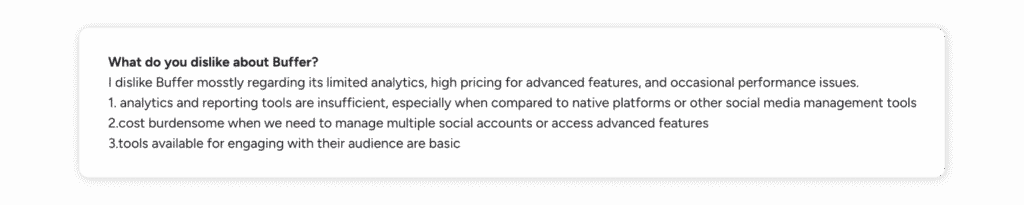
A G2 user shares their ideas about Buffer’s cons as: “I dislike Buffer mostly regarding its limited analytics, high pricing for advanced features, and occasional performance issues.”
2. Simplicity can become a ceiling
That easy UX is the charm. It is also a limitation. Buffer works beautifully when one person or a very small team wants to plan, schedule, and move on. The moment your workflow needs layers, approvals, more structured permissions, or client-facing processes, the product starts asking you to adapt your process to it.
3. Scaling across brands, channels, and stakeholders can get awkward
Buffer’s pricing is channel-based, and it does get cheaper per channel after 10. Still, scaling across brands and stakeholder groups is not the same thing as scaling channels. A team with multiple brands, multiple approvers, and multiple reporting expectations often needs a platform built around workspaces, clients, roles, or service layers — not just more channels.
For example, a Reddit user says they switched to another tool to handle more channels smoothly.

4. Inbox, listening, and competitor tracking needs may require more
Buffer includes a community inbox on paid plans, but once a team starts managing higher comment volume, customer care, moderation rules, sentiment, listening, or competitor benchmarking as a serious practice, more specialized platforms pull ahead.
5. Pricing can be fine for simple use cases, but value changes as needs grow
Buffer is not overpriced by default. In fact, at very small scale, it can be one of the cleaner value plays. The problem is that the value equation changes once the team needs more than publishing. If you need stronger reporting, team governance, or inbox depth, a “cheaper” tool can get expensive when it still leaves gaps elsewhere.
Who should keep Buffer, and who should switch
Buffer is still a good fit for…
Buffer still works well for freelancers, solo marketers, creators, very small teams, brands with basic publishing needs, and anyone who genuinely values simplicity over depth.
It may be time to switch if you need…
It is probably time to move if you need deeper analytics, stronger collaboration, client workflows, a unified inbox at scale, social listening, competitor benchmarking, more advanced reporting, or multi-brand governance.
How the best Buffer alternatives were evaluated
A strong Buffer alternative should keep the workflow clear while improving something important:
- Value for money
- Reporting depth
- Collaboration
- Inbox strength
- Listening
- Scale
Not every tool needs to beat Buffer everywhere. It just needs to beat Buffer where your team is struggling. 🎯
Evaluation criteria
So, I reviewed Buffer based on the criteria below and real user reviews to understand what marketers with different needs struggle with in the tool and what they like most about it.
- Pricing and scalability
- Supported social platforms
- Publishing and scheduling
- Collaboration and approvals
- Unified inbox and engagement tools
- Analytics and reporting depth
- Listening and monitoring
- Client management and white-label potential
- Ease of use
- Onboarding and support
Buffer alternatives comparison table
| Tool | Best for | Starting price | Pricing model | Free plan / trial | Quick takeaway |
| Sociality.io | Growing brands, agencies | $83/mo/user | By plan + pages | 14-day trial | Best overall upgrade from Buffer |
| Planable | Approval-heavy teams | $33/workspace/mo | Per workspace + add-ons | Free plan (limited posts) | Best for approvals |
| SocialPilot | Budget-conscious teams | $17/mo/user | By plan + accounts/users | 14-day trial | Best budget alternative |
| Agorapulse | Reporting + inbox teams | $79/user/mo/user | Per user | 30-day trial | Best for analytics + engagement |
| Sprout Social | Advanced teams, enterprise | $199/seat/mo | Per seat | 30-day trial | Best for advanced teams with budget |
| Statusbrew | Inbox-heavy teams | $69/mo/user | By plan | 14-day trial | Best for engagement-heavy workflows |
| Later | Creators, visual brands | $18.75/mo/user | By plan + social sets | 14-day trial | Best for creators and visual planning |
| Hootsuite | Teams wanting a broad suite | €159/user/mo | Per user | 30-day trial | Best for breadth |
| Metricool | Low-cost analytics | $20/mo | By plan + brands | Free plan | Best low-cost analytics option |
| Loomly | Calendar-first teams | $49/mo/3 users | By plan | Free trial | Best for simple collaboration |
| Sendible | Agencies, client dashboards | $29/mo/user | By plan + users/profiles | 14-day trial | Best for client management |
| Zoho Social | SMBs, Zoho users | €10/mo/user | By plan + brands/team | Free plan + trial | Best low-cost SMB option |
| Sprinklr | Enterprise governance | Custom | Enterprise custom | Demo | Best for enterprise complexity |
The 13 best Buffer alternatives in 2026
Let’s go through each Buffer alternative and evaluate it against the key criteria buyers should consider.
1.Sociality.io
G2: 4.8/5
Capterra: 4.6/5
Best for
Sociliaty.io is best for growing brands and agencies that want publishing, engagement, analytics, competitor tracking, and listening without paying per seat.
Ideal team size
Small teams that are growing fast, agencies, and mid-market brands that have outgrown a lightweight scheduler can benefit most from Sociality.io.
Why is Sociality.io a strong Buffer alternative?
Sociality.io stands out as one of the clearest upgrades from Buffer for growing teams. It keeps social media publishing familiar, but adds a stronger inbox, deeper analytics, competitor tracking, optional listening, longer data retention, and unlimited users on the Business plan. That makes Sociality.io a better fit once social media management becomes more collaborative and performance-driven.
Buffer vs Sociality.io
| Row | Buffer | Sociality.io |
| Pricing logic | Cheap at tiny scale | Better once more people need access |
| Analytics | Useful, lighter | Much deeper and more report-ready |
| Collaboration | Basic until Team | Stronger roles, approvals, team reports |
| Listening/competitors | Limited | Competitor analysis built in, listening optional |
Key features and standout strengths
One Reddit user compared Buffer vs Sociality.io from the no-per-user-fees angle, which is exactly where the difference starts to matter for growing teams.
Even the lower plan includes engagement inbox, publishing, analytics reports, competitor analysis reports, onboarding, and 7 months of data retention. Business adds 13 months of retention, approval workflows, team performance reports, and multilevel roles.
User reviews also reinforce those strengths:
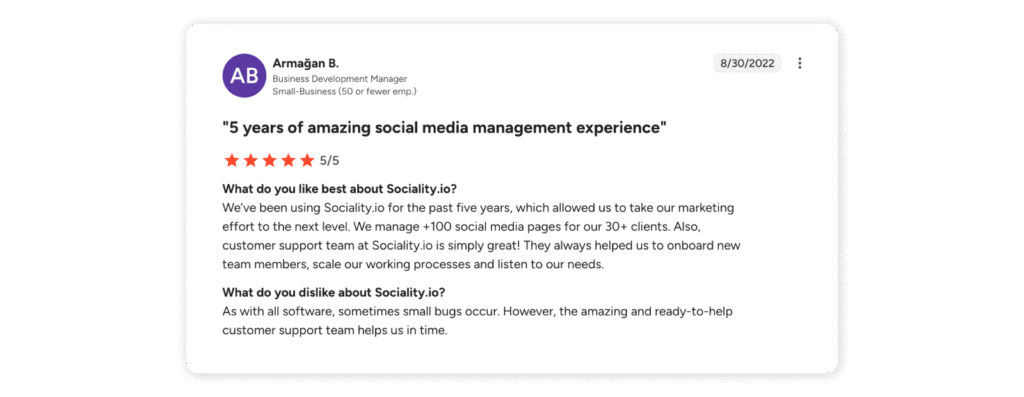
“We manage 100+ social media pages for 30+ clients, and the customer support team at Sociality.io is simply great. They helped us onboard new team members, scale our processes, and always listened to our needs.” — G2 reviewer, Business Development Manager
“I can say the best social media reporting app I have used so far.” — Capterra reviewer, Content Group Head
“As with all software, sometimes small bugs occur. However, the amazing and ready-to-help customer support team helps us in time.” — G2 reviewer
So, Sociality.io looks especially convincing for teams that care about reporting, support, and scalable collaboration, not just scheduling.
Analytics and reporting depth
This is one of the clearest differences between Buffer and Sociality.io. Buffer keeps reporting relatively simple, while Sociality.io offers more depth through exports, scheduled reports, competitor analysis, and more presentation-ready reporting. Its optional listening add-on also brings sentiment tracking, alerts, web coverage, and more structured monitoring.
Collaboration and workflows
This becomes much more useful on the Business plan, where Sociality.io includes unlimited users, approval flows, multilevel roles, and team performance reporting. For agencies and growing brands, that is usually the point where a basic scheduler stops being enough.
Pricing and value
Buffer will usually be the cheaper option for one person managing a small set of channels. But once more people need access, Sociality.io starts to look more cost-effective. Its Pro plan starts at $83/month and includes 1 user, while Business starts at $166/month and includes unlimited users, so pricing does not rise per seat as your team grows.
Limitations and tradeoffs
Sociality.io is a broader platform, so it can be more than some solo marketers or creators actually need. If your main need is simple scheduling, the extra depth may not feel worth paying for.
Choose this if…
Choose Sociality.io if you want a more complete Buffer alternative with stronger analytics, inbox tools, competitor tracking, and room for a larger team.
Skip this if…
Skip Sociality.io if you only need lightweight scheduling for one person and want the simplest setup possible.

2.Planable
G2: 4.6/5
Capterra: 4.5/5
Best for
Agencies, content teams, and anyone whose biggest pain is approvals.
Ideal team size
SMBs, agencies, and multi-stakeholder teams that care more about workflow clarity than deep listening.
Why is Planable a strong Buffer alternative?
Planable makes sense when the real problem is no longer scheduling, but getting content reviewed and approved without endless back-and-forth. If Buffer works well enough until too many people need to comment, revise, and sign off, Planable is a much better fit.
Buffer vs Planable
| Row | Buffer | Planable |
| Best for | Simple scheduling | Collaboration-heavy publishing |
| Approvals | Only stronger on Team | Core product strength |
| Inbox | Basic community layer | Optional engagement add-on |
| Analytics | Native reporting | Optional analytics add-on |
Key features and standout strengths
Planable supports nine major platforms and “universal” content, with strong views for calendar, feed, grid, and approvals.
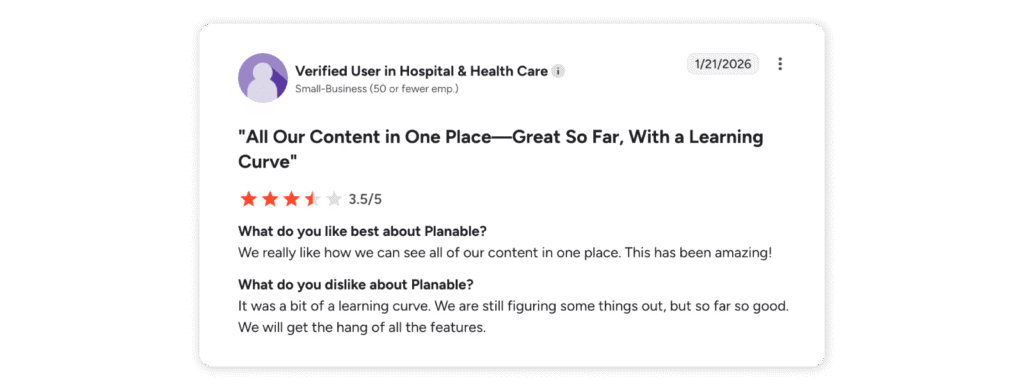
One G2 reviewer says, “We really like how we can see all of our content in one place.”
Analytics and reporting depth
Analytics is not the main character here. It is available as an add-on, which is fine if collaboration is the problem you are actually solving.
Collaboration and workflows
This is the reason to buy Planable. Required approvals, multi-level approvals on Enterprise, internal and external collaboration, version history, and client-friendly flow are what set it apart.
Pricing and value
Planable supports nine major platforms and universal content, with strong calendar, feed, grid, and approval views. Pricing starts at $39/workspace/month for Basic and $59/workspace/month for Pro, with Analytics and Engagement sold as add-ons. There is also a free plan with up to 50 total posts, while Enterprise starts at $200/month.
Limitations and tradeoffs
If you want richer analytics, listening, or robust customer care, Planable is not your endgame platform as a Capterra reviewer puts it clearly:
“The features are great, but for very small businesses or freelancers, the pricing can still feel high compared to simpler scheduling tools.”

Planable also comes with a learning curve according to G2 reviewers: “It was a bit of a learning curve. We are still figuring some things out, but so far so good. We will get the hang of all the features.”
Choose this if…
Choose this if your content team lives in revision loops and approval chaos.
Skip this if…
Skip this if your main pain is reporting depth or inbox-heavy engagement.
3.SocialPilot
G2: 4.5/5
Capterra: 4.4/5
Best for
Budget-conscious teams, small agencies, and growing brands that want more structure without premium-suite pricing.
Ideal team size
SMBs, lean agencies, and teams stepping up from solo scheduling.
Why is SocialPilot a strong Buffer alternative?
SocialPilot makes sense when Buffer starts feeling too limited, but you are not ready to pay for something like Sprout Social or Hootsuite. It gives you more accounts, more users, approvals, and better reporting without pushing you into premium-suite pricing. For teams that want more structure without a huge jump in cost, it is one of the easier upgrades to justify.
Buffer vs SocialPilot
| Row | Buffer | SocialPilot |
| Pricing logic | Great for very small setups | Better value for multi-account teams |
| Analytics | Fine | Deeper on higher plans |
| Collaboration | Light | Stronger approvals and agency features |
| White-label | No | Yes on higher tiers |
Key features and standout strengths
SocialPilot covers the core things growing teams usually start missing in Buffer: more user access, better approval options, stronger reporting, and more agency-friendly controls.
One G2 reviewer shares their experience with this Buffer alternative as an effortless one to plan, draft, and schedule:
Analytics and reporting depth
This is not where SocialPilot tries to beat the most advanced tools in the category. But it does give you more than lightweight post stats, and that matters once reporting becomes part of the job instead of an afterthought. The higher plans are where it starts to feel much more useful.
Collaboration and workflows
This is one of the clearer reasons to pick SocialPilot over Buffer. It handles approvals better, gives teams more room to work together, and makes agency-style workflows easier to manage. It is still fairly straightforward, which is part of the appeal.
Pricing and value
This is the main selling point. SocialPilot sits in that middle zone where it feels noticeably more capable than Buffer without getting expensive fast. For teams managing multiple accounts, it often feels like a better deal before you get anywhere near premium-suite territory.
Pricing starts at $17/month for Essentials, then $34/month for Standard, $85/month for Premium, and $170/month for Ultimate. The higher plans give you more accounts, more users, client approvals, and white-label reporting.
Limitations and tradeoffs
It is built to be practical, not best-in-class at everything. If you want deep listening, stronger customer care tools, or more advanced governance, you will probably hit its limits.
77% of Capterra reviewers share that they have issues with inconsistent notifications and reminders, besides posting errors:

Choose this if…
Choose this if you want a more capable Buffer alternative that still feels affordable.
Skip this if…
Skip this if your priority is top-end analytics, listening, or enterprise-level control.
4.Agorapulse
G2: 4.5/5
Capterra: 4.6/5
Best for
Teams that care about inbox management and reporting almost as much as publishing.
Ideal team size
Growing teams, mid-market brands, and agencies that need more control over day-to-day social operations.
Why is Agorapulse a strong Buffer alternative?
Agorapulse is a better fit when social media is not just about getting posts out. It is built more for teams that also need to manage replies, assign work, keep the inbox organized, and report on results without cobbling everything together. Buffer is easier and cheaper at the low end, but Agorapulse starts to make more sense once publishing and engagement are happening in the same workflow.
Buffer vs Agorapulse
| Row | Buffer | Agorapulse |
| Inbox | Basic | Much stronger |
| Analytics | Lighter | Deeper and more client-ready |
| Collaboration | Fine for small teams | Better for teams with assignments |
| Pricing | Cheaper at small scale | Per-user costs rise faster |
Key features and standout strengths
Agorapulse is strongest when teams need publishing, engagement, and reporting in the same tool. Its standout features include a unified inbox, unlimited publishing, assignments, approvals, moderation rules, shared calendars, team reporting, and stronger analytics than lighter scheduling tools.
G2 reviewers mentioned the centralized management that Agorapulse offers as a pro:

On higher tiers, it also adds ads reporting, ROI analysis, competitor benchmarking, and sentiment features.
Analytics and reporting depth
This is one of the stronger Buffer alternatives for teams that care about both reporting and engagement. Buffer keeps reporting lighter, while Agorapulse goes further with branded reports, ROI analysis, ads reporting, and competitor benchmarking on higher plans. The jump becomes more noticeable once you get to Advanced.
Collaboration and workflows
This is where Agorapulse feels more like an operations tool than a scheduler. Assignments, labels, moderation rules, shared calendars, approvals, and team reporting make it much easier to run social as a team instead of as a solo publishing queue.
Pricing and value
Agorapulse uses per-user pricing. Its Standard plan starts at $79 per user/month, Professional is $119 per user/month, and Advanced is $149 per user/month, with Custom pricing for enterprise needs. Those self-serve plan prices are shown on annual billing, and Agorapulse also offers a 30-day free trial.
Limitations and tradeoffs
The main downside is the pricing model. Per-user pricing gets expensive faster than tools priced by workspace or channel. If you mainly want low-cost scheduling, Agorapulse will probably feel like more tool and more cost than you need.
Also, 68% of Capterra reviewers mentioned recurring software glitches and instability:

Choose this if…
Choose this if your team handles publishing, engagement, and reporting in one place and needs a stronger inbox than Buffer offers.
Skip this if…
Skip this if your main goal is simple, low-cost scheduling and you do not need a serious inbox or heavier team workflow, and you can check Agorapulse alternatives to see what would work better for you.
5.Sprout Social
G2: 4.4/5
Capterra: 4.4/5
Best for
Advanced brands and enterprise teams with budget for premium software.
Ideal team size
Mid-market and enterprise teams, customer care teams, and brands that treat social as a serious operating function.
Why is Sprout Social a strong Buffer alternative?
Sprout is what many teams look at when Buffer starts feeling too limited. It goes much further on analytics, engagement, customer care, and cross-team workflows, so it makes more sense for brands that need a broader platform, not just a scheduler.
Buffer vs Sprout Social
| Row | Buffer | Sprout Social |
| Best for | Lean teams | Advanced brands with budget |
| Analytics | Good enough | More advanced and expandable |
| Listening | Limited | Add-on ecosystem |
| Price | Easier to justify | Expensive fast |
Key features and standout strengths
Sprout combines publishing, engagement, analytics, customer care, reviews, and AI features in one platform.
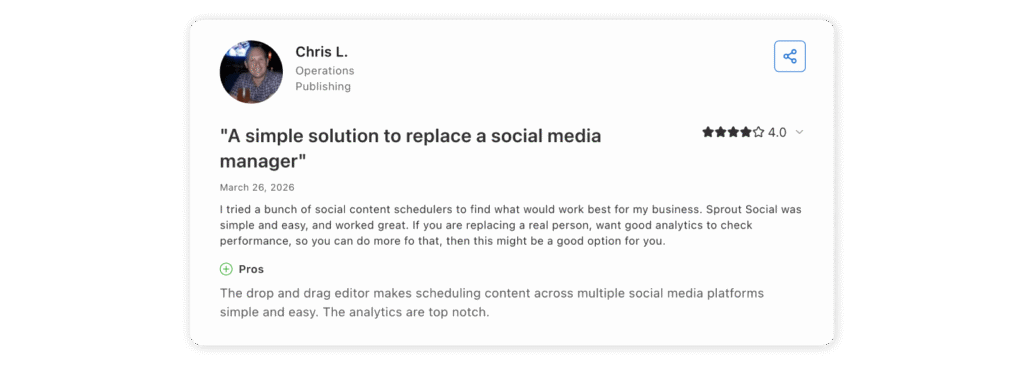
A Capterra reviewer highlights that its drop and drag editor makes scheduling content simple and easy.
Analytics and reporting depth
This is one of the clearest upgrades over Buffer. Reporting is stronger, more customizable, and better suited to teams that need stakeholder-ready reporting rather than lightweight post metrics.
Collaboration and workflows
Sprout is built for teams, not solo users. It is a better fit when social work involves routing, approvals, customer care, and structured reporting across functions.
Pricing and value
Sprout can be worth it for larger or more advanced teams. For smaller teams, though, it is easy to overbuy and costs can climb quickly once you add seats and extras.
Pricing starts at $199 per seat/month for Standard, $299 for Professional, and $399 for Advanced, with Enterprise on custom pricing. There is also a 30-day free trial.
Limitations and tradeoffs
The main drawback is price, which leads people to look for Sprout Social alternatives. (Or maybe a quick Sprout vs Hootsuite check?) It is a premium tool, and many smaller teams will end up paying for more platform than they actually need.
On G2, 548 people mention limited features, asking for an update and 470 reviewer note that Sprout Social’s high cost is a major con.

Choose this if…
Choose this if analytics, care, and more strategic reporting matter more than keeping costs low.
Skip this if…
Skip this if you mainly need a scheduler, light collaboration, and a simpler price point.
6.Statusbrew
G2: 4.8/5
Capterra: 4.8/5
Best for
Customer care teams, moderation-heavy brands, and teams that need more inbox control than Buffer offers.
Ideal team size
Support-minded teams, franchises, agencies, and growing brands handling a higher volume of engagement.
Why is Statusbrew a strong Buffer alternative?
Statusbrew is a better fit when social is not just about publishing. It gives teams a much more serious inbox, stronger moderation rules, approval flows, sentiment, and listening. If Buffer starts feeling too light on engagement and workflow, Statusbrew is a much more capable step up.
Buffer vs Statusbrew
| Row | Buffer | Statusbrew |
| Inbox | Basic | Much more advanced |
| Moderation | Light | Stronger rules and automation |
| Listening | Limited | Available on higher plans |
| Pricing | Simpler | More flexible, but less straightforward |
Key features and standout strengths
Statusbrew is built around inbox and workflow control. You get a unified inbox, assignments, approvals, and moderation rules that actually help teams manage volume. It also covers publishing, analytics, sentiment, and monitoring, but the real strength is how well it handles engagement and team coordination in one place.
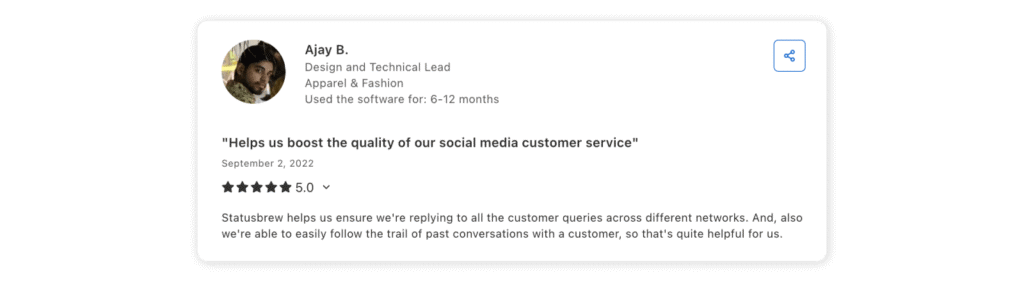
Here’s a Capterra reviewer’s thoughts about it: “Statusbrew helps us ensure we’re replying to all the customer queries across different networks. And, also we’re able to easily follow the trail of past conversations with a customer, so that’s quite helpful for us.”
Analytics and reporting depth
It gives teams more reporting depth than Buffer, especially if they care about service performance as much as publishing. The higher plans make more sense once reporting and inbox work start overlapping.
Collaboration and workflows
This is one of the better options for teams that treat social like part publishing tool, part support queue. Assignments, approvals, and moderation rules make it much easier to manage as a team.
Pricing and value
Statusbrew starts at $69/month for Lite, with Standard at $129/month and Premium at $229/month, all billed annually. Lite includes 1 user and 5 social profiles, plus publishing, bulk scheduling, and an all-in-one inbox.
Limitations and tradeoffs
The pricing structure takes a little more effort to understand than lighter tools, and it is more product than many solo users or creators need.
48 G2 reviewers note that Statusbrew’s dashboard is overwhelming, and 31 mention that missing features are a drawback of Statusbrew.

Choose this if…
Choose this if your biggest pain is community management, moderation, or inbox volume.
Skip this if…
Skip this if your main priority is still simple publishing and scheduling.
7.Later
G2: 4.5/5
Capterra: 4.4/5
Best for
Creators, visual-first brands, and teams that care about planning content visually and working with creators.
Ideal team size
Creators, small brands, and teams focused on Instagram, TikTok, and creator workflows.
Why is Later a strong Buffer alternative?
Later is not trying to be an all-in-one operations tool. It leans into visual planning and creator workflows. If Buffer feels too basic for content planning or influencer-style work, Later is a more natural fit without getting overly complex.
Buffer vs Later
| Row | Buffer | Later |
| Best for | General scheduling | Visual and creator-led workflows |
| Analytics | General | Better on higher tiers |
| Collaboration | Fine | Improves as plans scale |
| Creator tools | Minimal | Much stronger |
Key features and standout strengths
Later stands out most for visual planning. It is built for teams that care about how content looks before it goes live, especially on Instagram. The preview tools, calendar views, and creator-friendly workflow make it a better fit than Buffer for brands that plan visually, not just by post slot.
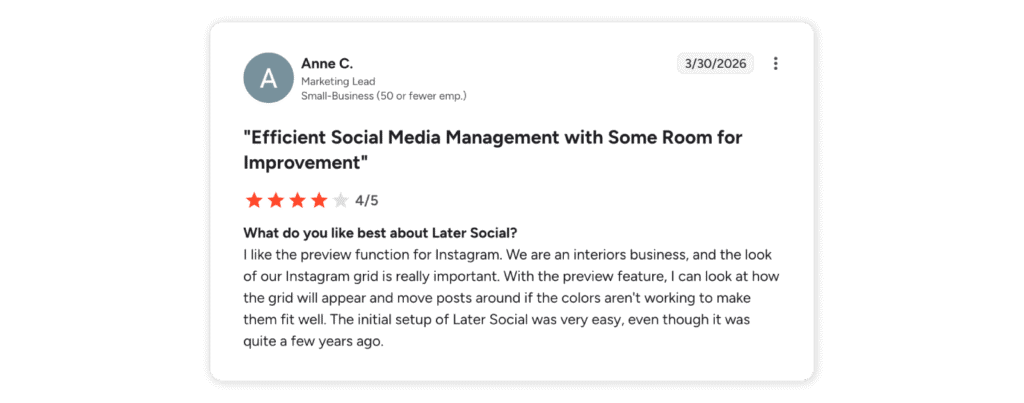
That comes through clearly in user feedback too. A G2 reviewer says “I like the preview function for Instagram. We are an interiors business, and the look of our Instagram grid is really important. With the preview feature, I can look at how the grid will appear and move posts around if the colors aren’t working to make them fit well. The initial setup of Later Social was very easy, even though it was quite a few years ago.”
Analytics and reporting depth
Lower plans are fairly basic. The higher tiers add more useful insights, especially for teams that care about trends, competitors, and content performance—not just post metrics.
Collaboration and workflows
Solid, but not heavy-duty. It is better than Buffer for content planning and approvals, but not built for complex operations or support workflows.
Pricing and value
Later starts at $18.75/month for Starter, with Growth at $37.50/month and Scale at $82.50/month, all billed annually. The pricing is based on social sets and users, so it can work well for creators and smaller teams at the entry level, but it gets less lightweight once you need more profiles, more users, or stronger analytics.
Limitations and tradeoffs
Later starts to feel more limited once your needs move beyond visual planning. It is not the best fit for heavier inbox work, listening, or more structured team workflows. That also shows up in user feedback. G2 reviewers mention gaps in analytics and story post previews, while others point to linking issues, account disconnections, and failed post notifications.

Choose this if…
Choose this if your content is visual-first and you work with creators or influencer-style campaigns.
Skip this if…
Skip this if you need deeper analytics, customer care tools, or more advanced team workflows.
8.Hootsuite
G2: 4.3/5
Capterra: 4.4/5
Best for
Teams that want a broader platform with publishing, analytics, inbox, and listening under one roof.
Ideal team size
Growing teams, larger businesses, and enterprise buyers.
Why is Hootsuite a strong Buffer alternative?
Hootsuite makes more sense when Buffer starts feeling too narrow. Buffer is built for simplicity. Hootsuite is built to cover more ground. If your team wants stronger reporting, more collaboration, and more listening without stitching together extra tools, Hootsuite is the more complete option.
Buffer vs Hootsuite
| Row | Buffer | Hootsuite |
| UX | Cleaner | Broader, busier |
| Listening | Minimal | Much stronger |
| Analytics | Good | More customizable |
| Cost | Easier to justify for small teams | Better fit for bigger programs |
Key features and standout strengths
Hootsuite’s main strength is breadth. It brings scheduling, inbox management, benchmarking, listening, and reporting into one platform, which is why it tends to appeal to teams managing a lot of moving parts. Standard already covers the basics well, while the higher tiers add more reporting flexibility, bulk scheduling, auto-routing, deeper collaboration, and stronger listening.
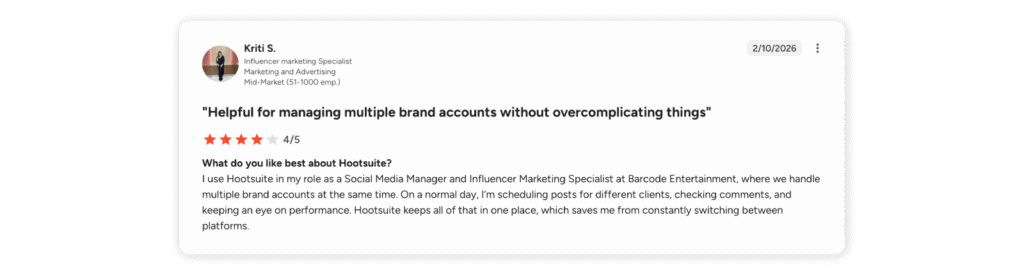
That all-in-one value also comes through in user feedback on G2: “I use Hootsuite in my role as a Social Media Manager and Influencer Marketing Specialist at Barcode Entertainment, where we handle multiple brand accounts at the same time. On a normal day, I’m scheduling posts for different clients, checking comments, and keeping an eye on performance. Hootsuite keeps all of that in one place, which saves me from constantly switching between platforms.”
Analytics and reporting depth
Hootsuite is much more reporting-focused than Buffer, especially once you move beyond the base plan. It gives larger teams more room to customize reports and track performance in a more structured way.
Collaboration and workflows
This is a better fit for teams with more moving parts. Approvals, routing, internal comments, and more flexible teamwork make it easier to manage social across multiple people.
Pricing and value
Later starts at $18.75/month for Starter, with Growth at $37.50/month and Scale at $82.50/month, all billed annually. The pricing is based on social sets and users, so it can work well for creators and smaller teams at the entry level, but it gets less lightweight once you need more profiles, more users, or stronger analytics.
Limitations and tradeoffs
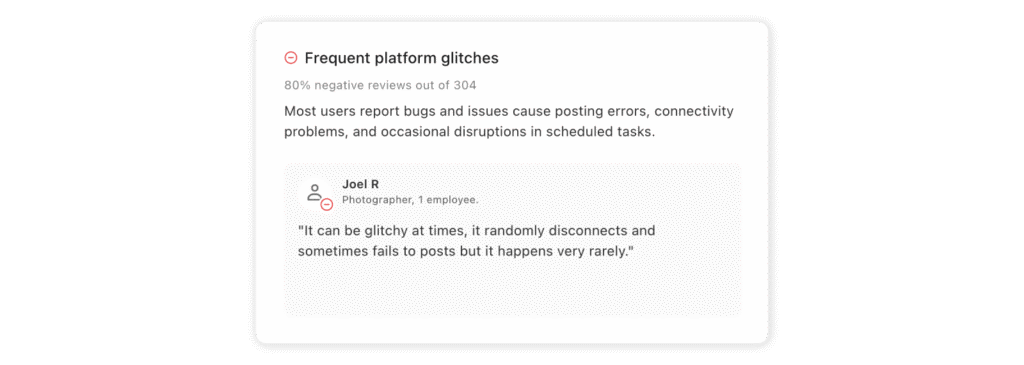
Hootsuite can feel like more of a platform than some teams actually need and you may need to check Hootsuite alternatives too, especially if Buffer’s simplicity was part of the appeal. It is broader, heavier, and usually a less comfortable fit for smaller teams. That tradeoff also shows up in user feedback. Some Capterra reviewers mention platform glitches, posting errors, connectivity problems, and disruptions to scheduled tasks. One of the reviewers shares, “It can be glitchy at times, it randomly disconnects and sometimes fails to post, but it happens very rarely.”
Choose this if…
Choose this if you want one established platform with stronger listening, reporting, and team workflows.
Skip this if…
Skip this if you want a lighter, cheaper, and more intuitive everyday tool.
9.Metricool
G2: 4.5/5
Capterra: 4.4/5
Best for
Creators, solo marketers, and small teams who want better analytics without spending much.
Ideal team size
Creators, freelancers, and very lean teams that still care about reporting and competitor tracking.
Why is Metricool a strong Buffer alternative?
Metricool is one of the easiest alternatives to try if Buffer feels too limited but you do not want to spend much yet. You get stronger analytics, competitor tracking, and even ads insights, with a free plan that is actually usable.
Buffer vs Metricool
| Row | Buffer | Metricool |
| Free value | Strong | Also very strong |
| Analytics | Solid | Often better for the price |
| Collaboration | Light | Better on Advanced |
| Competitors | Limited | Stronger |
Key features and standout strengths
Metricool stands out for giving smaller teams a lot without making the product feel heavy. The visual scheduling calendar is one of its strongest features, and it also does a good job bringing together analytics, competitor tracking, and multi-brand reporting in a way that stays practical.
That is also how users describe, a G2 reviewer says “What I value most is its visual scheduling calendar, as it makes organizing posts simple and clear.” The same reviewer also pointed to its accessible pricing for SMEs and the way it pulls Google Ads and Facebook Ads data into one dashboard, making it easier to see organic and paid performance side by side.

Analytics and reporting depth
For the price, this is where Metricool stands out. You get more depth than most low-cost tools, especially if reporting and competitor tracking matter more than workflow complexity.
Collaboration and workflows
You need the Advanced plan for proper team workflows. Below that, it is more of a solo or small-team tool.
Pricing and value
Metricool is one of the strongest low-cost options on this list. It has a free plan, and paid plans start at $20/month (Starter) and $53/month (Advanced). You get analytics, competitor tracking, and multi-brand support without needing higher tiers, which is why it often beats Buffer on value for smaller teams.
Limitations and tradeoffs
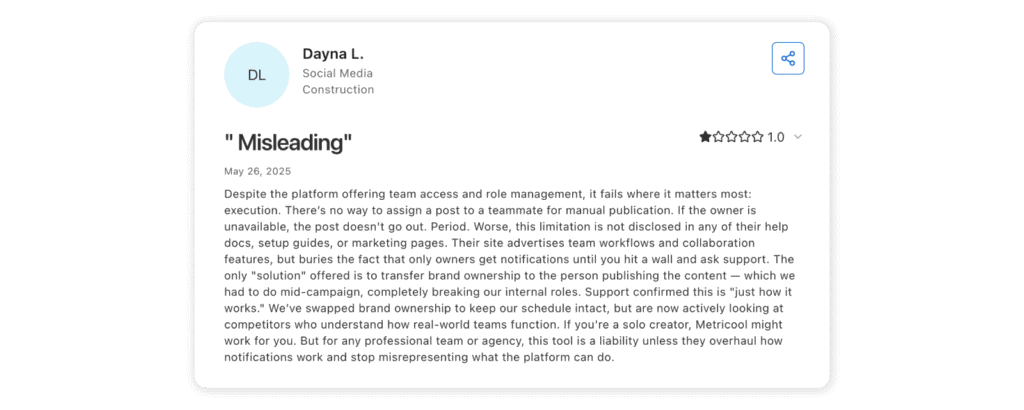
Metricool works best as a practical tool for smaller teams, not as a platform for complex workflows or heavy governance. The free plan is limited, and the product can feel less solid once more advanced team coordination becomes important. That also comes through in some user feedback. One Capterra reviewer argued that while Metricool offers team access and role management, it falls short in execution for real team workflows, especially around manual publishing and notifications. Their point was simple: it may work well for solo users, but it can become frustrating for teams that need clearer ownership and smoother collaboration.
Choose this if…
Choose this if you want solid analytics, competitor tracking, and a free or low-cost entry point.
Skip this if…
Skip this if you need deeper approvals, customer care workflows, or enterprise-level controls.
10.Loomly
G2: 4.6/5
Capterra: 4.7/5
Best for
Calendar-first teams that want stronger approvals, mockups, and collaboration without moving straight to a heavier enterprise tool.
Ideal team size
Small teams, agencies, and brands with multiple collaborators.
Why is Loomly a strong Buffer alternative?
Loomly is a better fit when the pain is less about scheduling itself and more about getting content planned, reviewed, and approved. It feels more like a content calendar tool than Buffer, which is why it tends to make more sense for teams with a more editorial workflow.
Buffer vs Loomly
| Row | Buffer | Loomly |
| Workflow | Simpler | More editorially structured |
| Approvals | Better only on Team | More central to the product |
| Content planning | Good | Better for collaborative calendars |
| Listening | Limited | Not a core strength |
Key features and standout strengths
Loomly stands out for the parts of social media work that happen before a post goes live. Post mockups, approval workflows, collaboration, content libraries, post ideas, and campaign planning are all central to the product, which is why it tends to feel more natural for content teams than simpler scheduling tools.
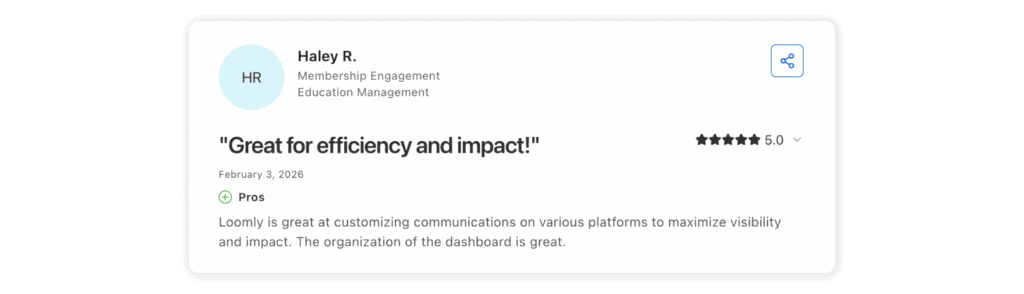
It also supports the major social networks and connects with tools like Canva, Zapier, and Slack, so it fits into existing workflows without much friction. That ease of use comes through in user feedback, too. As one G2 reviewer put it, “Loomly is great at customizing communications on various platforms to maximize visibility and impact. The organization of the dashboard is great.”
Analytics and reporting depth
Good enough for many content teams, but not the main reason to choose it. If reporting depth is your biggest priority, there are stronger options on this list.
Collaboration and workflows
This is the main reason to try Loomly. It is a more natural fit than Buffer for teams working through calendars, approvals, and content review.
Pricing and value
Loomly starts at $49/month (Starter) and goes up to $249/month (Beyond), with Enterprise on custom pricing. It is priced by plans with set limits on users and social accounts, not per channel.
Limitations and tradeoffs
If deeper analytics or listening are your main pain points, better options exist. That also comes up in user feedback, with some reviewers pointing to limited analytics and missing workflow details like pre-planning tagging and music in Instagram Stories.

Choose this if…
Choose this if your team needs more structure around content planning and approvals.
Skip this if…
Skip this if advanced reporting, listening, or monitoring matters more than calendar workflow.
11.Sendible
G2: 4.5/5
Capterra: 4.6/5
Best for
Agencies and client-facing teams that need dashboards, approvals, and white-label options.
Ideal team size
Agencies, client service teams, and businesses managing multiple brands or locations.
Why is Sendible a strong Buffer alternative?
Sendible makes more sense when your workflow involves clients, approvals, and reporting—not just scheduling posts. It is shaped much more around agency work than Buffer is, which is why it tends to fit better once multiple brands, calendars, or stakeholders are involved.
Buffer vs Sendible
| Row | Buffer | Sendible |
| Best for | Small in-house setups | Agencies and client work |
| Approvals | Basic | Stronger and more client-aware |
| White-label | No | Available as a paid add-on |
| Pricing | Cleaner | More agency-oriented |
Key features and standout strengths
Sendible is shaped for agency-style work. Client dashboards, approvals, permission controls, and optional white-labeling are a much bigger part of the product than they are in lighter scheduling tools, which is why it tends to make more sense for teams managing multiple clients or brands.
That ease of use also comes up in reviews. A user shares on G2: “Sendible’s ease of use is exceptional, enabling quick setup and efficient daily management of multiple accounts.” Another common point is how smooth scheduling feels: “Easy post scheduling makes multi-account management and content batch scheduling seamless.”

Analytics and reporting depth
Reporting is solid, especially for client work. It is not the deepest analytics tool on this list, but it gives teams more than a basic scheduler and makes client reporting much easier.
Collaboration and workflows
This is one of Sendible’s stronger areas. Approvals, dashboards, permission controls, and client-facing structure make it a better fit than Buffer for service teams.
Pricing and value
Sendible starts at $29/month and scales up to $750/month. The pricing makes more sense for agencies and client-facing teams than for simple in-house setups. If you manage multiple clients, it can be good value.
Limitations and tradeoffs
It can feel heavier than necessary if all you want is straightforward publishing for one brand. Some users on G2 also point to weaker Instagram functionality and layout frustrations, especially around Stories, clickable links, and the overall calendar experience.
Choose this if…
Choose this if your team needs client dashboards, approvals, and more structure around client work.
Skip this if…
Skip this if you do not work with clients and just want the simplest possible publishing setup.
12.Zoho Social
G2: 4.6/5
Capterra: 4.7/5
Best for
Small businesses and teams already using the Zoho ecosystem.
Ideal team size
Solopreneurs, SMBs, and agencies that want practical value over premium polish.
Why is Zoho Social a strong Buffer alternative?
Zoho Social is one of those tools people land on when they want something affordable that still does the job. It is especially appealing if you already use Zoho products. You get publishing, reporting, and collaboration without paying premium prices.
Buffer vs Zoho Social
| Row | Buffer | Zoho Social |
| Best for | General simple scheduling | SMBs, especially in Zoho stack |
| Pricing | Per channel | Lower-cost by brand/team |
| Reporting | Good | Good and practical |
| Ecosystem | Lighter | Stronger with Zoho tools |
Key features and standout strengths
Zoho Social stands out for being simple, practical, and affordable without feeling too bare-bones. It covers the essentials well, with scheduling, reporting, approvals, and useful integrations with tools like Zoho CRM and Zoho Desk, which makes it especially appealing for small businesses already in the Zoho ecosystem.
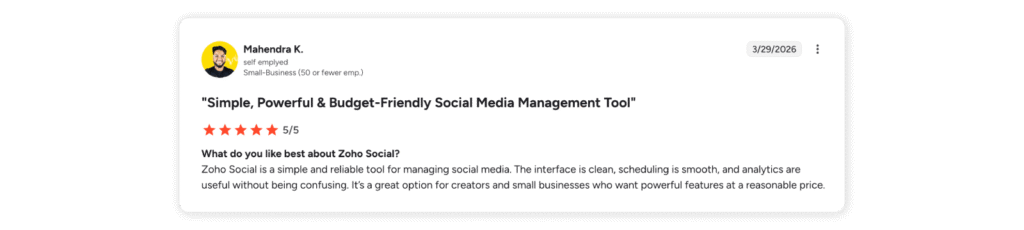
That ease of use also comes through in reviews: “Zoho Social is a simple and reliable tool for managing social media. The interface is clean, scheduling is smooth, and analytics are useful without being confusing. It’s a great option for creators and small businesses who want powerful features at a reasonable price.”
Analytics and reporting depth
Stronger than you would expect at this price point. It is not flashy, but it covers what most small teams actually need.
Collaboration and workflows
Solid for SMBs. You get approvals, team roles, and basic workflow structure, though it is not as advanced as higher-end tools.
Pricing and value
Zoho Social is one of the cheapest tools in this category. It has a free plan, and paid plans start at around $15/month, going up to $65/month for team features. Agency plans start around $230/month.
Limitations and tradeoffs
The product is more practical than polished. If you want a premium experience, deeper listening, or a more advanced inbox, other tools will feel stronger. Some users on Capterra also mention friction with the wider Zoho ecosystem: “The integration with the rest of the Zoho Suite ended up being a real issue for me. It was often hard to find the correct login page for Zoho Social, specifically. Many things were also not explained well, with training material too large to navigate easily.”

Choose this if…
Choose this if you want something affordable and your stack already leans toward Zoho.
Skip this if…
Skip this if you need premium analytics, advanced listening, or a more refined enterprise tool.
13.Sprinklr
G2: 4.1/5
Capterra: 4.3/5
Best for
Enterprise brands with global governance, cross-functional customer experience needs, and real operational complexity.
Ideal team size
Large organizations, regulated teams, and global social operations.
Why is Sprinklr a strong Buffer alternative?
Sprinklr is not really an upgrade from Buffer in the usual sense. It is a different kind of purchase entirely. Buffer is built for simpler publishing workflows. Sprinklr is built for brands that need scale, governance, customer engagement, listening, and cross-functional coordination in one system.
Buffer vs Sprinklr
| Row | Buffer | Sprinklr |
| Best for | Lean teams | Large enterprises |
| Scope | Social workflow | Cross-functional enterprise suite |
| Governance | Limited | Enterprise-grade |
| Cost | Accessible | Custom and substantial |
Key features and standout strengths
Sprinklr’s biggest strength is scale. It brings publishing, engagement, listening, advertising, AI workflows, and enterprise controls into one system, which is why it is usually considered by larger organizations rather than everyday social teams.
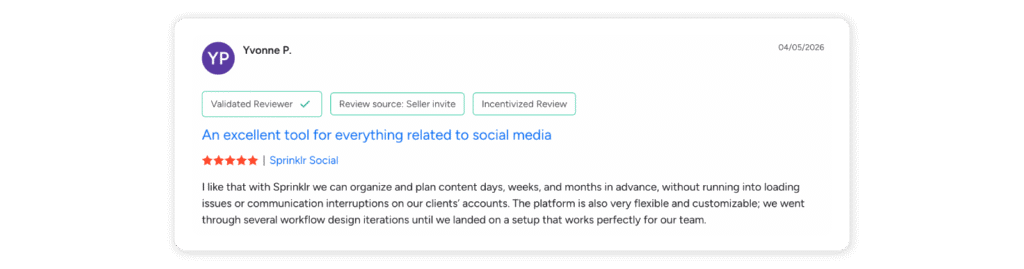
That flexibility also comes through in user feedback: “I like that with Sprinklr we can organize and plan content days, weeks, and months in advance, without running into loading issues or communication interruptions on our clients’ accounts. The platform is also very flexible and customizable; we went through several workflow design iterations until we landed on a setup that works perfectly for our team.”
Analytics and reporting depth
Very strong, but built for enterprise needs rather than simple social reporting. It makes more sense for organizations that need broader visibility across teams, regions, or functions.
Collaboration and workflows
This is one of Sprinklr’s strongest areas. It is designed for teams that need structure, permissions, governance, and coordination at a much larger scale than Buffer is built for.
Pricing and value
This is not a budget option. Sprinklr is more of an infrastructure decision than a straightforward software subscription.
Limitations and tradeoffs
For most Buffer users, Sprinklr is simply too much tool. Unless your organization genuinely needs that level of control and complexity, it will probably feel excessive. That also comes through in reviews, with some users on Capterra saying setup can be complex and time-consuming, support responsiveness can be mixed, and the platform can feel too costly and complicated for small or mid-sized businesses.

Choose this if…
Choose this if governance, scale, and enterprise-grade controls matter more than simplicity.
Skip this if…
Skip this if you are not running a genuinely complex social operation.
Best Buffer alternatives by team type
Best for agencies
Sociality.io, Planable, and Sendible are the best agency picks here. Planable wins on approvals and content flow. Sendible is strong when clients need dashboards and approvals. Sociality.io becomes especially compelling when agency teams need deeper analytics and unlimited user access without seat-based pain.
Best for small businesses
SocialPilot, Zoho Social, and Metricool stand out most. They give small teams more structure than Buffer without forcing an enterprise mindset or budget.
Best for enterprise brands
Sociality.io, Sprout Social, Hootsuite, and Sprinklr are the main tools to consider. Sociality.io offers a strong balance of analytics, inbox, and collaboration without per-seat pricing. Sprout stands out for reporting and customer care. Hootsuite offers a broad, mature suite. Sprinklr is the most enterprise-heavy option.
Best for creators and visual-first teams
Later, Metricool, and Buffer itself are the most natural fits here. If you want a true Buffer alternative, Later and Metricool win more often than enterprise-style tools.
Best for customer care/inbox-heavy teams
Statusbrew, Agorapulse, and Hootsuite are the strongest. They all go much further than Buffer once comment volume, routing, moderation, and inbox workflow start mattering every day.
Best for analytics-driven teams
Sociality.io, Agorapulse, and Sprout Social are the strongest bets. If reporting quality is the real reason you are leaving Buffer, start there.
Migration checklist: Switching from Buffer without chaos 😱
- Audit accounts, channels, and permissions
Before moving anything, map every connected account, who owns it, and who actually needs access. This is boring work. It is also the work that saves you from an ugly first week.
- Export or preserve important reporting before switching
Buffer’s reporting history is useful context. Save what you need before you disconnect anything, especially if quarter-over-quarter comparisons matter.
- Rebuild workflows and approval steps
Do not copy Buffer’s workflow blindly into the new tool. Rebuild it around what the new platform is actually better at.
- Test publishing across every channel
Every team says they will do this. Some teams do not. Be the first type.
- Train the team and document reporting processes
The best Buffer alternative in the world still fails if nobody knows how approvals, inbox ownership, or reporting cadence are supposed to work.
Free Buffer alternatives
If you are just testing structure, you can start with Planable’s free plan, Metricool’s free plan, and Zoho Social’s free plan. Planable gives you 50 lifetime posts with all features available. Metricool gives 1 brand, 20 posts a month, and 30 days of analytics. Zoho Social offers a free business entry point with 1 brand and 1 team member.
Native platform tools can help too. TikTok’s creator tools include analytics categories for key metrics, content, and followers, and YouTube Studio supports scheduled publishing for videos.
You can also try free trials like the one Sociality.io offers for 14 days with full features!
Who are free alternatives actually good for?
They are good for solo creators, one-brand small businesses, and teams testing structured scheduling for the first time.
The tradeoffs of free social media tools
- Limited analytics
- Limited collaboration
- More fragmented workflows
- Fewer publishing controls
Free tools are great for learning. They are not great for scaling.
How to choose the right Buffer alternative
👉Choose this type of tool if pricing is the top concern
Start with SocialPilot, Metricool, and Zoho Social.
👉Choose this type of tool if approvals are the main problem
Start with Planable, Loomly, and Sendible.
👉Choose this type of tool if analytics matter most
Start with Sociality.io, Agorapulse, and Sprout Social.
👉Choose this type of tool if engagement and inbox are the biggest pain points
Start with Statusbrew, Agorapulse, and Hootsuite.
👉Choose this type of tool if enterprise governance and scale matter most
Start with Sprout Social, Hootsuite, and Sprinklr.
FAQs
Before you go👋
The best Buffer alternative depends on your team’s needs, but Sociality.io is the best overall choice for brands and teams that need strong analytics and scalable workflows. SocialPilot for budget-conscious teams, Sprout Social for enterprise use, and Later for creators and visual-first brands. Buffer is still a good option for simple scheduling, but many growing teams outgrow it when they need deeper reporting, better collaboration, and more operational control. In most cases, the right Buffer alternative is the platform that solves the specific workflow bottleneck your team faces every week.