
Deciding on your go-to social media management tool with a careful Sprout Social vs Hootsuite comparison usually comes down to this:
Do you want deeper analytics and cleaner reporting?Or do you want a flexible scheduler that plugs into lots of things without drama?
Both Sprout and Hootsuite are solid. But both get pricey once you add teammates.
And yes, depending on what you actually need, they can feel like “too much tool.” I’m not even getting into the onboarding and brainload.
So let’s make this practical. Here’s how the two usually stack up depending on what you actually need.
- Best for deep analytics & reporting: Sprout Social (strong reporting depth and stakeholder-ready insights).
- Best for flexible scheduling + integrations: Hootsuite (mature publishing tools and broad platform integrations).
- Best for an all-in-one social media workspace: Sociality.io (publishing, engagement, analytics, listening, and competitor tracking in one place).
- Best for budget-first teams: consider simpler tools like Buffer’s free plan or other lightweight schedulers.
Sprout Social vs Hootsuite: the short answer
Both tools repriced during 2026, which means most comparisons you’ll read still quote figures that no longer exist anywhere on either vendor’s site. Sprout’s entry plan is Essentials, at $79 per seat per month. Hootsuite’s is Standard, at $99. Everything below was checked against both vendors’ own pricing pages on 19 August 2026, and the capture date sits in every table caption so you can tell when it goes stale.
- Hootsuite added a Professional tier this year, so the $199 that used to buy its entry plan now buys its middle one.
- Hootsuite’s free trial runs 14 days. Sprout’s runs 30, with no credit card.
- Sprout includes 100 AI credits per seat per month and Hootsuite lists 100 AI credits per month, so the AI question is not volume. It is whether the assistant stays locked inside the vendor’s dashboard or hands your data to the agent you already use, which is what a social media MCP is for.
- On G2, Sprout leads quality of support 8.6 to 8.2 and product direction 8.8 to 8.0. The two tie on meets requirements at 8.5.
Buy Sprout Social if reporting is the thing you’re actually paying for. Professional at $299 per seat opens unlimited profiles alongside competitor, tag and paid insights, and Advanced at $399 adds the Sprout API and helpdesk integrations, which is what lets social data leave the platform and land somewhere the rest of your company already looks.
Buy Hootsuite if you need more people in the tool without the per-seat bill climbing as steeply. Standard covers 10 social accounts at $99 per user, and Professional lifts that to unlimited accounts at $199 while adding automated inbox replies and trend forecasting up to 90 days out.
Buy neither if lots of people need access to reporting but only a few actually publish. Both charge per seat, and that model turns expensive the moment the people who need to read the numbers outnumber the people posting. It’s a common shape: 59.5% of marketers in our 2026 AI in social media marketing report said analytics and reporting is their main use for AI, ahead of writing captions. That is the shape Sociality.io is built for: it prices on pages rather than seats and puts unlimited users on its $166 Business plan, so a stakeholder who only reads dashboards costs nothing to add. Sociality MCP goes further again, handing the same metrics to ChatGPT, Claude or an internal copilot so the reporting can happen without anyone opening a dashboard at all.
What is Sprout Social?
Sprout Social is a social media management platform that combines publishing, a unified Smart Inbox and reporting built for teams who have to present results upward. It sells five plans, from Essentials at $79 per seat per month to a custom Enterprise tier, and keeps its heaviest analytics and listening in paid add-ons rather than in the plans themselves.
What is Hootsuite?
Hootsuite is a social media management platform organised around four named modules: Perch for planning and publishing, Nest for messaging and customer care, Lumen for listening, and Wisdom, an AI assistant that ships with MCP connectors on every plan. Four tiers run from Standard at $99 per user per month up to a custom Enterprise plan.
Sprout Social vs Hootsuite comparison table
Here’s the cleanest way to see a Hootsuite vs. Sprout Social comparison without spiraling.
| Feature | Sprout Social | Hootsuite |
| Publishing | ✅ | ✅ |
| Unified inbox | ✅ | ✅ |
| Social listening | Paid Listening add-on, Standard and up | Lumen, tiered across all four plans |
| Analytics & reporting | Included, plus a Premium Analytics add-on; API on Advanced | Custom reports from Professional; advanced analytics on Enterprise |
| Collaboration features | Strong | Moderate |
| Pricing model | Per seat, from $79/month, USD | Per user, from $99/month; same figure in each currency |
If you’re also looking for solid Sprout Social or Hootsuite alternatives, it’s also worth checking out Sociality.io (4.8/5 from 22 reviews on G2, checked 20 August 2026). Its Business plan is $166 a month billed annually and covers unlimited users, so the teammate who only opens a report once a month costs nothing to add. Pro is $83 a month for one user and 10 pages, extra pages are $12.5 a month on Business, and every plan comes with a 14-day trial that needs no credit card.

Sprout Social vs Hootsuite review with 2026 pros & cons
If you compare Sprout Social vs Hootsuite only through feature checklists, they will look almost identical. Both platforms offer publishing, scheduling, engagement inboxes, social media analytics dashboards, and social listening modules.
But once teams start using them daily, the real differences appear. Reporting depth, pricing structure, collaboration workflows, and usability are the areas where users begin to notice trade-offs.
Both tools still receive strong ratings overall:
And here’s how they compare according to G2:
| G2 criterion (out of 10) | Sprout Social | Hootsuite |
| Meets requirements | 8.5 (5,811 responses) | 8.5 (6,468) |
| Ease of use | 8.8 (5,886) | 8.6 (6,553) |
| Ease of setup | 8.7 (4,209) | 8.7 (4,328) |
| Ease of admin | 8.8 (2,421) | 8.6 (2,584) |
| Quality of support | 8.6 (5,183) | 8.2 (4,871) |
| Good partner in doing business | 8.7 (2,385) | 8.5 (2,357) |
| Product direction (% positive) | 8.8 (5,647) | 8.0 (6,312) |
G2 satisfaction scores with response counts, pulled 19 August 2026. Product direction shows the widest gap, at 0.8 points.
So the platforms themselves are not “bad tools.” In fact, they’re among the most established social media management systems in the industry. But if you scroll through the pros and cons sections of user reviews, you start to see clear patterns.
Let’s break down the strengths and weaknesses users mention most often.
Sprout Social pros 👍
Strong analytics and reporting
Reporting is one of the biggest reasons teams adopt — and stay with — Sprout Social. The platform focuses heavily on structured analytics dashboards and exportable reports that help teams measure campaign performance across channels.
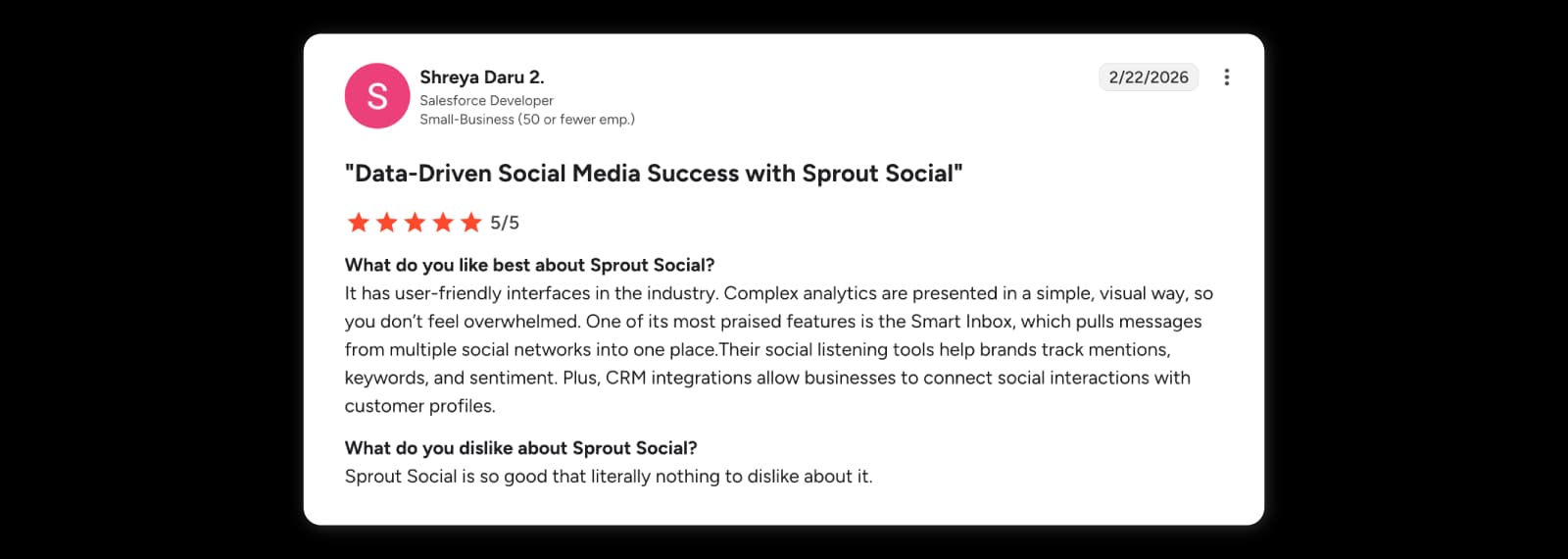
Many users highlight how the analytics layer turns complex social data into clearer insights. For example, Shreya Daru, Salesforce Developer, wrote in a G2 review:
“Complex analytics are presented in a simple, visual way, so you don’t feel overwhelmed.”
Clean interface and centralized workflow
Sprout’s UI gets a lot of love because it doesn’t feel like five different tools duct-taped together. Publishing, inbox, and analytics sit in one flow, so you can plan, post, reply, and check performance without bouncing between dashboards.
That “not overwhelming” part shows up clearly in reviews too. Shreya Daru, Salesforce Developer, says: “It has user-friendly interfaces in the industry.”
And on the Capterra side, reviewers echo the same theme: Sprout is praised for an “Intuitive and clean design,” especially when you’re juggling multiple channels and don’t want the tool to be the hard part.
Collaboration and centralized social inbox
Sprout’s Smart Inbox is basically the “stop opening 7 tabs” feature. It pulls messages, mentions, and comments into one place, so engagement feels manageable even when you’re running multiple accounts.
Daria H., Head of Business Development, puts it in the most human way possible:
“Honestly the number one thing I love about it is that I can see all the messages in one inbox so I don’t have to open up 6 or 7 different tabs.”
And if you want another G2 review that supports the same point from the “multi-platform management” angle, Maryam N., Marketing Coordinator (501–1,000 employees), says,
“Thanks to its robust suite of features and tools, Sprout Social has facilitated the streamlining of our posting processes, as well as the management of follower interactions across numerous social media platforms.”
Sprout Social cons 👎
Seat-based pricing adds up fast
Sprout gets a lot of love, but pricing is the repeat complaint. On G2, the Standard plan starts at $199 per user/month(billed annually), so the bill grows with every teammate.
Priyanka T., Software Engineer, calls it the “most significant hurdle”:
“Most significant hurdle is the pricing structure which can feel quite steep for smaller teams or agencies…”
Capterra reviews land in the same place. Dhirendra P., Marketing Manager (11–50 employees) says:
“One thing which I little bit dislike about it is its cost… paying extra for features can make overall cost prohibitive… for small business owners and individuals.”

Reporting isn’t always smooth
Sprout’s reporting is a strength, but when it gets buggy or you need precision, it can turn into manual work. Daria H., Head of Business Development, mentions Instagram Story reporting being inaccurate for months:
“The Instagram story reporting also was buggy for months and was giving us totally inaccurate numbers and I had to spend hours manually counting everything myself.”
And if you’re moving from a lighter setup into a more structured workflow, there can be a learning curve. Christopher P., Marketing Manager, puts it simply:
“Moving our team from a basic HubSpot implementation to a fully process-driven workflow in Sprout took more time than we expected.”
Hootsuite pros 👍
Reliable scheduling and publishing
Scheduling is still Hootsuite’s most common “core use case” in reviews: teams use it to plan ahead, stay consistent, and publish across multiple networks without living inside native apps.
Samantha L., Social Media Manager, highlights the cross-platform workflow:
“I love that I can schedule posts across Instagram and TikTok in one window instead of jumping between apps all day.”
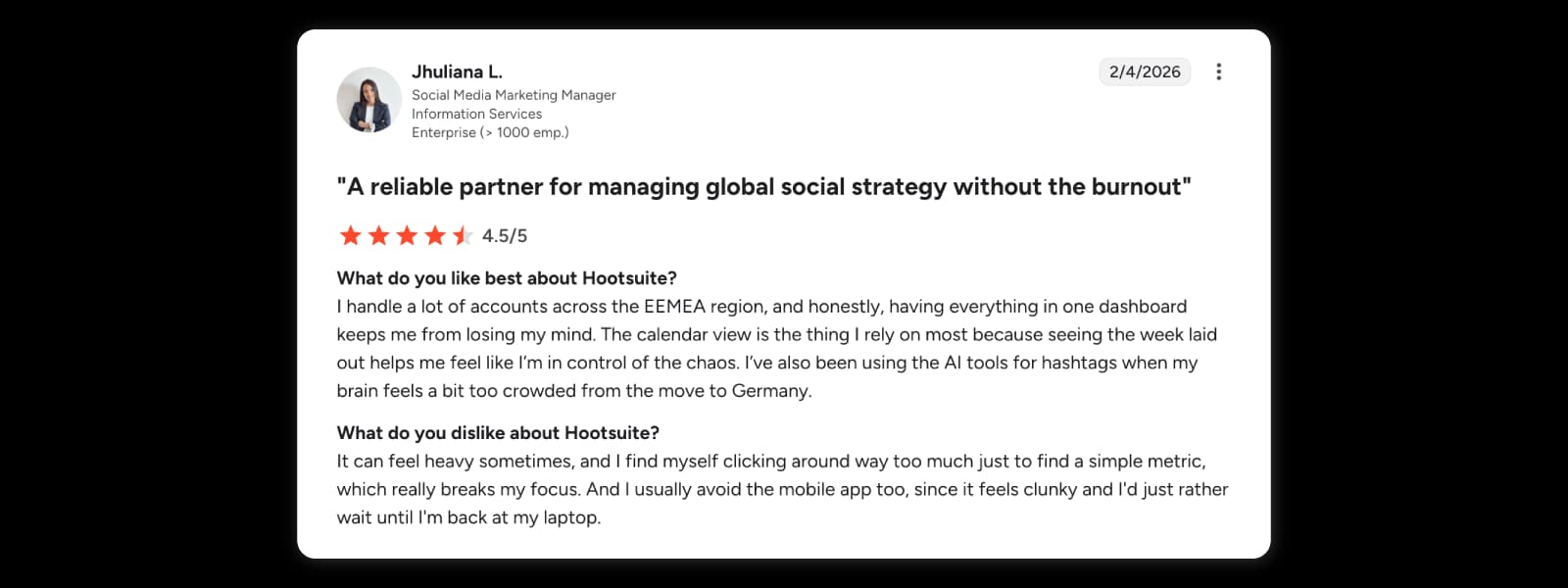
Jhuliana L., Social Media Marketing Manager, emphasizes how the calendar view reduces day-to-day chaos:
“The calendar view is the thing I rely on most because seeing the week laid out helps me feel like I’m in control of the chaos.”
G2’s review summaries also reflect this pattern—Post Scheduling and Scheduling are among the most frequently mentioned positives in user feedback.
Centralized multi-account management (everything in one place)
Another consistent “pro” theme is centralized management: one dashboard to schedule content, check engagement, and track performance across many accounts—especially useful for agencies and multi-brand teams.
Kriti S., Influencer Marketing Specialist, describes the practical day-to-day benefit:
“Hootsuite keeps all of that in one place, which saves me from constantly switching between platforms.”
Diego S., Community Manager, echoes the same “single workspace” value:
“I can schedule posts in advance, monitor comments and messages, and track performance without switching between platforms.”
Capterra’s review analysis aligns with this positioning too: Hootsuite is repeatedly framed as a tool that centralizes scheduling, analytics, and account management into one dashboard for workflow simplicity.
Hootsuite cons 👎
Pricing scales quickly with team size
Pricing is one of the most frequently mentioned drawbacks in Hootsuite reviews. Plans are typically priced per user, which means the cost increases every time a new teammate needs access.
G2 review summaries also flag pricing as a recurring concern—users often mention “Expensive” and “High Pricing” among the most repeated cons.
Recent reviewers also describe the same pattern more directly.
SAINT I., Salesman, explains both the lack of a free plan and rising cost impact for small teams:
“Pricing has also climbed over the years and there’s no real free plan anymore, which makes it harder for solo creators or very small teams to justify compared with lighter, cheaper tools.”
Another reviewer highlights how pricing jumps between tiers and how advanced features sit behind higher plans.
Vuyile M., Managing Director:
“The pricing jumps noticeably between plans, and key advanced features (such as bulk scheduling or advanced analytics) are locked behind higher tiers.”
Interface can feel cluttered
Hootsuite’s dashboard pulls publishing, analytics, and engagement into one place—but some users say that “all-in-one” setup can feel busy when you’re juggling lots of accounts, streams, or workflows.
For example, Michael A., a Grantmaking and Engagement Manager in the non-profit space, says:
“The interface can feel a bit cluttered at times, and certain features take a while to get used to.”
A similar point comes up in Capterra feedback, where one reviewer notes that even if the tool is useful, the UI can take time to get comfortable with—an Anonymous User(Art, Retail) puts it plainly:
“I feel the layout can be a little complicated.”

Advanced analytics often sit behind higher plans
Hootsuite includes analytics, but more detailed reporting and customization is often tied to higher tiers—so teams can hit limits when they need deeper insights.
Ilyas L., Business Owner (Small-Business, 50 or fewer emp.) calls this out directly:
“Advanced features like detailed analytics, custom reports, and multiple social accounts are often locked behind higher-tier plans.”
Sprout Social and Hootsuite both handle the core social media management work well. But the gap usually shows up in the everyday stuff: how smooth the workflow feels, how quickly you can get to the features you actually need, and how many little frictions you’re willing to live with.
That’s why a lot of teams also look at newer platforms that try to keep the workflow lighter while still going deep on insight. Sociality.io is one option worth considering if analytics, competitor insights, and listening matter to you. Hootsuite tends to lean more publishing-first (schedule, inbox, reports), while Sprout puts considerably more weight on reporting and analytics. Sociality.io is another option if you want analytics, competitor intelligence, listening and publishing in the same workflow, so it’s easier to stay on top of what’s happening in your space and act on it.
What does the Internet say about Sprout vs Hootsuite?
If you leave review sites for a second and listen to real people venting on Reddit, the tone shifts fast. It’s less “feature matrix” and more “this is what broke my workflow.”
On Sprout Social, one recurring pain point is reporting accuracy, especially when paid + organic data gets mixed in ways that make key metrics useless.
In r/socialmedia, a case is described where engagement rate becomes basically unreadable because impressions include paid + organic but engagement doesn’t:
And cost comes up too:
And some comments go beyond cost into support and contract frustration. Another Reddit user says:
On Hootsuite, the pattern is more “works, but…” People acknowledge it’s a capable all-rounder, then immediately bring up price and UX.
In r/SocialMediaMarketing, a Reddit user puts it like this:
Interface complaints show up repeatedly, too. One user goes blunt:
So the internet takeaway is pretty consistent:
- Sprout gets praised as powerful, but people get annoyed when reporting logic or support processes slow them down.
- Hootsuite gets treated like a solid default, but pricing and UX friction make people look around.
Sprout Social vs Hootsuite features comparison
This is where “which is better” turns into “better for what.” Same tools on paper, different strengths in real life. 🧠
Publishing, scheduling, and content planning
If your day is mostly planning, queuing, and keeping a calendar clean, Hootsuite usually clicks fast. It’s built around publishing at scale and managing multiple accounts without too much friction.
Sprout’s publishing is strong too, but it shines when publishing connects to reporting and customer care workflows. You’ll notice it once you start tagging messages, tracking themes, and trying to explain what’s driving performance—not just pushing posts.
Sprout Social vs Hootsuite social listening
Sprout is very clear about listening as a separate layer you add on. It’s positioned as an add-on, with features like sentiment and spike alerts.
Hootsuite changed this in 2026. Listening is now its own module, Lumen, and it runs across all four plans rather than sitting behind Enterprise: Quick Search and trending topics start on Standard, while advanced data sources, 13-month history, sentiment and image recognition are gated higher. The Talkwalker branding is gone. So the real difference is how you end up buying it:
So the real difference is how you end up buying it:
- With Sprout, you’re usually choosing listening intentionally as an extra layer.
- With Hootsuite, listening tends to show up as you move up tiers, or through the right add-on path.
Engagement and unified inbox workflows
Both have a unified inbox idea, but Sprout is often seen as stronger for day-to-day engagement workflows—tagging, inbox structure, and customer care style reporting.
If your org treats social like a support channel, Sprout tends to feel more “built for that.” If social is mostly outbound publishing, Hootsuite can be enough.
Sprout Social vs Hootsuite ease of use comparison
Sprout usually wins on perceived usability. Reviewers often describe the UI as calmer, and onboarding as easier.
That doesn’t mean Hootsuite is hard. It just means Sprout feels less chaotic when you’re moving fast.
Hootsuite vs Sprout Social collaboration features
If you need approvals, roles, and accountability, both can do it. The practical difference is whether your team actually enjoys the process.
Sprout is often described as more approachable for teams. Hootsuite is flexible, but some teams say workflows and reports take more shaping to feel “ready to share.”
Analytics and reporting (depth + exports)
Sprout is reporting-forward by design, and it also has Premium Analytics for teams that need more customization.
Hootsuite covers core reporting well, and the more advanced analytics typically show up at higher tiers.
If your week includes “can you export this for the CMO in 20 minutes,” this section matters more than you think. 😅
Influencer marketing capabilities
Sprout offers Influencer Marketing separately from its core plans (and their pricing page explicitly notes you don’t need a Sprout plan to use it).
AI features: Trellis, Wisdom and social media MCP
Both vendors renamed their AI this year. If you’re comparing older articles you’ll still see the retired names, which is a decent shortcut for working out how stale a comparison has gone. Hootsuite dropped OwlyGPT in favour of Wisdom, which now ships MCP connectors, so the assistant can reach tools sitting outside Hootsuite altogether. Sprout runs a Trellis agent alongside AI Assist, handling Enhance Post on Professional and Enhance Reply on Advanced.
The allowance is the surprise. Sprout gives every seat 100 AI agent credits a month on Standard, Professional and Advanced alike. Hootsuite gives every plan 100 AI credits a month. Identical numbers, arrived at independently, which turns the AI question away from volume and toward what the assistant can actually touch.
And that is where the two of them are alike in a way worth naming: both assistants live inside their own dashboard. A social media MCP works the other way round. Rather than giving you a chatbot in someone else’s product, it hands your account metrics and competitor insights to the agent you already use. Sociality MCP does that for ChatGPT, Claude, Gemini and internal copilots, and it is not a raw API: access is structured and policy-aware, so an agent sees the social data it is allowed to see and nothing more. One credit maps to one day of account metrics, one day of competitor insights, or one post with full details.
Sociality.io includes MCP credits in every dashboard plan, 1,000 a month on Pro and 2,000 on Business, and sells the MCP on its own from a free Starter tier if you never want to open a dashboard at all. Hootsuite has started down the same road with Wisdom’s MCP connectors, which is a fair signal of where this category is heading rather than a point against it. For how the wider field lines up, see the social media MCP servers compared.
Weigh that against how much of the output you’ll rewrite. In our 2026 AI in Social Media Marketing report, 78.4% of practitioners said they still apply moderate to extensive editing before anything is published, and 61.1% named originality and plagiarism risk as their leading concern. Credits buy drafts. They don’t buy the review pass, and 61.5% of the same group expect to spend more on AI tooling this year regardless.
Sprout Social vs Hootsuite cost
Pricing looks simple until you do the math with your actual team size. Both tools charge per user/seat, so the monthly total scales with every new teammate you add. And while the plan names sound similar, what you get at each tier (profiles, reporting depth, add-ons) is where costs start to feel very real.
Sprout Social (per seat)
- Essentials: $79 per seat/month billed annually, or $99 billed monthly, covering 5 social profiles
- Standard: $199 per seat/month, covering 5 social profiles, keyword and location monitoring and the Trellis AI agent
- Professional: $299 per seat/month — unlimited profiles
- Advanced: $399 per seat/month — unlimited profiles
- Enterprise: custom — unlimited profiles
Hootsuite (per user)
- Standard: $99 per user/month, covering 10 social accounts with brand and competitor monitoring
- Professional: $199 per user/month, adding unlimited social accounts, automated inbox replies and trend forecasting up to 90 days
- Advanced: $399 per user/month, adding approval workflows, message auto-routing and team performance reporting
- Enterprise: custom pricing, adding advanced analytics, advanced listening, SSO and custom compliance
Sprout Social vs Hootsuite cost comparison table
| Pricing Aspect | Sprout Social | Hootsuite |
| Pricing model | Per seat | Per user |
| Free trial | 30 days, no credit card | 14 days, with daily posting limits |
| Billing | Annual billing shown | Annual billing shown, excluding tax |
| Entry plan name | Essentials | Standard |
| Entry plan price | $79/seat/month | $99/user/month |
| Mid-tier plan | Professional | Professional |
| Mid-tier price | $299/seat/month | $199/user/month |
| High-tier plan | Advanced | Advanced |
| High-tier price | $399/seat/month | $399/user/month |
| Enterprise plan | Custom | Custom |
| Minimum users | 1 seat | 1 user on all paid tiers; custom on Enterprise |
| Social profiles (entry plan) | 5 profiles | 10 social accounts |
| Social profiles (higher plans) | Unlimited (Professional and up) | Unlimited (Professional and up) |
| Keyword monitoring | 10 brand keywords per group on Standard and Professional, 20 on Advanced | Brand and competitor monitoring from Standard |
| Competitor benchmarking | Competitor insights from Professional | 5 competitors on Standard, 20 on Professional and Advanced |
| Social listening | Paid Listening add-on, Standard and up | Lumen, tiered across all four plans; advanced listening on Enterprise |
| Analytics | Reporting included; Premium Analytics add-on available | Custom reports from Professional; advanced analytics on Enterprise |
| Inbox/engagement | Smart Inbox | Unified inbox |
| AI features | Trellis agent plus AI Assist; 100 AI credits per seat/month | Wisdom, with MCP connectors; 100 AI credits/month |
| Automation | Tagging, workflow features | DM automation, routing, tagging |
| API access | Sprout API on Advanced | Enterprise |
| Integrations | Helpdesk integrations in Advanced | Salesforce integration in Enterprise |
| SSO | Enterprise | Enterprise |
| Add-ons listed | Premium Analytics, Listening, Employee Advocacy, Professional Services; Influencer Marketing needs no Sprout plan | Lumen listening, advanced analytics, employee advocacy |
| Onboarding support | Enterprise white-glove onboarding | Enterprise support + consulting services |
Plan features from both vendors’ pricing pages, captured 20 August 2026. Both AI assistants run inside their own dashboard; for agent access to the same kind of data from outside a dashboard, see Sociality MCP below.
Pricing vs. real total cost
Both platforms use per-user (seat-based) pricing, so your total cost increases as your team grows. If you’re looking for an all-in-one social media solution, you can try Sociality.io free for 14 days, and its Business plan at $166 a month includes unlimited users. That is the difference that matters here: a stakeholder who only reads dashboards adds nothing to the bill.
The table below shows an example scenario for a team of 5, calculated by multiplying the per-user or per-seat price by five to estimate the real monthly cost.
| Platform | Plan | Price per user/seat | Total for 5 users/seats |
| Sprout Social | Essentials | $79 | $395/month |
| Hootsuite | Standard | $99 | $495/month |
| Sprout Social | Standard | $199 | $995/month |
| Hootsuite | Professional | $199 | $995/month |
| Sprout Social | Professional | $299 | $1,495/month |
| Sprout Social | Advanced | $399 | $1,995/month |
| Hootsuite | Advanced | $399 | $1,995/month |
| Sprout Social | Enterprise | Custom | Custom |
| Hootsuite | Enterprise | Custom | Custom |
Five-seat monthly cost on annual billing, USD, captured 19 August 2026. Excludes tax and add-ons.
Why European buyers pay more for the same plan
Hootsuite prices by region, and it uses the same nominal figure in each currency rather than converting one into the other. A European buyer sees €99 for Standard where a US buyer sees $99. Those are not equivalent amounts. At the European Central Bank reference rate on 19 August 2026, one euro bought $1.1605, so €99 is about $115 of value. That is roughly 16% more for an identical plan, before the tax that Hootsuite’s own pricing footnote excludes.
This is why any comparison table mixing the two currencies misleads rather than merely looking untidy. Sprout lists in US dollars wherever you are, so if you’re buying from the EU, compare Hootsuite’s euro price against Sprout’s dollar price converted, not against the dollar figure directly.
Sprout Social vs Hootsuite cost per persona
These quick scenarios are here to help you sanity-check the spend before you fall in love with a demo. Numbers below assume annual billing where the vendor listings show it.
Solo marketer (5 profiles)
If it’s just you managing a handful of profiles, both tools can “work” on entry plans. The real question is whether you’ll actually use the depth you’re paying for.
Sprout: Essentials covers 5 social profiles at $79 per seat per month, and Standard covers the same 5 profiles at $199.
Hootsuite: Standard covers 10 social accounts at $99 per user per month.
Small team (3 users)
This is where seat pricing starts to show its teeth. Three users means three seats, and the total jumps fast.
Three seats costs $237 a month on Sprout Essentials, or $297 on Hootsuite Standard. Step up to Sprout Standard and those same three people cost $597, which is the moment most teams start asking who genuinely needs an account and who just needs the report emailed to them. Hootsuite scales per user too, so the shape is identical on both sides. That one decision compounds every month.
Agency (10+ users)
At this point, per-seat pricing becomes the main plot. You’re usually negotiating, consolidating tools, or looking at alternatives with stronger agency economics—because adding “just one more teammate” stops being a small decision.
Enterprise (custom)
For enterprise, your real cost isn’t just the subscription. It’s implementation, governance, adoption, and reporting consistency across teams. If you don’t have a process, even the best platform turns into an expensive tab you keep open.
Hidden costs to watch for
Sprout add-ons like Listening and Premium Analytics can shift the total quickly, especially if listening becomes “mandatory” halfway through the year.
For a side-by-side look at seats, add-ons and annual billing, see our comparison of what six social media management tools cost for the same team.
And don’t ignore onboarding time. If the tool is powerful but steep, you pay in hours, not just dollars.
Which is better for different teams: Sprout Social or Hootsuite?
This part matters more than feature checklists, because most teams don’t fail with tools due to missing features. They fail because the workflow doesn’t match how they work.
Best for solo social pros
If you’re solo and you mainly need scheduling + light analytics, both can be overkill at $199/month tiers. That’s not a judgement. It’s just math.
You’ll probably be happier with a simpler tool unless reporting and inbox workflows are genuinely central to your week.
Best for small business teams
If your team cares about clean reporting and an inbox that supports faster collaboration, Sprout often fits better.
If your team cares more about publishing volume, scheduling flexibility, and a tool that “just works” for planning, Hootsuite can be enough.
Best for agencies and multi-brand workflows
Agencies usually feel two pains first: seats get expensive, and clients want reports that look good without manual cleanup.
Sprout’s reporting reputation helps here, but you still need to run the numbers based on how many people actually need access.
Best for enterprise reporting and governance
Enterprise is about consistency: roles, compliance, approvals, standardized reporting, and long-term adoption.
Hootsuite’s Enterprise package leans into enterprise support, SSO, and a full suite of tools. Sprout’s Enterprise is also custom, with a broader add-on ecosystem and integrations that matter for larger org workflows.
Bonus take: Alternatives to Sprout Social and Hootsuite
If you’re thinking “okay… but I don’t want to pay $199 per user,” fair. This is where Sprout alternatives and alternatives to Hootsuite make sense. 💸
Some are lightweight schedulers. Others are built for inbox workflows, listening, or enterprise stacks. Pick based on what you actually need.
Best for agencies and multi-brand teams
Sociality.io
Best for: agencies and growing teams that want publishing, engagement, analytics, listening and competitor tracking in one workspace, on a Business plan that covers unlimited users at $166 a month
AI features: Sociality MCP is a social media MCP rather than a chatbot bolted onto a dashboard. It gives ChatGPT, Claude, Gemini or your own internal copilot structured, policy-aware access to your account metrics and competitor insights, so reporting assistants and benchmarking run inside the tools your team already has open. MCP credits are included in every plan, 1,000 a month on Pro and 2,000 on Business, and the MCP is also sold standalone from a free tier
Tradeoff: if you only need a basic scheduler for a couple of profiles, it can be more platform than necessary
Best budget-friendly tools
BufferBest for: clean scheduling + simple publishing for small teams
Tradeoff: not built for heavy listening or enterprise governance
Zoho Social / SocialPilotBest for: value-focused scheduling and basic reporting
Tradeoff: typically less depth in analytics and listening than enterprise suites
Use trials. UX fit matters more than feature lists.)
Best for deeper analytics or listening
SprinklrBest for: enterprise-grade listening, governance, and scale
Tradeoff: complexity + onboarding load (it’s often described as “powerful but steep”)
Vista SocialBest for: teams that want broader functionality without going full enterprise suite
Tradeoff: depends on your required integrations and data depth
Best for inbox workflows
AgorapulseBest for: inbox + publishing + reporting balance
Tradeoff: you’ll still want to validate listening depth for your exact needs
Best for enterprise stacks
HubSpot Marketing Hub (as part of a broader stack)Best for: teams living inside CRM + marketing automation who want social tied to lifecycle
Tradeoff: social listening depth can be the missing piece, depending on your needs
How to choose between Sprout Social and Hootsuite
You don’t need a 3-month evaluation process.
You need a clean test:
Step 1: Pick what you actually care about
Before you watch another demo, write this down somewhere:
- How much seat pricing you can live with
- What “reporting” means for you (quick check vs something you’d send to leadership)
- Whether listening is optional or non-negotiable
- How intense your inbox work is (a few comments vs real customer care)
If you can’t answer these, every tool will look good for 10 minutes.
Step 2: Separate must-haves from “would be nice”
This is the part people skip. Then they regret it.
Must-have examples:
- Approvals (if more than one person touches content)
- Exports you can share as-is
- Listening/sentiment (if your brand can spike overnight)
Nice-to-have examples:
- AI helpers
- Fancy asset libraries
- “Everything in one place” comfort
Step 3: Use the trial like a normal week
Trials are not for exploring. They’re for stress-testing.
Do three things only:
- Schedule a real week of content for your top channels
- Run one full day through the inbox
- Build one report you’d actually send
If any of that feels annoying now, it won’t feel cute later. 😬
FAQs: Sprout Social vs Hootsuite
Which is better: Sprout Social vs Hootsuite?
If reporting, collaboration, and usability matter most, Sociality.io is a stronger choice. While Sprout Social is known for analytics depth and Hootsuite for scheduling flexibility, Sociality.io offers a more balanced experience for teams that want strong reporting, streamlined workflows, and easier day-to-day social media management.
Sprout Social vs Hootsuite cost: Which is cheaper?
At the entry tier, no. Sprout Social starts at $79 per seat per month on its Essentials plan, against $99 per user per month for Hootsuite Standard. Higher up they converge: both charge $199 for Professional and $399 for Advanced. Hootsuite includes 10 social accounts on its cheapest plan where Sprout includes 5, so cost per account favours Hootsuite at the bottom. Prices checked 19 August 2026.
Sprout Social vs Hootsuite social listening: Which is stronger?
Sprout sells listening as a paid add-on available on Standard and above. Hootsuite took the opposite route in 2026: listening is now its own module, Lumen, and it appears across all four plans, with sentiment, historical data and image recognition gated to higher tiers. The Talkwalker branding is gone. Which is stronger depends less on brand name and more on what you are buying, how often you will use it, and how advanced your listening requirements are.
Hootsuite vs Sprout Social collaboration: Which is better?
Both support team collaboration, but Sprout is often seen as more intuitive for teams that rely heavily on shared inbox workflows and reporting collaboration.
Sprout Social vs Hootsuite features comparison: What matters most?
Instead of comparing long feature lists, focus on what actually affects daily use: reporting output quality, inbox speed and clarity, listening structure, and seat economics for your team size.
When is neither Sprout Social nor Hootsuite the right choice?
When most of the people who need access are reading rather than posting. Both charge per seat, so a stakeholder who opens a dashboard once a month costs the same as your busiest publisher. Sociality.io takes a different shape here: its Business plan is $166 a month and covers unlimited users, so reporting headcount does not drive the bill.
Can I use Sprout Social or Hootsuite data inside ChatGPT or Claude?
Not directly from either dashboard, although Hootsuite’s Wisdom assistant now ships MCP connectors. If you want your own agent doing the work, a social media MCP is the route. Sociality MCP gives ChatGPT, Claude, Gemini or an internal copilot structured, policy-aware access to your account metrics and competitor insights, with MCP credits included in every Sociality.io plan.
Do Sprout Social or Hootsuite offer a free plan in 2026?
Neither does. Sprout offers a 30-day trial with no credit card required, and Hootsuite offers 14 days, with posting capped between 10 and 20 posts per organisation per day and bulk scheduling switched off. Sociality.io also runs a 14-day trial across all modules, and Sociality MCP is available on its own from a free Starter tier.
Which tool is better for agencies managing multiple brands?
Agencies tend to care about profile count and reviewer seats more than feature depth. Sprout needs Professional at $299 per seat before profiles go unlimited, while Hootsuite reaches unlimited accounts at $199 per user. Sociality.io counts pages rather than seats, at $12.5 a month per extra page on Business, with users free and unlimited.
Wrapping up
Sprout Social and Hootsuite are both powerful social media management tools, but they prioritize different strengths. Sprout Social stands out for deeper analytics, structured reporting, and stronger inbox collaboration, while Hootsuite is often preferred for flexible scheduling and broad integrations. Follow the seat maths and a third answer appears. If your headcount grows because more people need to read reports than publish them, Sociality.io is the more natural fit: it prices on pages rather than seats, includes unlimited users on its $166 Business plan, and combines publishing, engagement, listening and competitor analysis in one workspace. Sociality MCP takes that a step further, handing the same metrics to ChatGPT, Claude, Gemini or an internal copilot, so reporting no longer depends on who holds a login. Meanwhile, simpler tools like Buffer can be a good fit for smaller teams that mainly need lightweight scheduling and basic publishing workflows.