Can I change my page timezone for publishing?

Sure! You are able to change your page timezone for publishing, and it is quite easy! 🕺🏻 Let’s uncover how to change it in 3 steps!
What is the logic behind changing your page timezone for publishing?
Let’s reveal why you should adjust your page timezone. Here’s why it matters:
🌍 Maximize engagement: Sync your posts to when your audience is most active.
👀 Boost visibility: Posting at peak hours increases the chance of being seen.
⏰ Avoid missed opportunities: If you don’t change the timezone, your posts might go live when your audience is offline.
🚀 Better results: Aligning with your audience’s timezone = higher impact.
Here are the steps you should follow to change your page timezone for publishing ⤵️
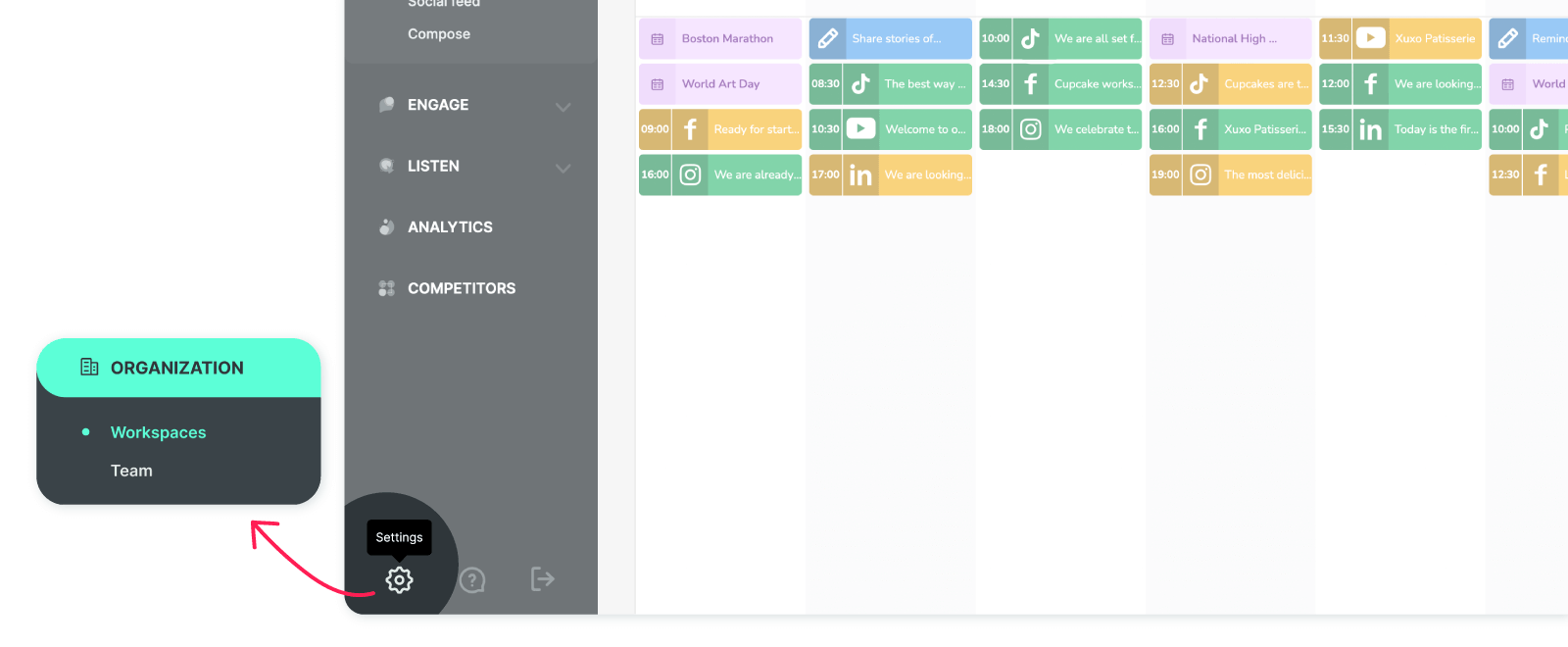
Click 'Settings,' and you’ll land directly in the 'Workspaces' section on the next screen.
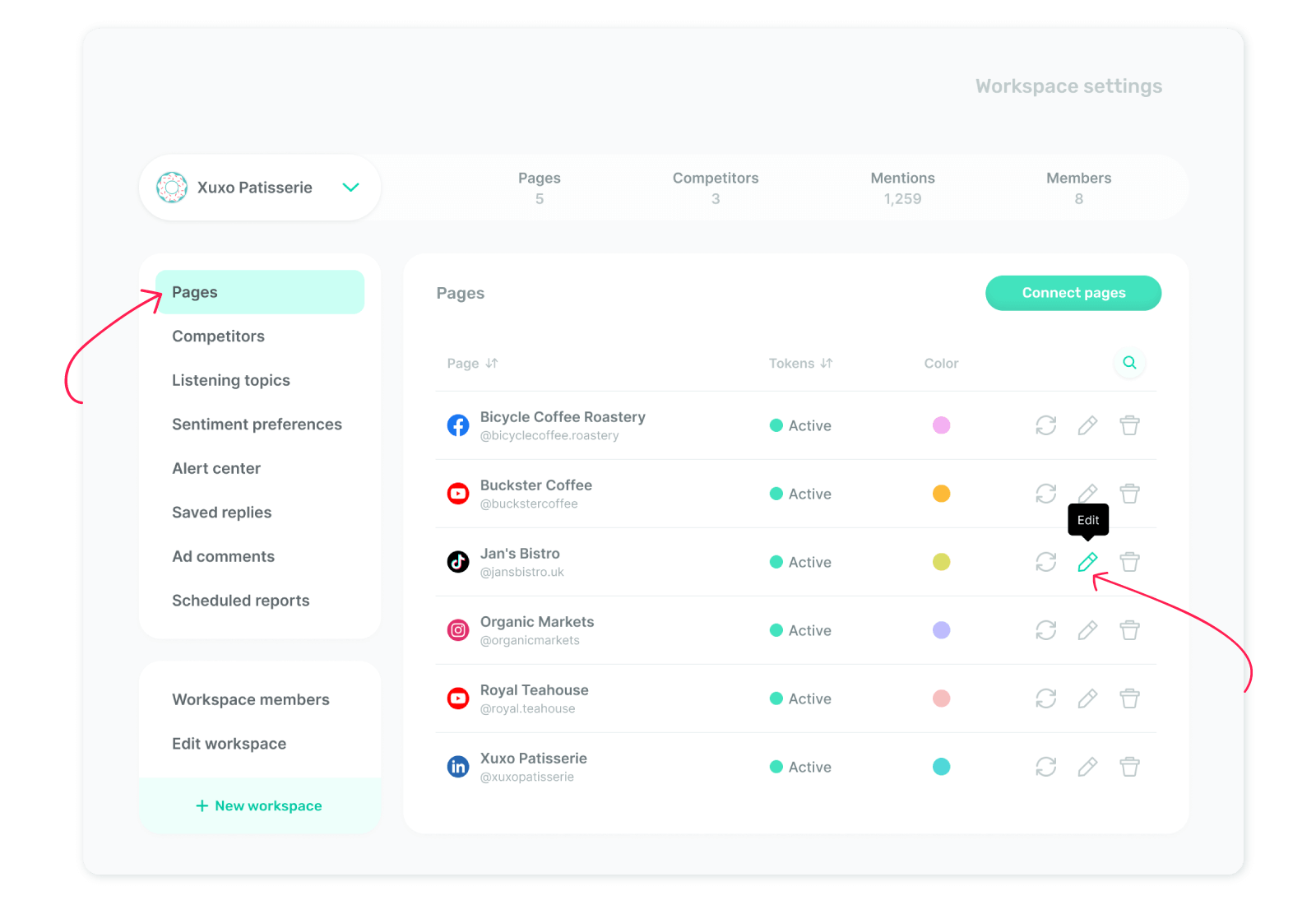
From the left menu, click 'Pages'. You’ll see the page details you've added. To adjust the timezone, just click the 'Edit' icon.
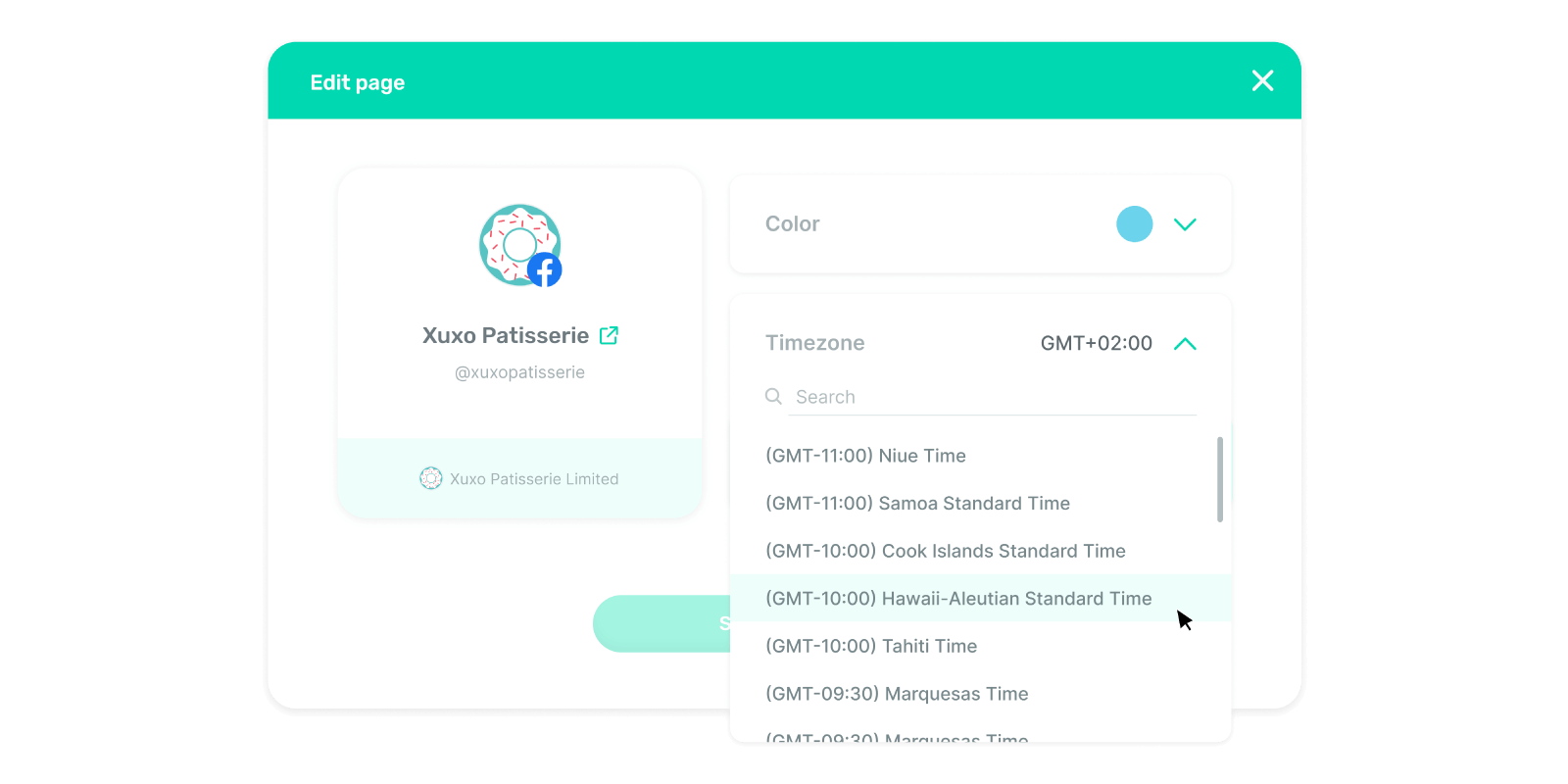
On the opening screen, click ‘Timezone’ to select a new one for your page. Choose your desired timezone, then click ‘Save changes’—and you're all set! 🤗