What are the categories and attributions? How can I use them?

When you add a new brand, in the window you can add filters for your listening mentions as "Categories" and "Attributes", which are completely customizable and can be changed according to your brands' needs.
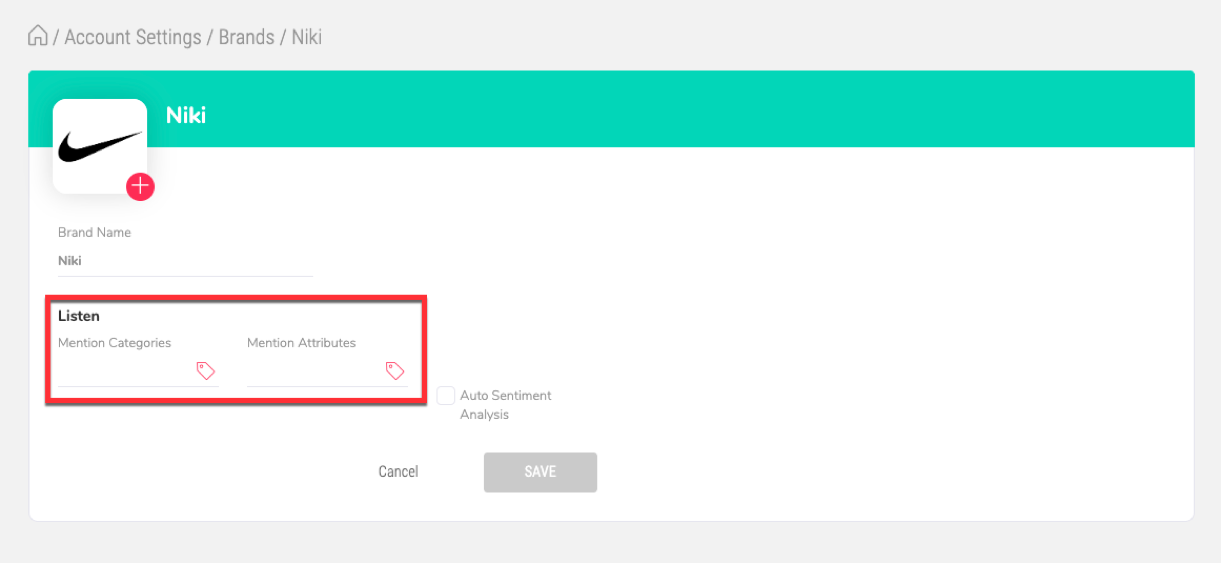
For example, if you are a furniture manufacturing company you might add the following filters:
Categories: Seating, Storage, Lightning, etc.
Attributes: Complaint, Suggestion, Question, Compliment, etc.
Or if you are a coffee shop you might add the following filters:
Categories: Service, Taste, Facilities, etc.
Attributes: Complaint, Suggestion, Question, Compliment, etc.
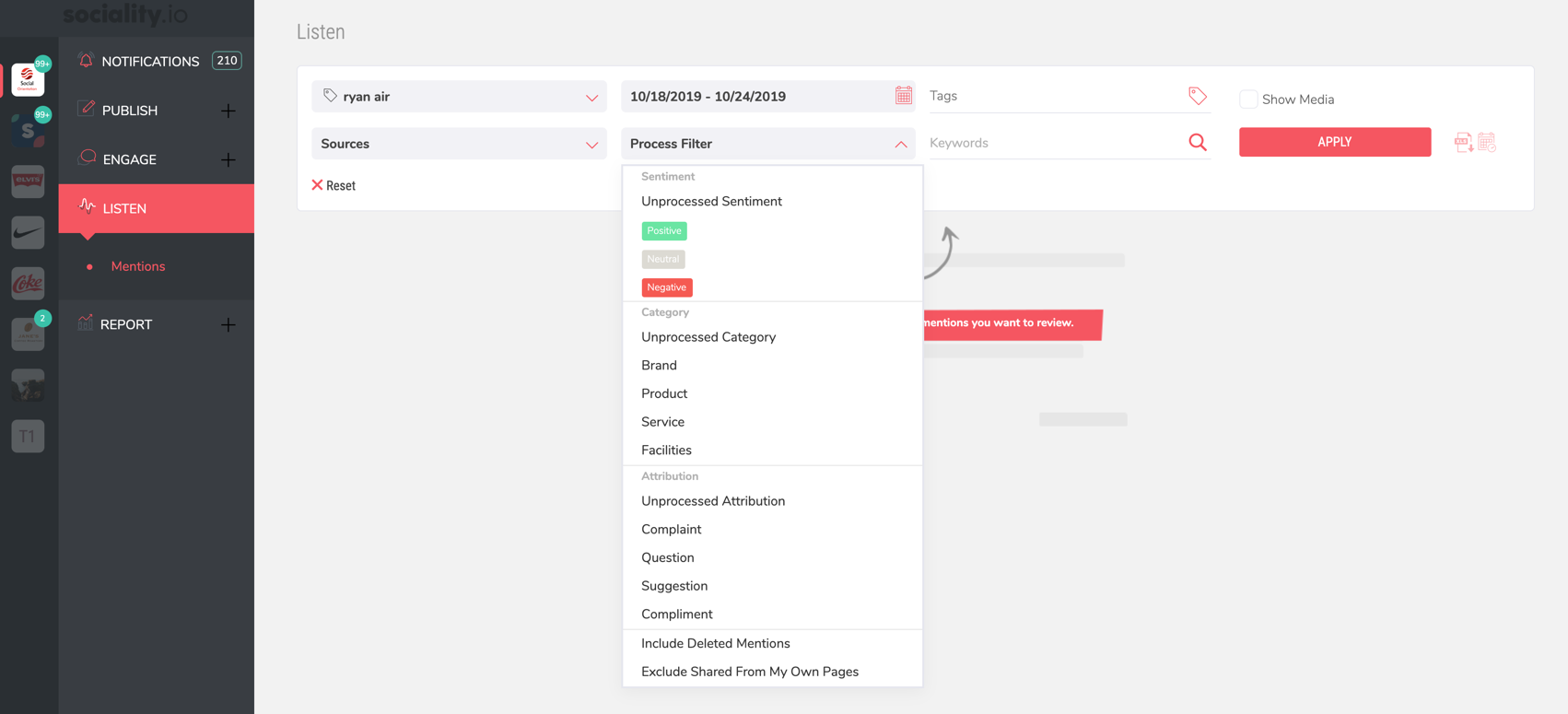
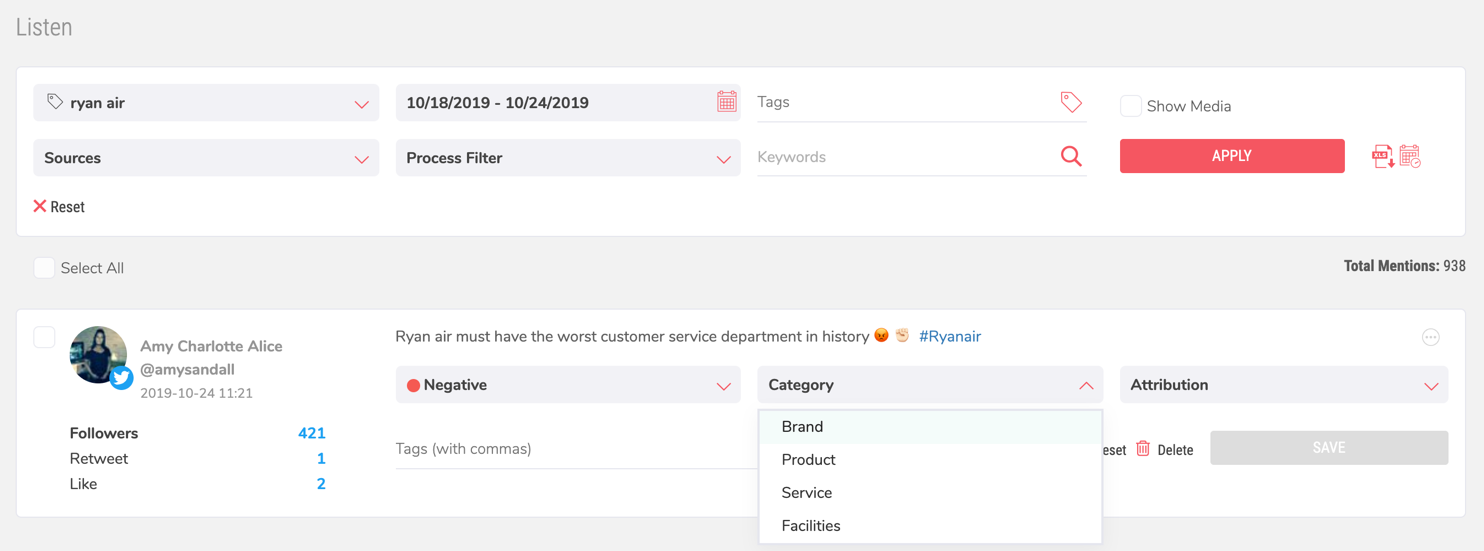
After customizing your categories and attributes, you can use these filters in Engage - Conversation Activities and Listen - Mentions modules:
How Sociality.io uses these filters?
Engage
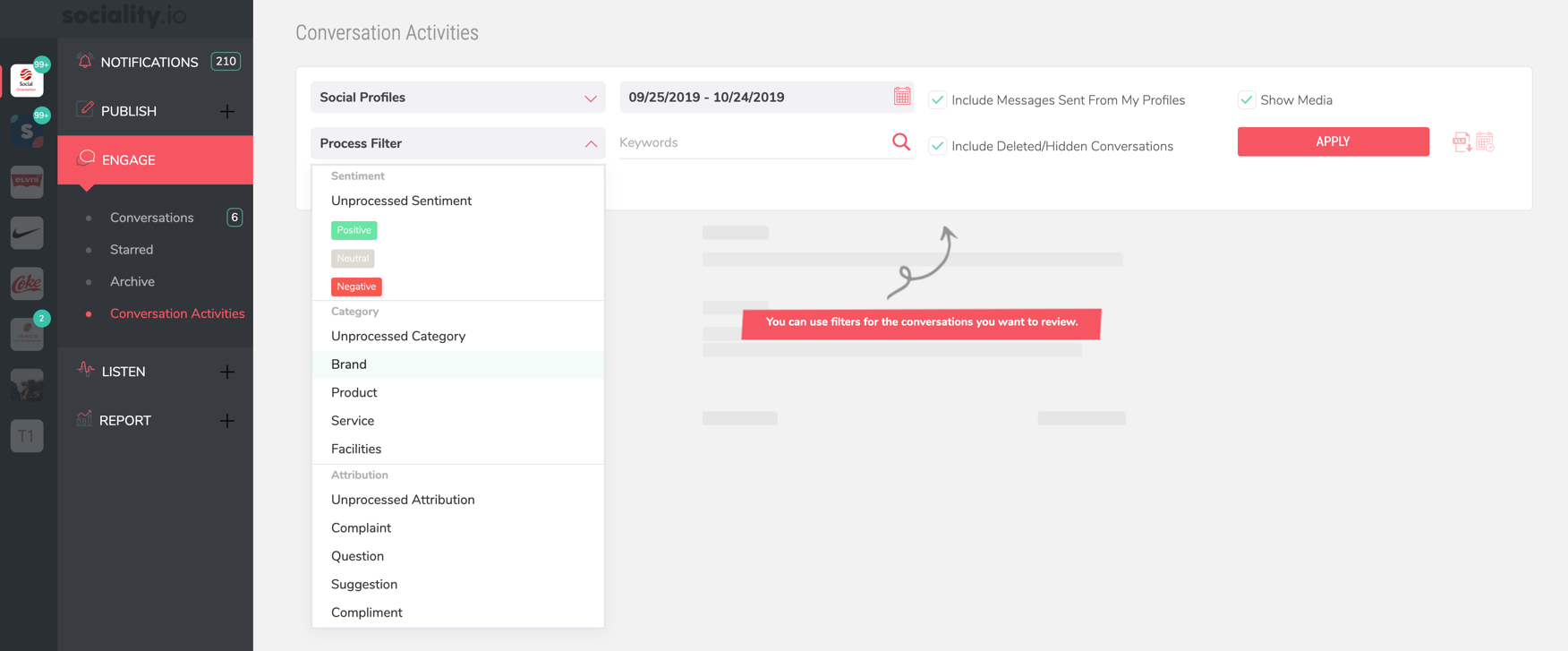
In the "Conversation Activities" section, there is an option to filter all incoming engagement via "Process Filter", where you can choose categories and attributes.
For example, if you choose the attribute "Suggestion", our system will show you conversations related to this attribution.
Listen
In the Listen module, where our system monitors all keywords you added to our platform, you can filter all mentions based on "Process Fillter", where you can similarly as in the Engage section, choose categories and attributes.