How to rename my workspace?

Here are the steps you should follow to rename your workspace ⤵️
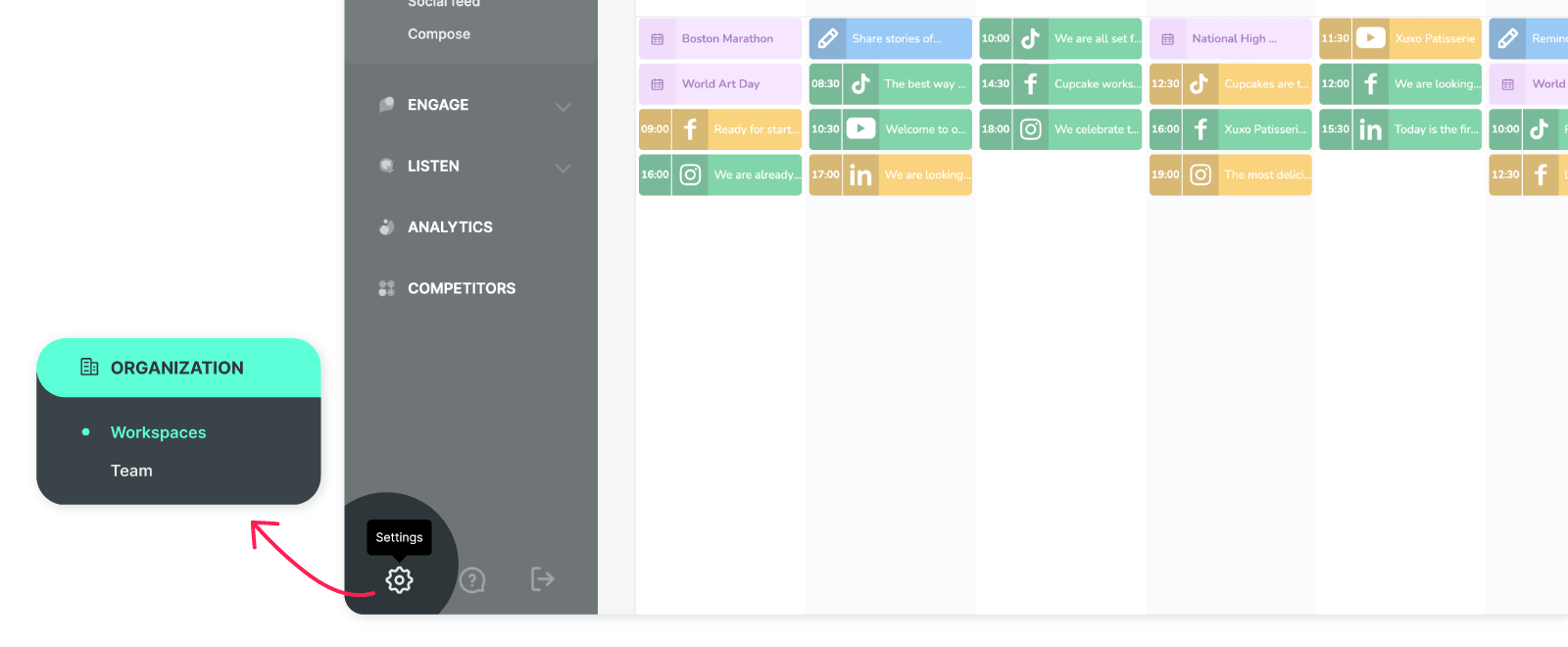
Click on ‘Settings’ and it will directly navigate you to the ‘Workspaces’ section on the following screen.
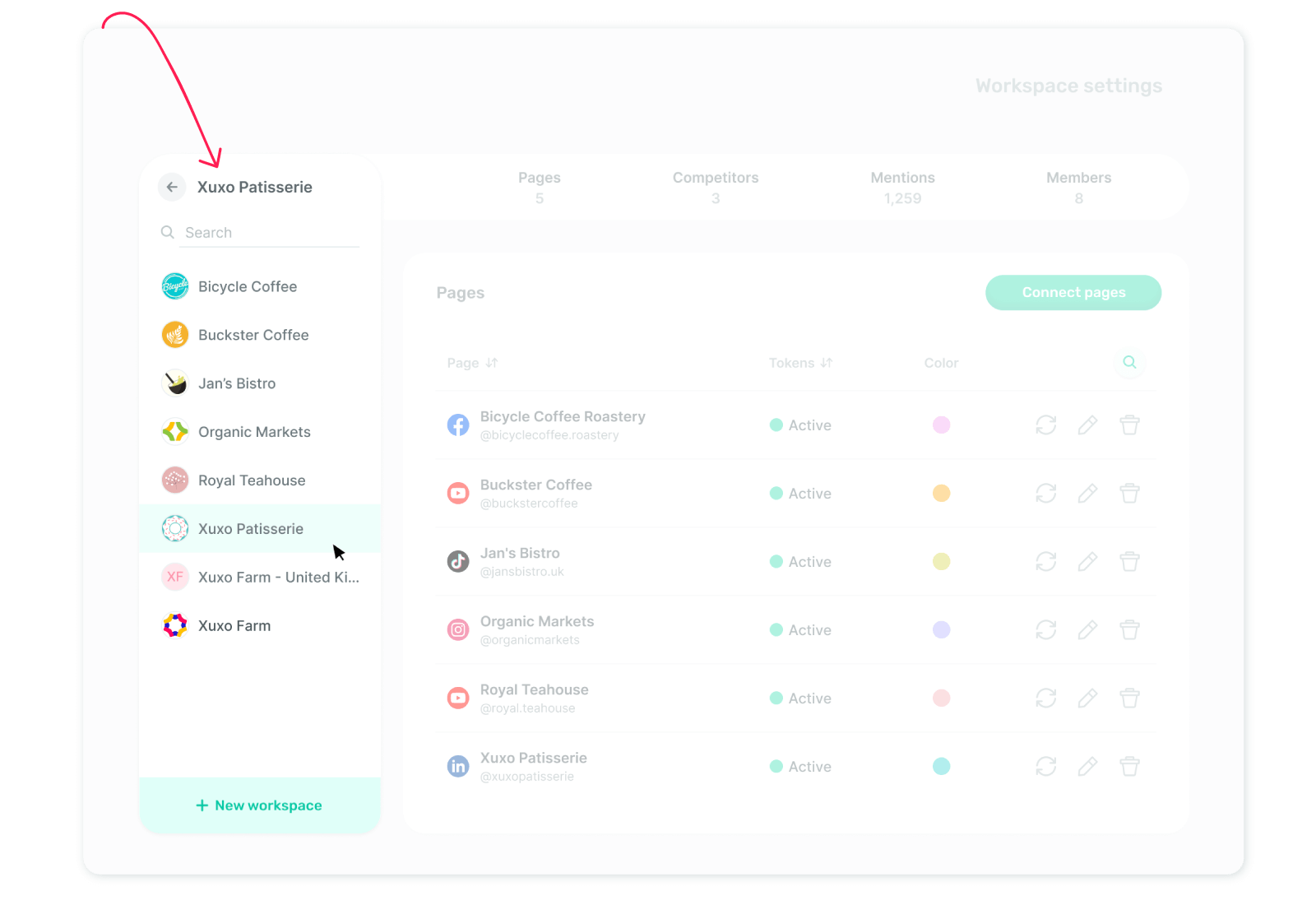
Go to the Workspaces section and select the workspace you'd like to rename from your list of added workspaces.
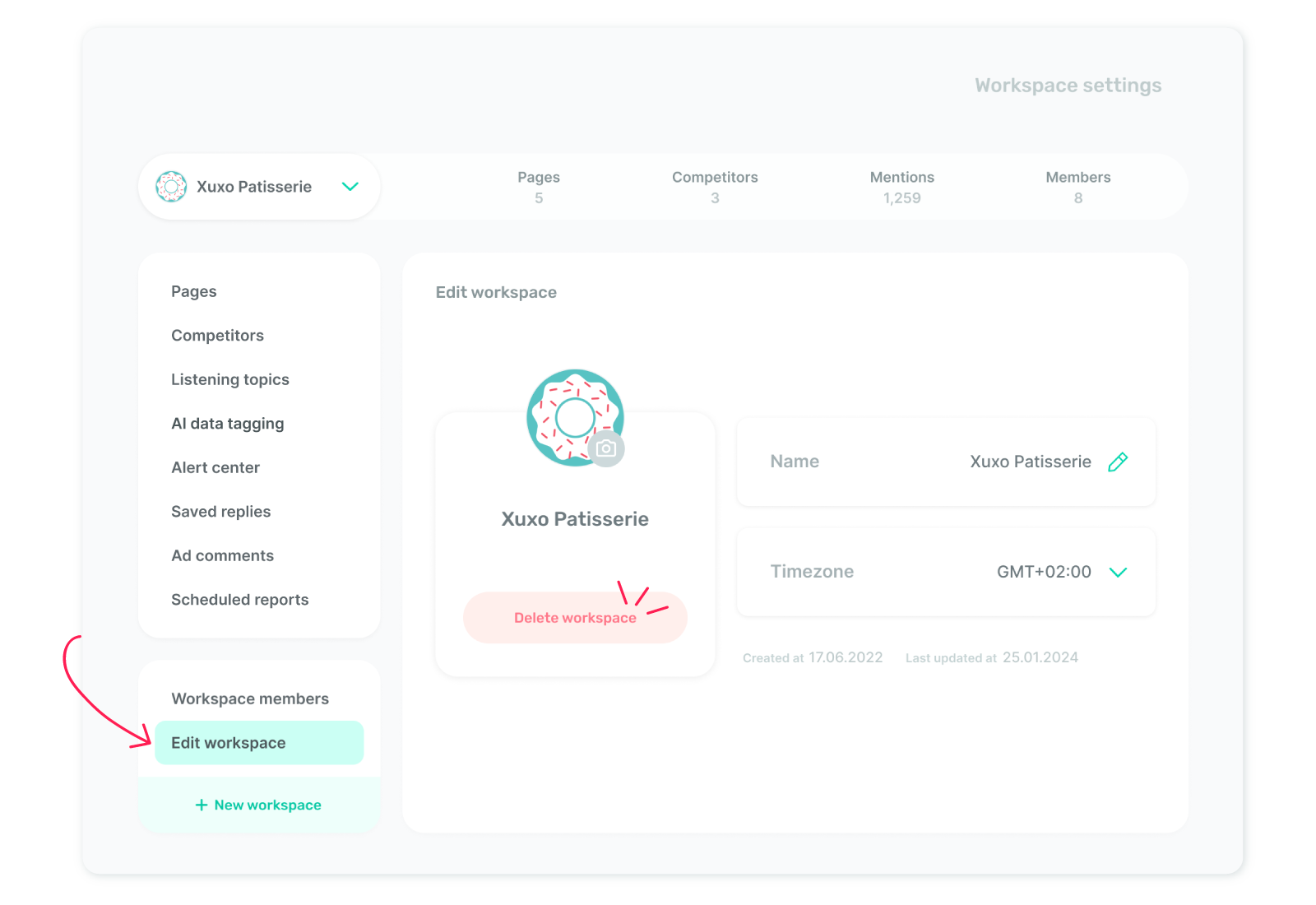
Then, click on ‘Edit workspace’ at the bottom of the page and navigate to the ‘Name’ section, where you can rename your workspace.