To grow your subscribers on YouTube as a brand, give people a clear reason to subscribe, make every video easy to choose, and use your analytics to repeat what already works. Buying subscribers does none of that, and it breaks YouTube’s rules.
Do you remember the first time you’ve discovered the wonderland of YouTube? I do. Back in 10th grade, I managed to overhear the majority of math classes. It wasn’t the smartest decision, but we have all been there pretending that we listen. I was always great at algebra. But the night before the exam I didn’t know what to do. I guess we also have been there pretending that we are doing our homework. I googled and discovered thousands of videos of people explaining step by step how to solve integrals and differentiation problems. Who knew that somebody would actually spend their time making those great tutorials.
Later during my university days, I took Harvard online courses available for free. I’ve learned to make money on Forex in a span of a few months from YouTube videos. During my early career, guess what? I opened YouTube to learn new skills I didn’t have.
93% of 18-27 year old viewers in the U.S. agree that YouTube helps them learn new skills, according to a 2025 Kantar survey that YouTube’s CEO cited in January 2026.
Many people now come to YouTube to learn or digest cool content online for free. As a millennial, I don’t have a TV at home. I am not the only one.
If you are still here, read my side story. Keep reading.
This personal story of mine is essential to explain this to you: content consumption behavior is changing. And your YouTube online presence can become a powerful marketing channel. My example is only a small sample of millions of people who behave in the same way.
Your goal as a business owner or a marketer is to turn the hunger for good content and bring your target audience to your profile. Believe me, on a platform where over 500 hours of video are uploaded every minute, competition is hard, and it’s one reason many brand videos never collect the views or subscribers they were made for.
Picture it: you invest your money, time and effort into creating YouTube video content and only 500 people watch it.
Let’s discover together how your content can outperform YouTube competitors, what content you should be creating and what else is essential for your growth.
It was a long introduction (I know), so without further ado, let’s begin!
Quick takeaways
- Recommendations and search are separate systems: YouTube says recommendations drive more viewing than subscriptions or search, while search ranks videos on relevance, engagement and quality.
- Packaging does more than tagging: a video’s title, thumbnail and description matter more for discovery than its tags.
- There is no magic upload schedule: YouTube found that growth in views across uploads is not correlated with time between uploads.
- Since 24 August 2026 a view counts from the first frame, and the previous definition is now called an engaged view.
These are the steps to grow your subscribers on YouTube:
1. How to work with the YouTube algorithm?
YouTube doesn’t run a single algorithm. Recommendations and search are separate systems, and a brand channel has to show up in both.
Your audience is already there: Pew Research found in 2025 that 84% of U.S. adults say they ever use YouTube, and 33% say they visit it several times a day. For recommendations, YouTube says they drive a significant share of overall viewing. Its 2021 explanation of the system names clicks, watch time, likes, shares, dislikes and one-to-five-star survey ratings as inputs, and only videos rated four or five stars count as valued watch time.
Search rests on three things: relevance (how well the title, tags, description and content match the query), engagement (such as how long people watch for that query) and quality (signs of expertise, authoritativeness and trustworthiness on the topic). YouTube also says it doesn’t accept payment for better placement in organic search results.
One thing changed on the way: YouTube made dislike counts private in November 2021, which is why some screenshots further down this guide still show them. The dislike button itself still works, and it still tunes recommendations.
What to do about it
- Title, thumbnail and description: YouTube calls them the most important metadata for discovery, so write them for the person about to click, and use the words your audience would type.
- Tags and hashtags: tags play a minimal role, except for content that is commonly misspelled. Up to three hashtags from your description show above the title, and a video with more than 60 hashtags has every one of them ignored.
- Keywords: instead of borrowing ideas from Google Adwords, open the Trends tab in YouTube Studio Analytics, where the Top searches card shows what your audience and viewers across YouTube searched for over the last 28 days.
- Watch time: encourage viewers to watch until the end, for example by teasing a surprise near the finish. Then open your audience retention graph to see where people actually leave.
The best scenario is to attract viewers to your channel, get them to binge-watch your videos, engage with them and then invite them to subscribe.
It comes down to simple logic: build high-quality content and an attractive profile that pull YouTube users toward your company brand. You can use the platform to promote your product and core values, and to sell the experience and emotions buyers have with it.
2. What kind of content attracts subscribers?
Brand videos showcasing your business and your core values
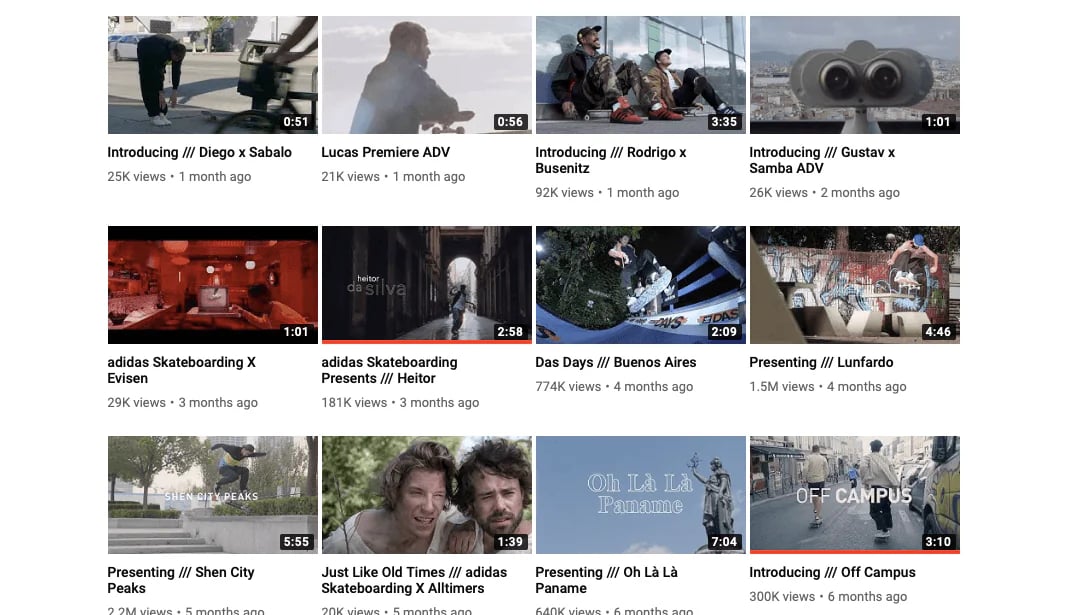
Adidas Skateboarding creates absolutely incredible videos inviting talented skateboarders who skate around the city, do tricks, and have fun. When we captured the channel in 2019, single videos ranged from 20K to 2.2M views. But views are not the most important aspect of their success. They share emotions, experiences, and passion all skateboarders understand.
The engagement under each video is fun. Adidas has managed to bring skateboard lovers around the world.
Comments: “Its like ASMR for skateboarders”, “I love the vibe of these Adidas skateboarding vids!”, “I can’t love more the edition of Adidas videos”, “Once again Adidas understands”.
Your YouTube profile shouldn’t be just about you! It is about the community you create, a community that shares one passion.
Educational and how to videos
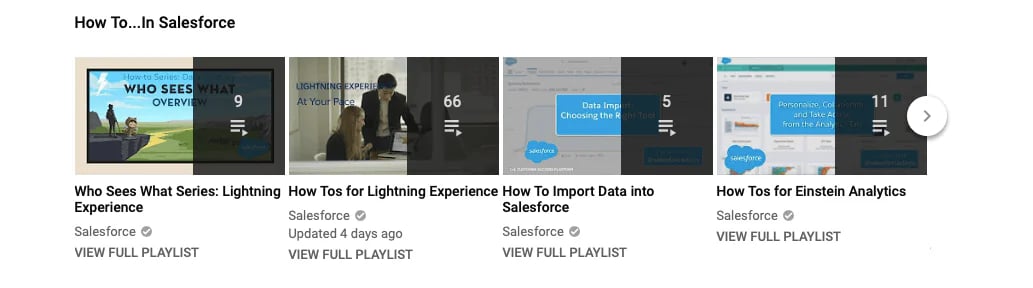
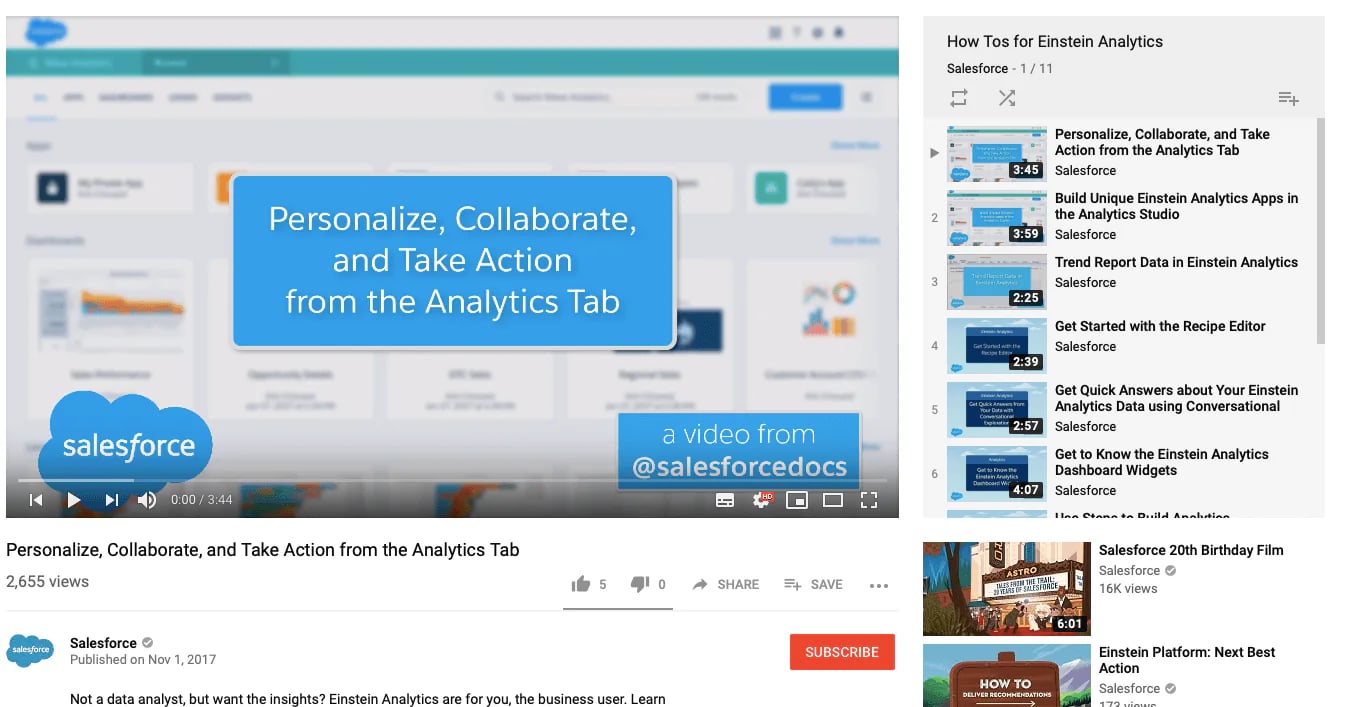
If your business doesn’t sell a physical product, you can turn your YouTube channel into an educational platform for your users. They are more likely to understand how a certain feature works, once they see it in action. Salesforce successfully implements this tactic, and it groups its how-tos into playlists so a viewer who finishes one is pointed to the next.
Short clips work for how-tos too, and our guide to creating engaging short videos covers the basics.
Interviews with experts and thought leaders in your industry
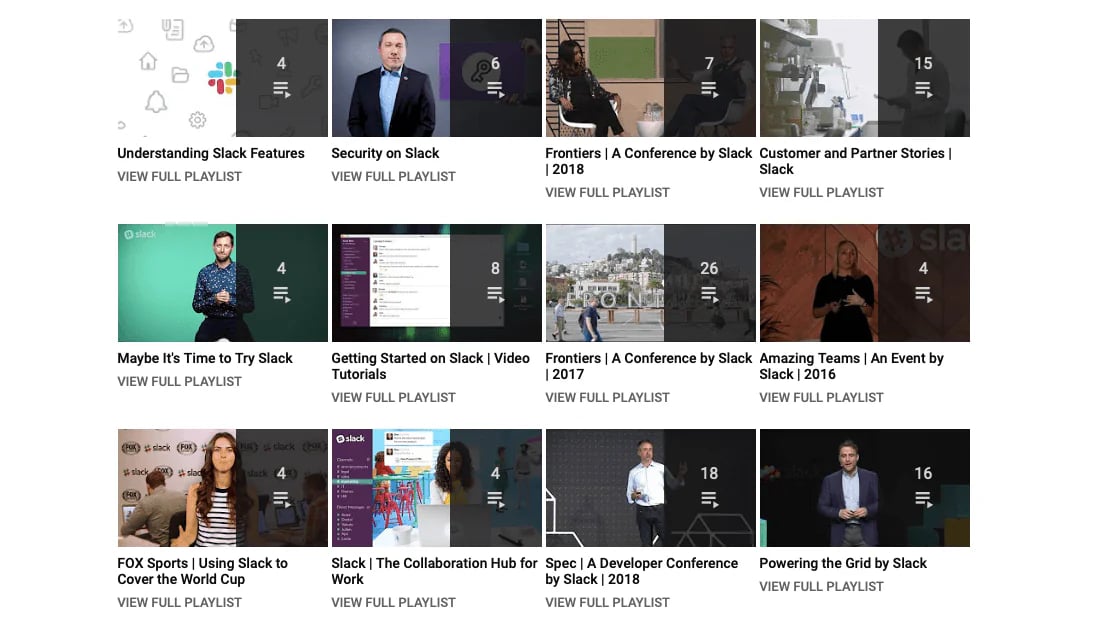
Share your expertise in your industry. By educating others you leave a positive impression about your own brand.
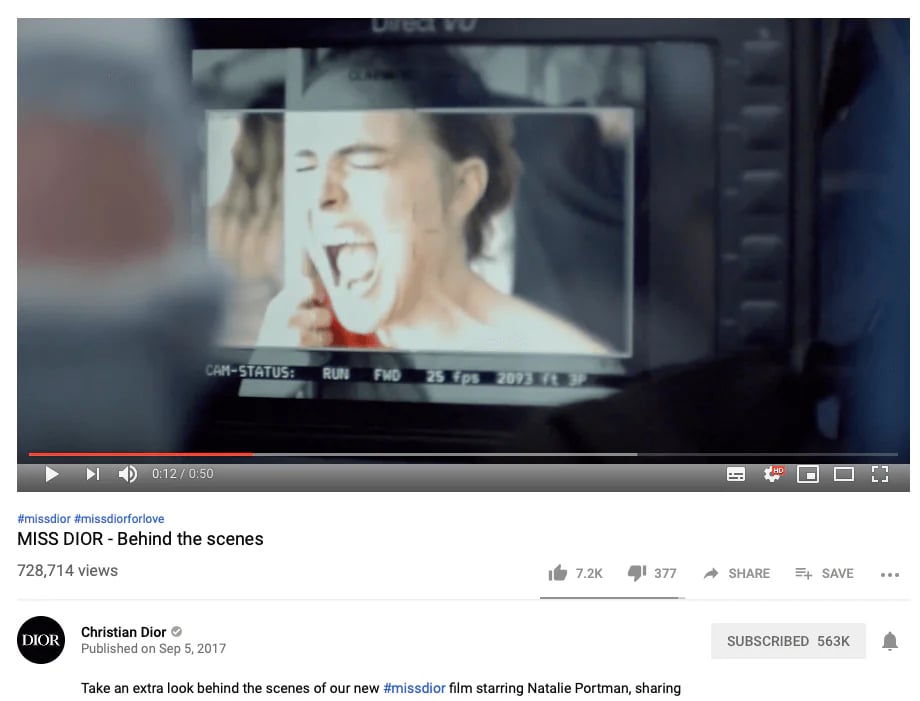
Behind the scenes videos
Videos, in general, are good at getting to know your company better. Show an office tour, how the work is done. If your company produces a physical product, display how much works it involves.
Product videos demonstrating what your product can do for your target audience
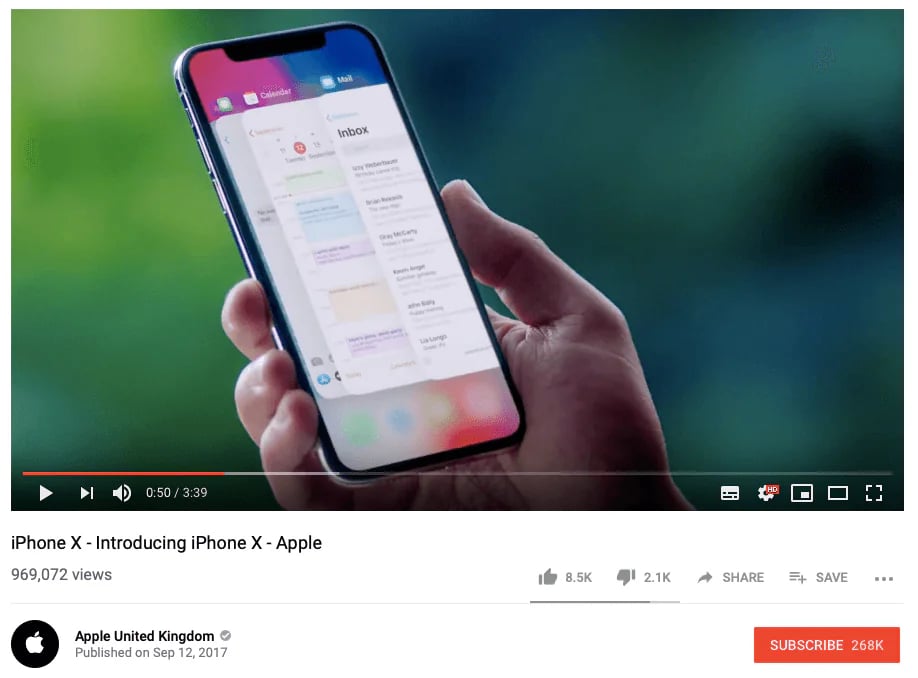
Sometimes and only sometimes you are allowed to show your product and dedicate an entire video to it. When you do, show it in use, the way Apple’s iPhone X video below does with the app switcher, instead of listing features.
Video testimonials
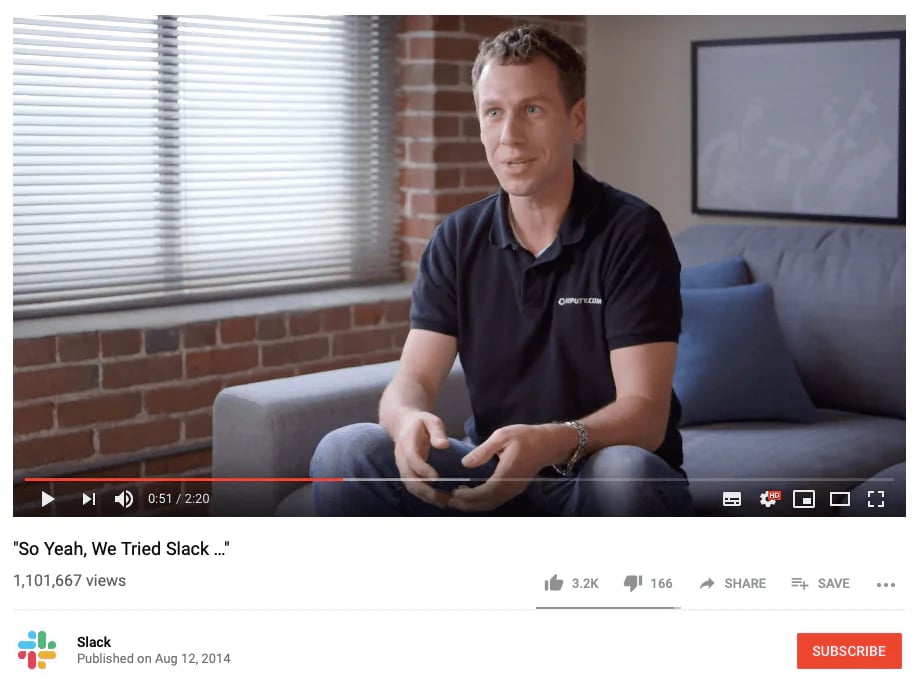
We all know that Social proof is convincing. Imagine now the power of video testimonials with real people and clients, who share their true stories. Yes, it is powerful and if beautifully done it builds a great bond between you and subscribers.
Case studies
Your product is great and flexible and can be used in many ways, isn’t it? Educate your clients by showing cases in which your product can be used.
Documentary
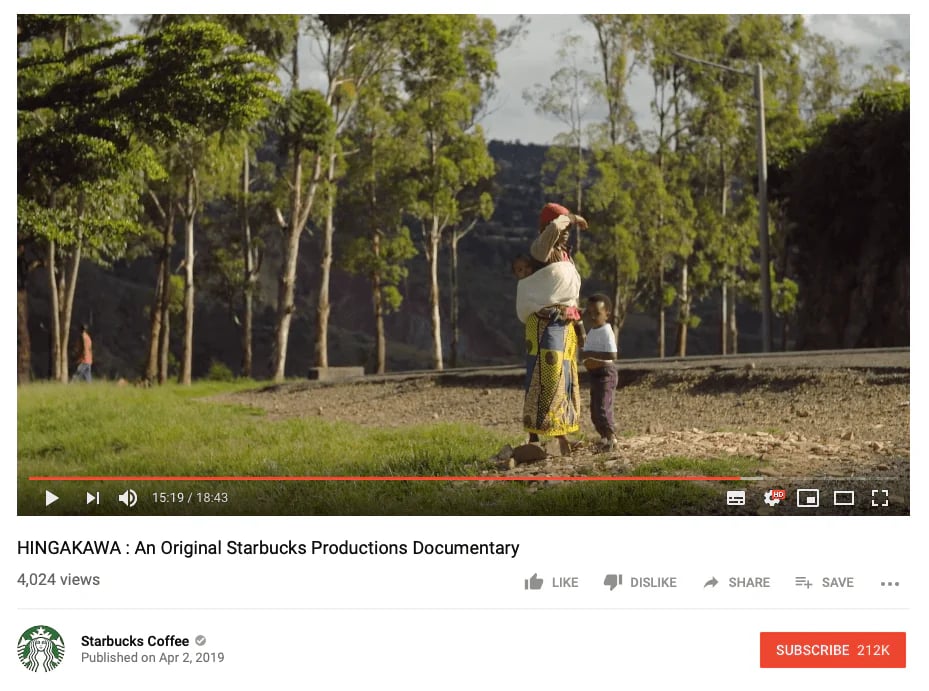
Documentaries work best for companies that have a very long story to tell. YouTube says there’s no universal ideal length and advises against stretching content, so let the story set the runtime. The Starbucks documentary below runs a little over 18 minutes, and your retention graph will tell you whether viewers stay for yours.
Shorts that lead to your longer videos
Shorts can now run up to three minutes, for uploads from 15 October 2024. A Short can also carry a related-video link to another video on your channel, which makes it a cheap way to point viewers at your longer videos. That link needs advanced feature access, and YouTube doesn’t promise that a Shorts viewer becomes a long-form viewer, so check which format brings your subscribers.
Playlists that keep viewers watching
A playlist gives a viewer a reason to stay on your channel once the first video ends. Group videos by the problem they solve or by the order someone should watch them in, such as a getting-started series followed by deeper tutorials, and name each playlist the way your audience would phrase the problem. A viewer who liked one video then finds the next without searching, and you get a second chance to earn the subscribe.
So, let’s imagine you have uploaded videos, optimized your channel profile and created a branding strategy. Is it enough to grow your business account? I am sorry to say, but no. You are on the right track, but you need to do a lot more!
3. Get the appropriate equipment for your videos
To create attractive and engaging content, you don’t have to buy an expensive camera if you can’t afford it. Many phones can record well enough, and with the help of an editing app the result can sit next to footage from a professional camera. But you still need some basic equipment, such as a tripod, a simple background and decent audio, to get the attention your content deserves. And don’t forget the importance of light while you’re creating the video.
4. Make an engaging channel trailer
The channel trailer gives quick information about your channel and what visitors should expect from your content. YouTube describes it as a preview of your channel for people who haven’t subscribed, and once a viewer has watched it, it won’t be shown to them again. It’s a great way to turn first-time visitors into subscribers, so keep it short and say what you’ll offer them with your videos. You add it in YouTube Studio under Customization, on the Home tab, by choosing Add section and then Channel trailer.
Ask for the subscribe with end screens and cards
A trailer only reaches visitors to your channel page, so ask for the subscribe inside your videos too. End screens can be added to the last 5 to 20 seconds of a video that is at least 25 seconds long, and they can promote another video or encourage viewers to subscribe. Cards let you add up to five interactive prompts to a single video.
5. Create a community by engaging with subscribers
Many overlook the main point of YouTube, that after all it is a social media channel and demands social interaction. If you’re just posting videos without encouraging comments and discussion, you’re missing the key point. Replying builds your brand’s credibility, and the comments show you what viewers want next. We’d encourage you to respond to every comment you receive and ask users for engagement. For example, at the end of every video encourage users to leave you feedback or ask you questions.
Users feel free under anonymous profiles and thus will be more likely to leave truthful feedback.
To not miss any comments, try Sociality.io Engage. It collects the comments from your YouTube channel, and from your other social accounts, in one unified inbox, so you won’t miss an important comment or complaint. You can also assign a conversation to a team member and work on monitoring engagement together.
6. Post consistently
YouTube is a social media, and consistency is important, but not because of a magic number of uploads. YouTube’s own guidance says that growth in views across uploads is not correlated with time between uploads, and that many creators build reliable connections with their audience through quality over quantity. Consistency is about showing your audience what to expect, so pick a rhythm your team can keep up for a year and stick to it.
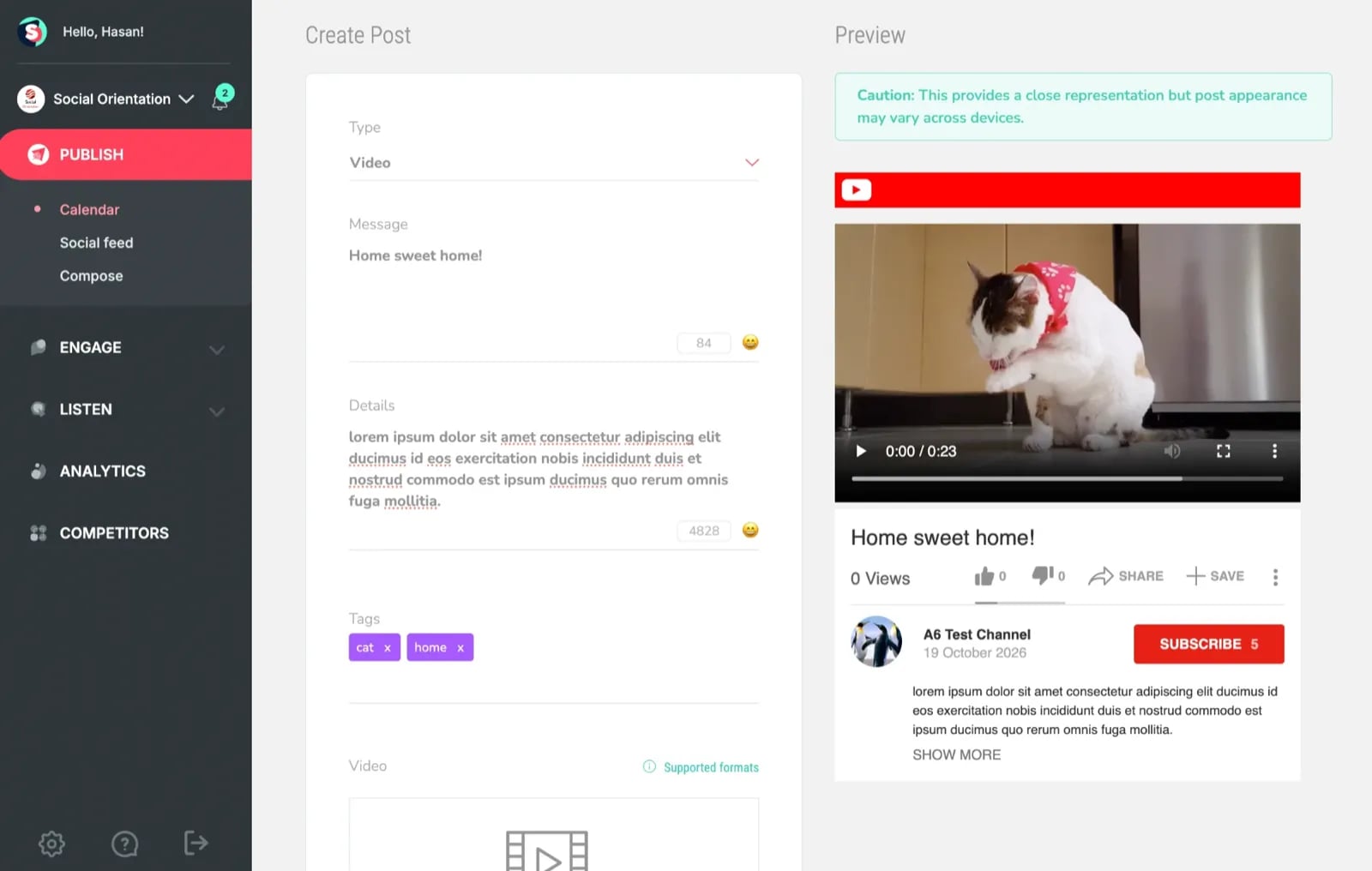
Sociality.io Publish lets you write the title, description and tags of a YouTube video post and check a preview before it goes out. It also plans YouTube Shorts on a calendar next to your other channels, and an approval step lets a teammate check a post before it goes live.
7. Pay attention to numbers
Monitor engagement rates, subscribers growth, type of interactions and total views. You can also identify videos that require replacing or updating, and our guide to YouTube analytics walks through the reports. Two reports in YouTube Studio answer the question of this guide directly. The retention graph shows where viewers leave a video, and the content report shows the subscribers you gained from each content type: videos, Shorts, live streams, posts and others.
Some data can be shown inside the YouTube platform or in the Sociality.io Reports section, which builds performance reports for YouTube channels and lets you download them as XLSX, CSV, PPT or PDF. If you’d rather ask than click, the Sociality.io MCP server lets an AI assistant such as Claude, ChatGPT or Gemini pull stats and posts for your own accounts and your competitors’.
Views now start at the first frame
From 24 August 2026, views across YouTube are counted from the first frame. The previous definition, clicking to watch or watching past the initial seconds, is now called an engaged view. YouTube says recommendations don’t change and that most analytics remain anchored on engaged views, so compare your 2026 totals with earlier months carefully before you call a jump or a drop.
8. Be personal
People connect to channels with the faces of real people. Businesses tend to hide employees and show only their product advertisements. They turn their channel into online TV commercials. That era is long gone. On a platform where people can decide for themselves what and when to watch, you no longer have the power to aggressively push your product line.
For example travel channels. When these screenshots were taken in 2019, personal travel channels were collecting tens of thousands of views per video, and some passed a million, while the travel-agency channel we compared them with was stuck in the single and triple digits. Why is that?
Check out how famous travel profiles look:
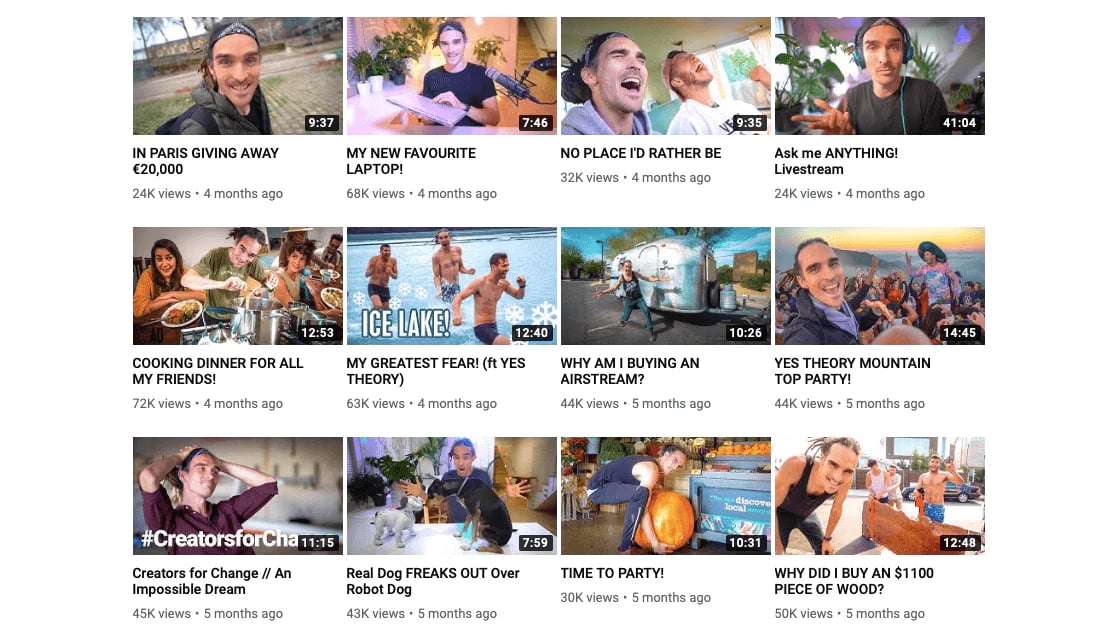
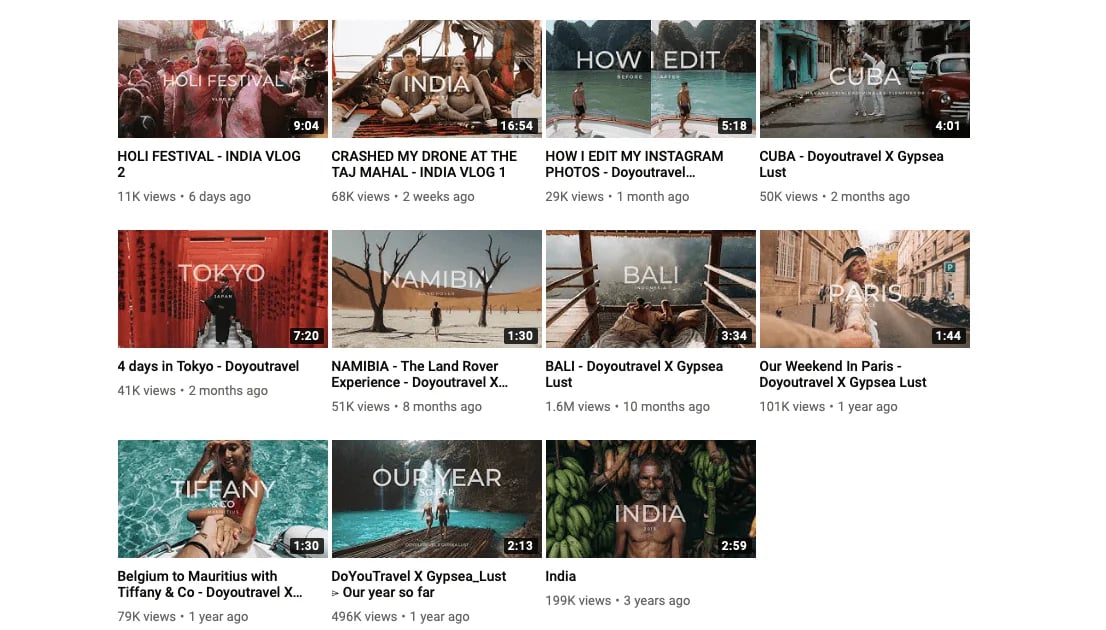
Do you see a commonality? Real people are front and centre, the thumbnails promise a place or a feeling, and every title invites you to click.
And now look at an example from a travel agency:
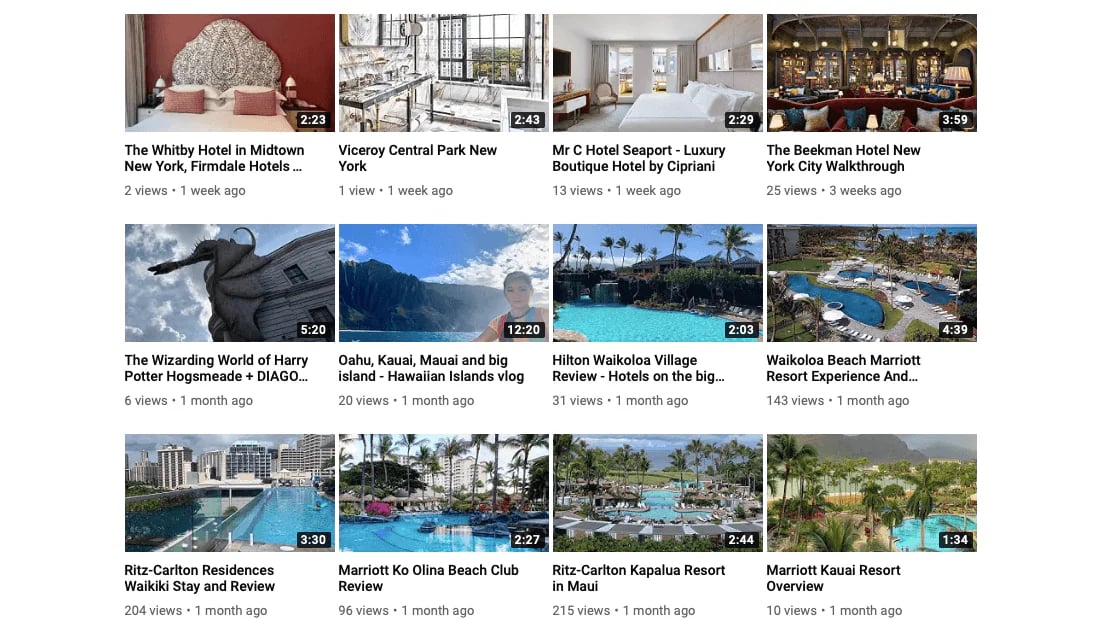
Boring and too polished hotel pictures. No wonder the most-watched video there had 215 views.
Conclusion
Millions open YouTube every day to watch videos. It is a great challenge to bring their valuable attention to your profile and encourage them to watch your videos. Businesses find it hard to attract viewers and build a YouTube community, but it is not impossible. Understanding how recommendations and search work, and making content your audience actually wants, are the first essential steps toward a successful YouTube presence.
For a team running several channels, the daily routine is what slips first, and that’s where I’d let Sociality.io take over: your YouTube comments, planned posts and reports sit in one dashboard. You can start from there and move towards engaging viewers who hit the notification bell and watch your videos with smiles on their faces.
YouTube subscriber growth FAQs
Which tool helps a brand team manage YouTube comments and reports?
One dashboard can cover both. Sociality.io collects YouTube comments in a unified inbox where you can assign conversations to teammates, and its reports cover YouTube channel performance. If you would rather ask an AI assistant, Sociality MCP lets tools like ChatGPT, Claude and Gemini read stats and posts for your accounts and your competitors.
How many subscribers do you need to monetise a YouTube channel?
YouTube has two entry tiers. Fan funding and shopping start at 500 subscribers with 3 public uploads in 90 days and 3,000 watch hours or 3 million Shorts views. Ad revenue starts at 1,000 subscribers with 4,000 watch hours in 12 months or 10 million Shorts views in 90 days. Subscribers identified as spam do not count, and neither do watch hours or Shorts views gained through ad campaigns.
How often should a brand upload to YouTube?
As often as your team can keep up with quality. YouTube says growth in views across uploads is not correlated with time between uploads, and that many creators build reliable connections through quality over quantity. Pick a rhythm you can sustain for a year, then judge each video by its retention graph rather than by how recently you posted.
How long should a YouTube video be?
As long as it needs to be. YouTube says there is no universal ideal length and advises against stretching content, so aim for the length that delivers your information or entertainment value. Open the audience retention graph in YouTube Analytics to see whether viewers leave early or stay, then adjust the next video. Shorts can run up to three minutes.
Do tags and hashtags still help YouTube videos get discovered?
Only a little. YouTube says tags play a minimal role in discovery, except when your topic is commonly misspelled, and that the title, thumbnail and description matter more. Up to three hashtags from your description appear above the title, and a video with more than 60 hashtags has all of them ignored.
Should a brand focus on Shorts or long videos to get subscribers?
Neither wins on its own. YouTube’s content report shows the subscribers you gained from videos, Shorts, live streams and posts separately, so check which format brings yours. A Short can also link to a related video on your channel, which lets the two formats work together, though YouTube does not promise viewers move from one to the other.