A good Instagram caption does three jobs, in order. It earns the tap on “more” with its first line, it gives the reader something worth the scroll, and it asks for one clear thing at the end. Length, hashtags, emoji and keyword placement all follow from those three. This guide covers how to write good Instagram captions that hold up against what Instagram actually allows today, which has changed more than most guides on the subject have noticed.
You’ll find plenty of pages offering a thousand captions to copy. Skip them. The ones worth copying are already sitting on a few thousand other accounts, and your audience can tell. What follows is the approach instead: the limits you’re working inside, the shape of a caption that holds attention, and how to tell afterwards whether it did.
Key takeaways
- Instagram allows 2,200 characters in a caption and up to 20 @ mentions. Its Help Centre now caps hashtags at five, down from the thirty most guides still quote.
- Instagram does not publish where a caption is truncated in the feed. Write the first line as though it is the only line anyone reads, because for most of your audience it is.
- Caption text is searchable. Instagram matches keyword searches against captions, so use the words people would actually type.
- Alt text is a separate field of up to 1,000 characters, and Instagram describes it as something screen readers read aloud. Write it for that, not for reach.
- 45.9% of marketers in our 2026 AI report use AI for caption and text writing, and 78.4% edit the output moderately or heavily before it goes out.
What makes an Instagram caption good?
An Instagram caption is the text under a post that explains, frames or adds to what the image or video is showing. It can run to 2,200 characters, carry up to five hashtags and twenty @ mentions, and it is searchable, which makes it the only part of a post that Instagram can actually read.
That last point is what separates a caption that works from one that fills the space. The image stops the scroll. The caption is what makes the stop worth something, and it is the part that tells Instagram what the post is about.
A good one clears three bars. Its first line survives being the only line most people see. Its middle gives the reader a reason to still be there. Its ending asks for one specific thing. Miss the first and nothing else gets read.
Worth checking 👉 How to use hashtags on Facebook and do they really work?
Instagram caption limits: characters, hashtags and mentions
Instagram’s own documentation gives four numbers, and one of them changed recently enough that most guides still have it wrong.
| What | Limit |
|---|---|
| Caption length | 2,200 characters |
| Hashtags per post | 5 |
| @ mentions per post | 20 |
| Alt text | 1,000 characters |
The hashtag figure is the one to note. Instagram’s Help Centre now states that you can use up to five tags on a post, and that a comment carrying more than five will not post. For years the ceiling was thirty, and thirty is still quoted almost everywhere, including in Meta’s own API reference, which documents a maximum of 2,200 characters, 30 hashtags and 20 @ tags for captions published through the Instagram Platform.
Both pages are Meta’s, and they disagree. If you publish through a scheduling tool, that gap is worth knowing about, because the tool is talking to the API while your audience is using the app. Write to five.
Where a caption gets cut off in the feed is a different question, and Instagram does not publish an answer. You will see 80 characters quoted, and 125, both confidently and neither with a source behind it; the cut-off shifts with the surface, the device and the text itself. Which is a longer way of saying that the first line is all you can count on.
Related: character limits for every social platform, in one table.
The anatomy of a caption that works
People arrive at this page searching some version of the same question: what do I actually put in the box? Here is the shape, in the order the reader meets it.
- The first line. For most of the people who see the post, this is the whole caption. Put the specific thing here. “We’ve been working on something” is not a first line. “We rebuilt the checkout and cut it from six screens to two” is.
- The body. Two or three sentences that pay the first line off. If the opener made a promise, this is where it gets kept. Long is fine here, and a story-led caption can run several hundred words and hold, as long as the paragraphs are broken up and each one earns the next.
- The ask. One instruction, not three. Tag someone, answer the question, or read the thing in the bio. Two asks in one caption reliably gets you neither.
- The hashtags. Five at most now, chosen because they describe the post rather than because they are busy.
The order matters more than the word count. A caption that buries its best sentence in the fourth line has already lost the people who only read the first.
How to craft the best Instagram captions?
This article won’t give you 1000 examples of great captions that you can copy+paste. Instead, we want to show you the right approach to writing captions that will work for your brand only!
Think of your target audience
Before posting anything on Instagram, first, make sure you understand the target audience. Analyze the tone of voice they prefer, and the type of content they are eager to see on their feed.
This is presumably the first and foremost aspect you need to consider. If your audience mainly consists of teenagers, you need to know their fondness, the vocabulary they are using, or would like to see on your page the emojis you can use to get your message better.
You can improvise, test a couple of versions and check which ones appeal to your audience more. The analytics will hint you which caption was more successful, and hence, new ideas for Instagram captions will arise.
Choose your tone of voice
Depending on the niche, you might need to be funny, serious, neutral, or emotional.
Identify your brand voice in accordance with your niche. If you are a plastic surgeon, of course, your captions should be way different from those of a comedian. It would be better for your brand voice to be neutral or a little bit emotionally positive to express your happiness for boosting someone’s level of confidence. Too serious or too humorous content would lead to unfollows as your audience would think you are not professional enough to choose the right brand voice for you.
Of course, it also depends on the content you share, but generally, if you have a specified tone of voice, your audience becomes aware that it’s your brand’s way of expressing your thoughts, and they get comfortable with it.
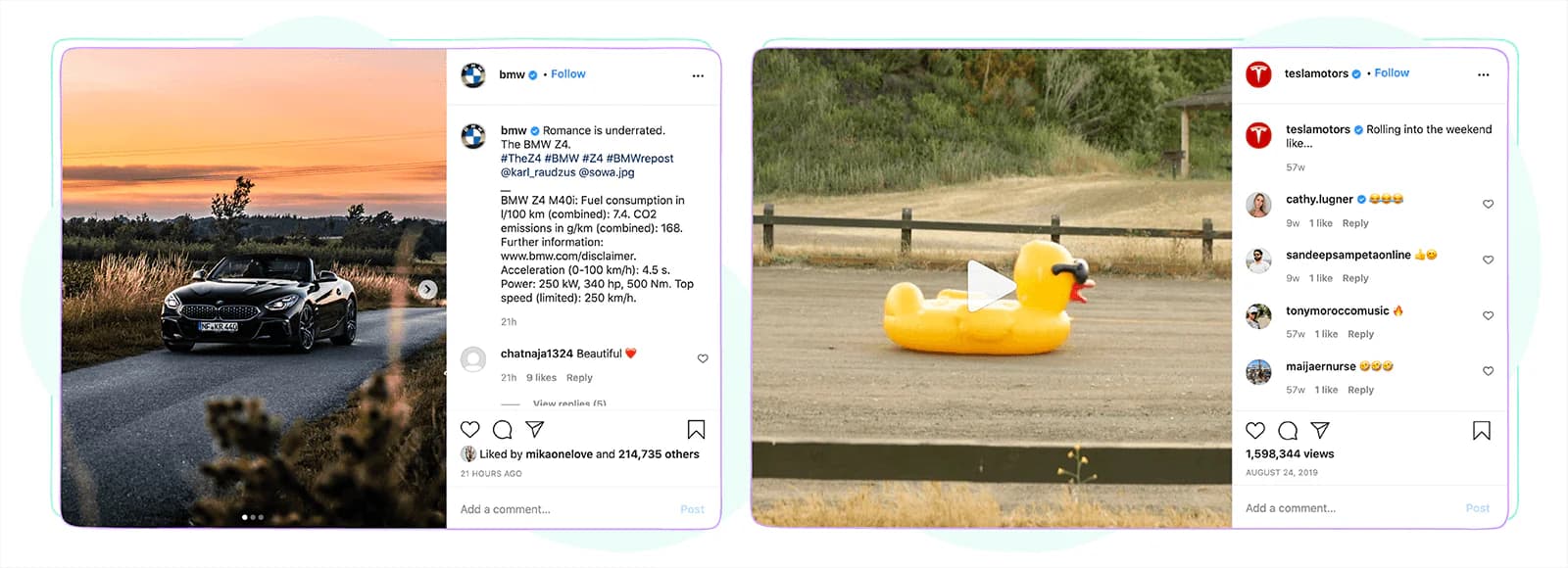
Tesla and BMW particularly have different tones of voice, which is determined by overall company branding.
Plan ahead
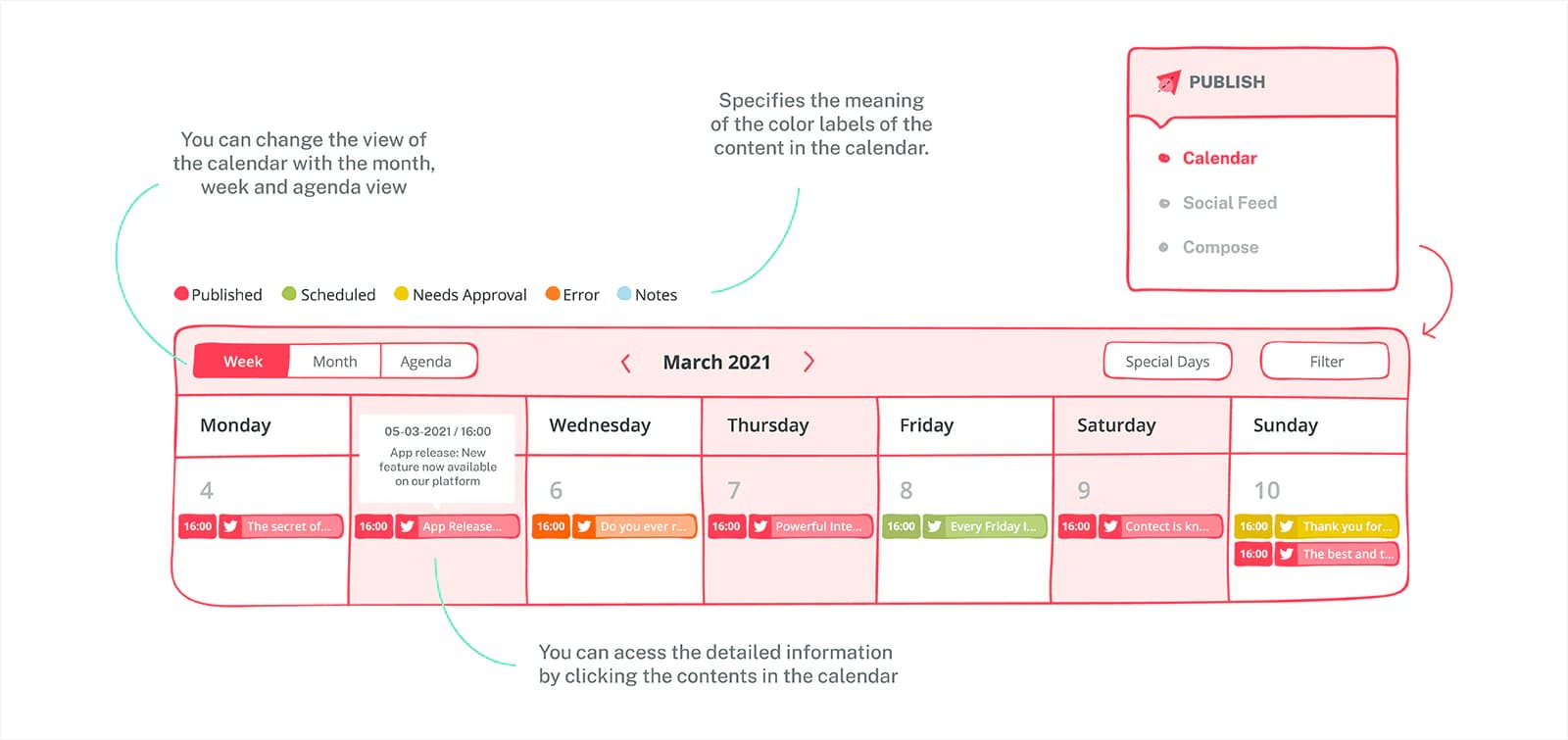
You can’t just sit in a cafe and think – hm, what should I post today? Posting on Instagram needs weekly or sometimes monthly planning. The most important part of it is thinking of the right caption. This reduces the chance of regretting not being able to post the best Instagram caption that came into your mind later.
Batching helps more than most scheduling advice does. Writing three or four captions in one sitting, away from the post button, produces better first lines than writing one at the moment you want to publish it, because you are choosing between options instead of settling for the only one you had.
Write for the way people search
Instagram’s search reads keywords, not only hashtags. Its Help Centre puts it plainly: you can search using keywords to find photos and videos, hashtags, accounts, audio, tags and places. Your caption text is part of what gets matched.
So write the words someone would type. A caption that says “our new oat milk flat white” can be found by somebody searching for an oat milk flat white. A caption that says “the one you have all been waiting for” can be found by nobody.
This is not keyword stuffing and it does not take much. One plain description of what the post actually is, somewhere in the first line or two, usually does it.
Related: how Instagram search actually works, including what it can and cannot find.
Develop the right hashtags strategy
With five tags to spend rather than thirty, hashtag research stops being a volume exercise and starts being a selection one. Check what a tag actually returns before you use it, and whether a post like yours has any chance of being seen on that page. Broad tags with millions of posts will bury you; the specific ones are where five tags are enough.
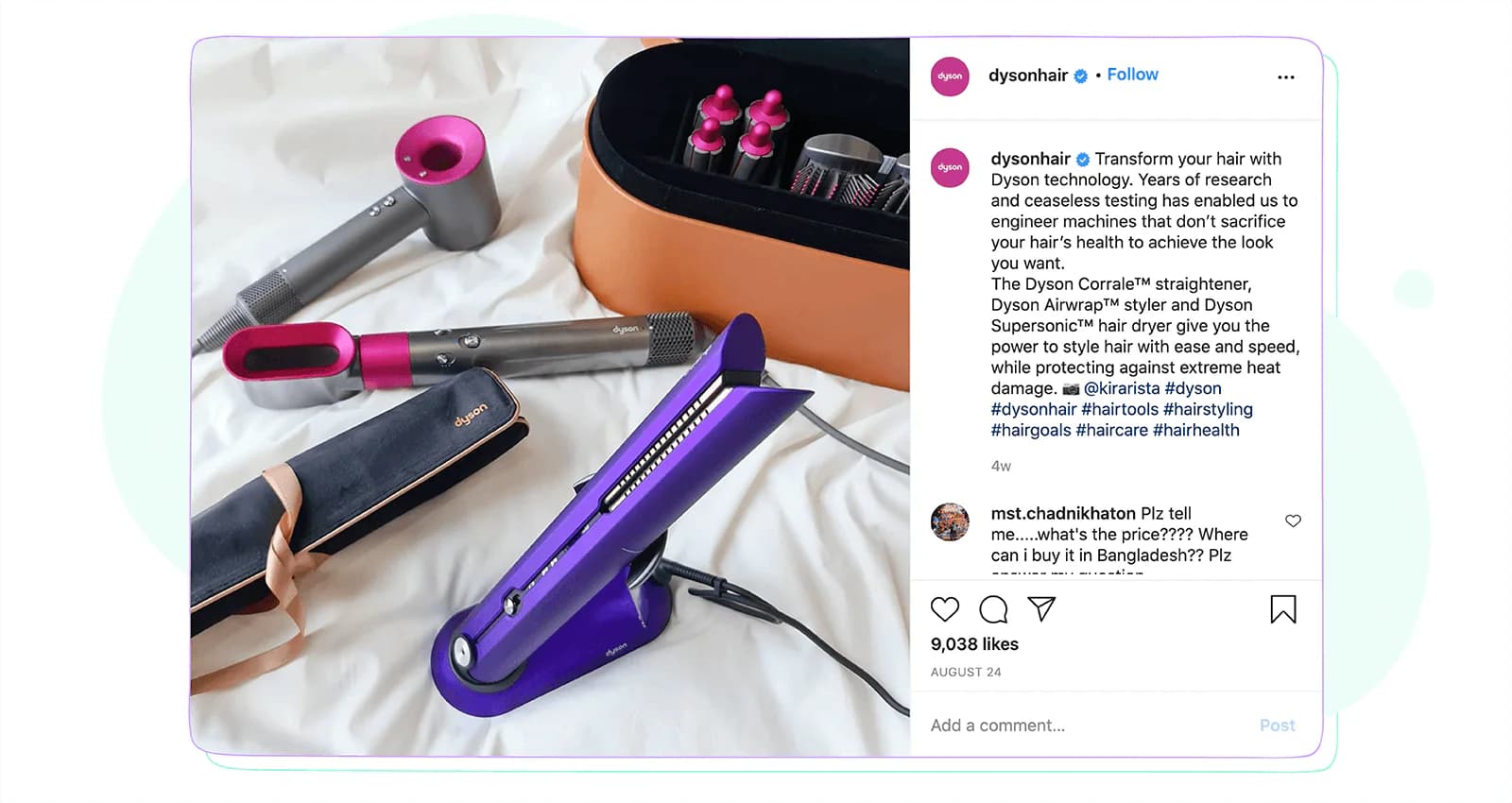
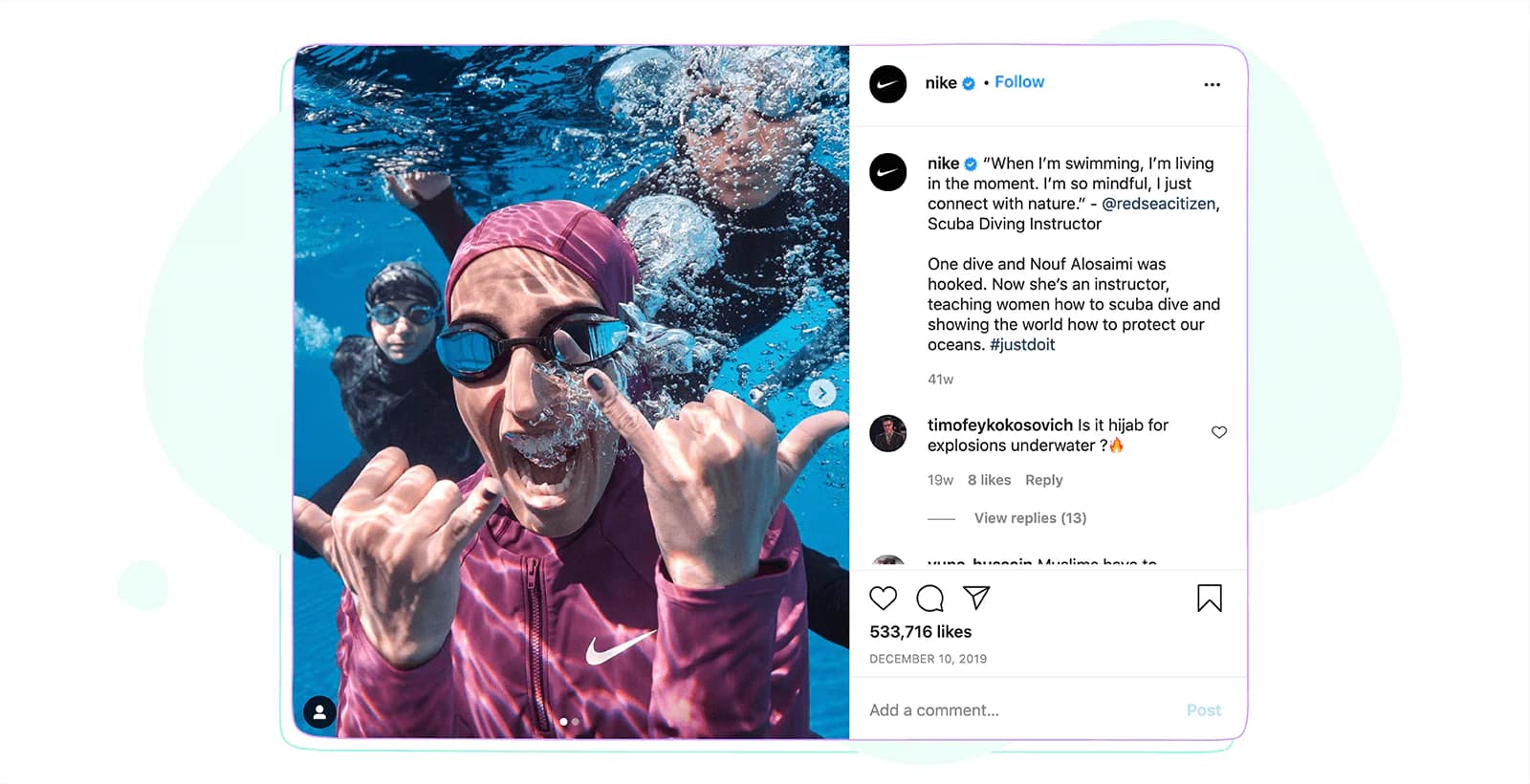
Brands develop their own hashtag strategies. Although Dyson and Nike’s audiences share similar demographics and their target audiences collide, the two brands follow two different approaches to using hashtags in their Instagram marketing strategies.
Hashtags used by Dyson Hair, as audited in 2022. We can group them into 3 categories.
| Branded hashtags | #dyson #dysonhair #dysonhairathome |
| Product-related hashtags | #hairstraightener #straightener #hairtech #hairtools #hairdryer |
| Hair related hashtags | #hairstylingtips #stylingtips #beachwaveshair #hairhowto #hairtutorial etc |
When we audited Nike’s 50 most recent Instagram posts back in 2022, the hashtags grouped into three categories.
| Branded hashtag | #justdoit |
| Campaign hashtags | #madetoplay #Nike2020 |
| In support of Nike’s involvement in ongoing world challenges | #UntilWeAllWin #YouCantStopUs #PlayForTheWorld #playinside etc |
Related article: Debunking 6 Instagram hashtags myths social media marketers follow
Analyze social media competitors
It is always important to check your competitors’ posts and engagement. After all, your followers have the same demographics. Analyzing their behavior will lead to a conclusion on their Instagram captions and decide if you want to implement the same format for your brand. It is also possible to see their shortcomings and based on their errors, correct your own postings. But remember that competitor research and copying are not the same. Just make conclusions and concentrate on your own branding, tone of voice.
Find the right length
Instagram truncates long captions in the feed behind a “more” link, and it does not publish the point at which that happens. So the useful rule is not a character count. It is that your first line has to work on its own.
If three lines are enough to highlight the importance of the post, then you are good, no need to add more than that. After all, it is not easy to express a whole idea with limited characters.
If your thoughts run longer, write them long. Spacing, paragraph breaks and the occasional emoji make a wall of text readable, and a caption that needs three hundred words to land is better at three hundred words than squeezed into one line.
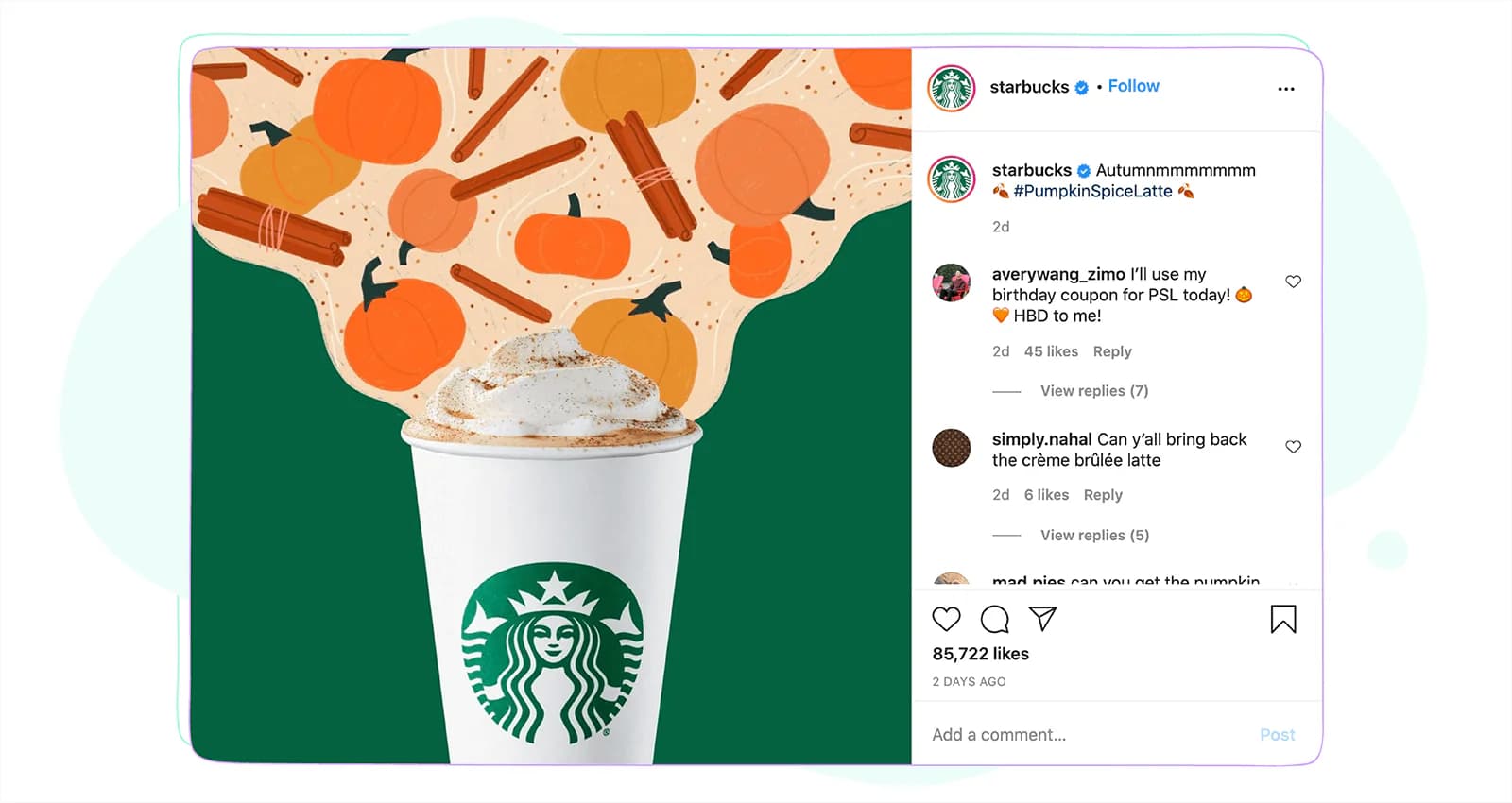
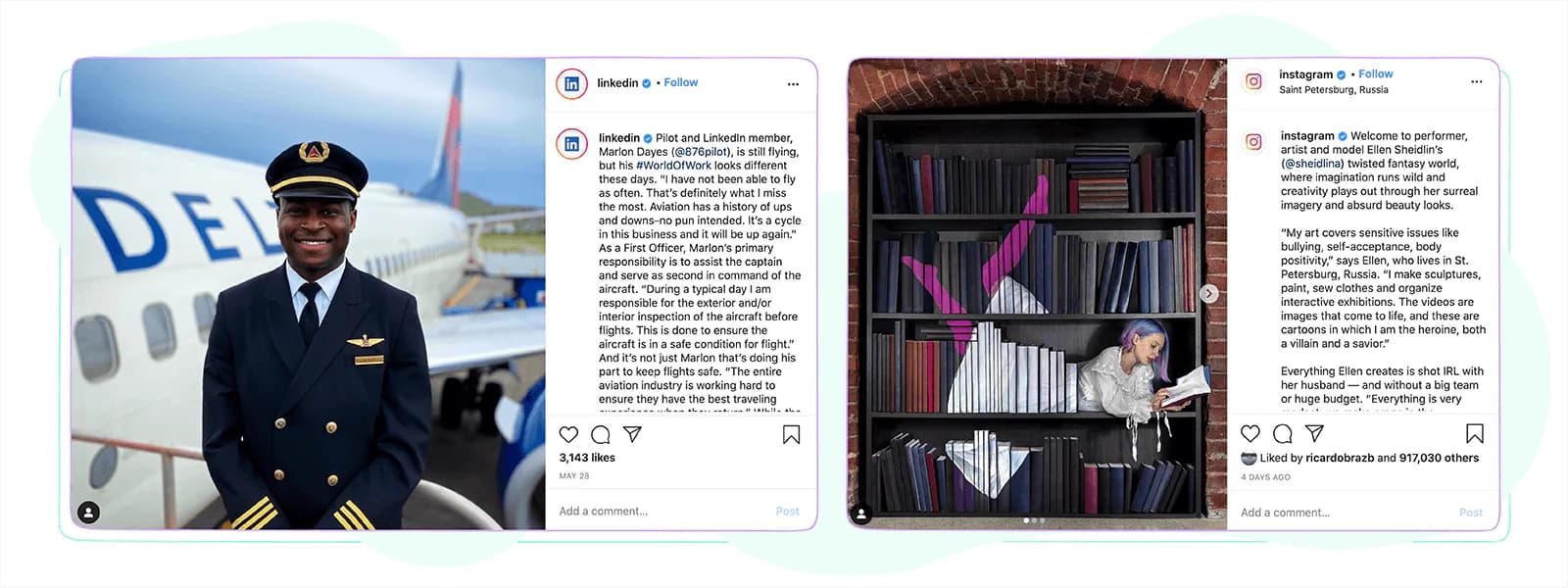
For example, Starbucks generally writes short and fun captions. Whereas LinkedIn and Instagram tell peoples’ stories in captions.
Write the alt text too
Alt text is a separate field from the caption, and Instagram fills it in automatically using object recognition unless you write your own. You will find it under Accessibility in the composer before you share, or under Edit afterwards.
Instagram is specific about what it is for. Its Help Centre says the description is read out when someone uses a screen reader. That is the job. Alt text gets sold as a reach tactic on a lot of blogs, and Instagram’s own documentation makes no such claim.
Write a sentence describing what is in the picture and why it matters. Meta’s API allows up to 1,000 characters, which is far more than you need. One good sentence beats a keyword list, and a keyword list is useless to the person the field exists for.
Align your content strategy with your branding and be unique
Just by googling the best Instagram captions, you will get lots of suggestions for different situations. These are usually the captions that everyone uses. Before just copying it and making your own, think if your audience is going to like it.
Like you, others also find the same post and use these captions. This makes your followers see the same content on different pages, and they easily lose interest in your posts. Having this in mind, we have made a list of useful tips that you can use to guide your Instagram captions.
Related: if you want a starting point rather than a blank box, we keep a list of 240+ Instagram captions for every occasion. Adapt them; do not paste them.
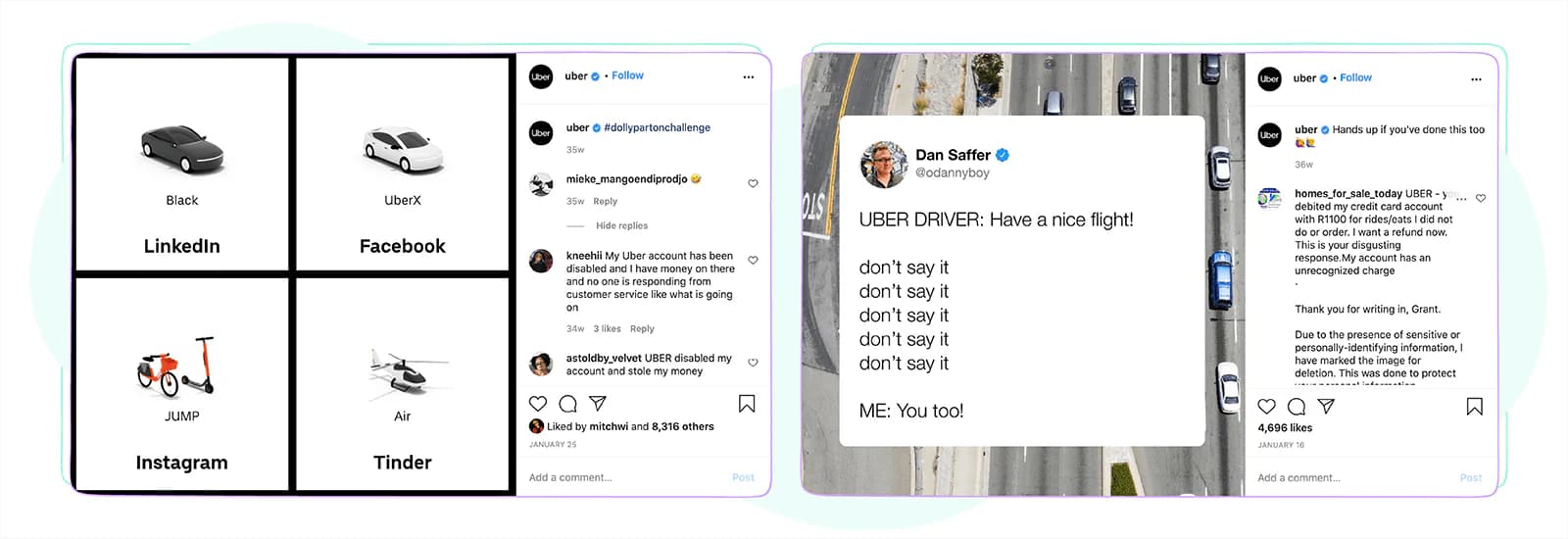
Uber’s social media marketers simply like to have some fun!
Ten more tips for writing good Instagram captions
Having made the necessary preparations, we get to the next step to following the main tips you should follow to make every post great.
Ask questions
By asking a question, you make your followers think you are speaking to them. Questions usually perform better when you present two or more similar items or images and ask them, “Which one do you prefer.” Another best caption is ending the caption with “…and how about you?”.
People like sharing their opinion and ideas. They feel important, their opinion is valued, and just commenting on which option they like, how they feel, won’t be confusing, and won’t think twice if their opinions are worth sharing. Especially when you reply to comments, they know it’s not just a technique you are using to get more comments.
So if your followers like your brand, they will be more eager to answer your questions, share their thoughts with you.
Tell them what to do
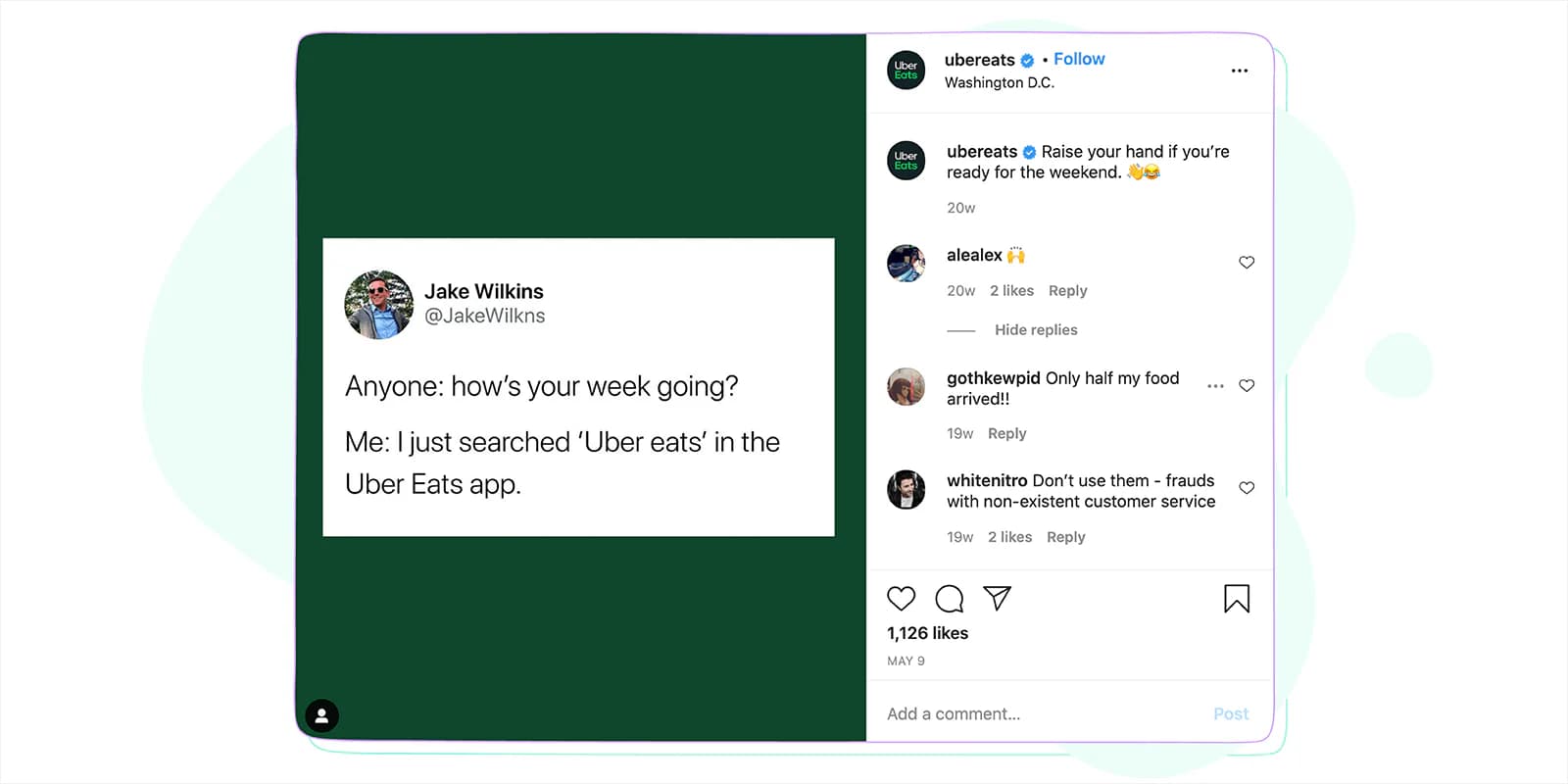
Sometimes it seems obvious that if a follower likes your post, they will tag their friends or will tap for sound. But we forget that nowadays we are so distracted and absent-minded that, except for the phone, we might even forget an important document at home if there is no reminder for that.
The same rule applies here – let your followers know what you want them to do – tag a friend who’d do this, watch now, see more in my bio, etc.
Related article: Get Inspired by 50+ Instagram Bio Ideas for Your Business Profile
Use emojis as little hints
Emojis are a good way of expressing emotions. Even when your caption itself doesn’t convey the emotion behind the image, using the right emoji can help you out.
With emojis, you can also get creative and use them in one of these ways:
At the end of the caption
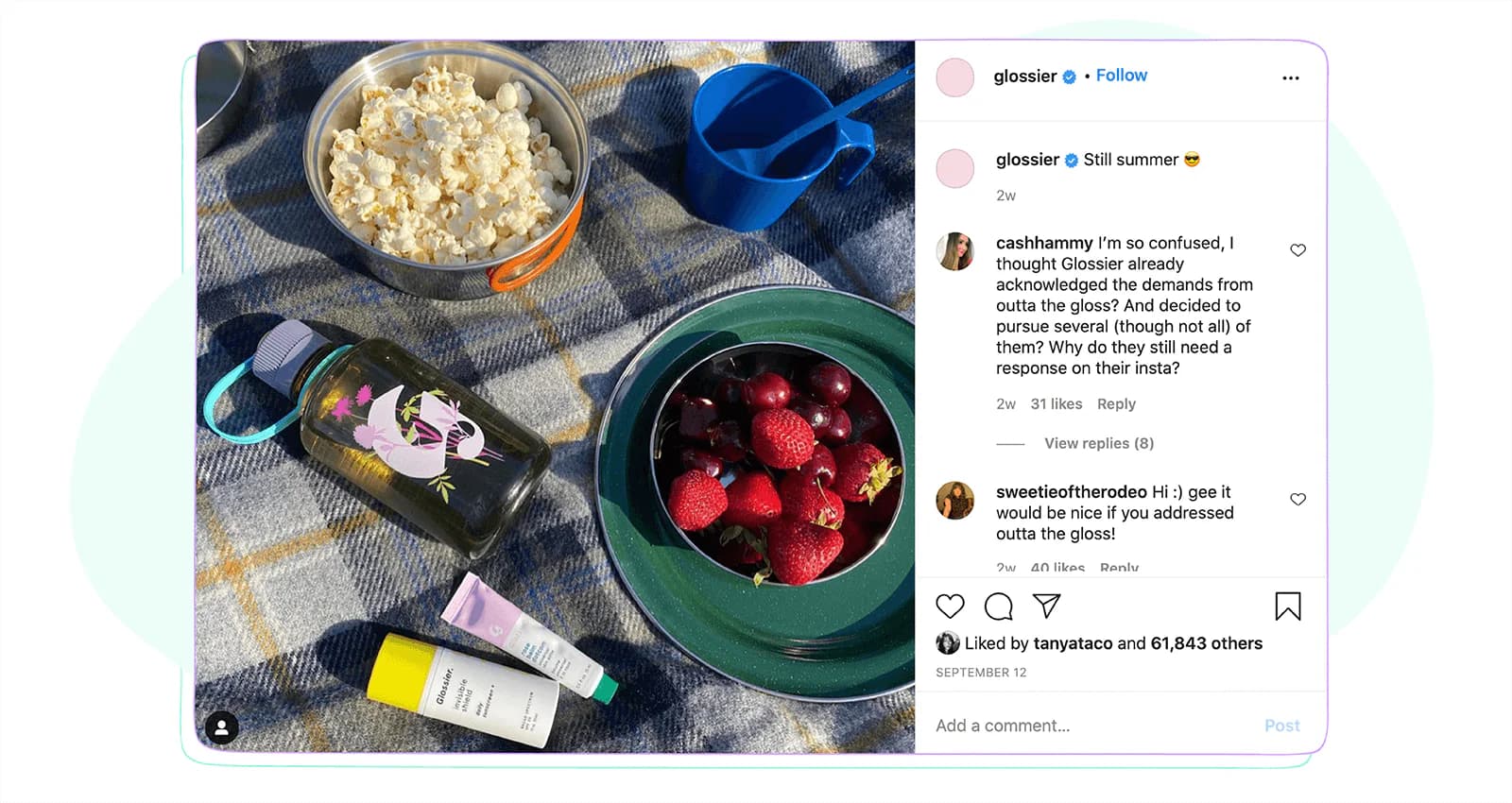
You would want to save the beginning of the caption for starting it with an interesting text, making the reader eager to tap and read more. Glossier is commonly using the trick. :)
Instead of a word
There are certain emojis able to replace a word. Inside the sentence, it looks playful, creative, and grabs the attention to concentrate on the whole meaning of the caption. But be aware not to overuse emojis within the text.
Instead of the whole content
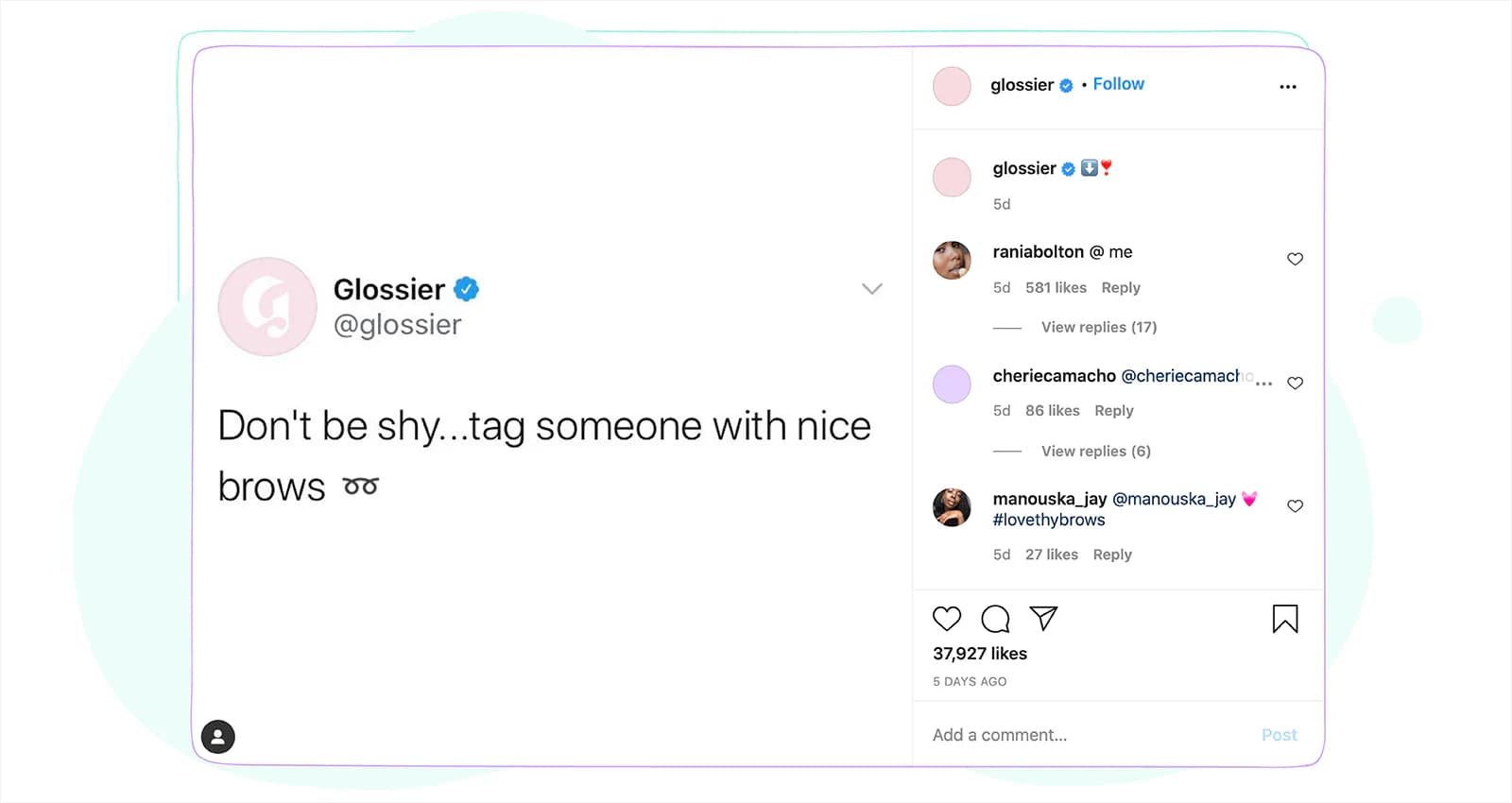
If you want your audience to start gossiping and sharing your info among their friends, using an emoji that could replace thousands of words will do half of the job. You won’t even manage to read the comments as they get more and more.
Using emojis is a good backup if you can’t think of a proper caption at that moment.
Choose the most relevant hashtags
Relevance beats reach on a five-tag budget. Some accounts separate hashtags from the caption with dots and a line break; others put them in the first comment. Both are readable and Instagram reads both, so pick whichever keeps the caption cleaner and stay consistent. Starbucks posting #FirstDayofFall on the first day of autumn, back when it was promoting the seasonal pumpkin spice latte, is the pattern worth copying: one tag, tied to the thing in the picture, at the moment it is true.
A/B test
For a similar image, try using a different kind of caption and check which one provides more engagement. Maybe your audience likes commenting, and your post, which asks a question, performs better than a post giving instructions.
This is usually a tedious process, but if you want to understand what works well for your audience, testing should be a priority.
Mention others
If the image or the story is connected with one of your friends, followers, don’t hesitate to mention them. It will make your story more reliable and authentic.
You can also mention others to give them credit for what they have done. Use quotes if you are mentioning what this person said. It is also the quickest way out of a blank caption box.
Organize contests
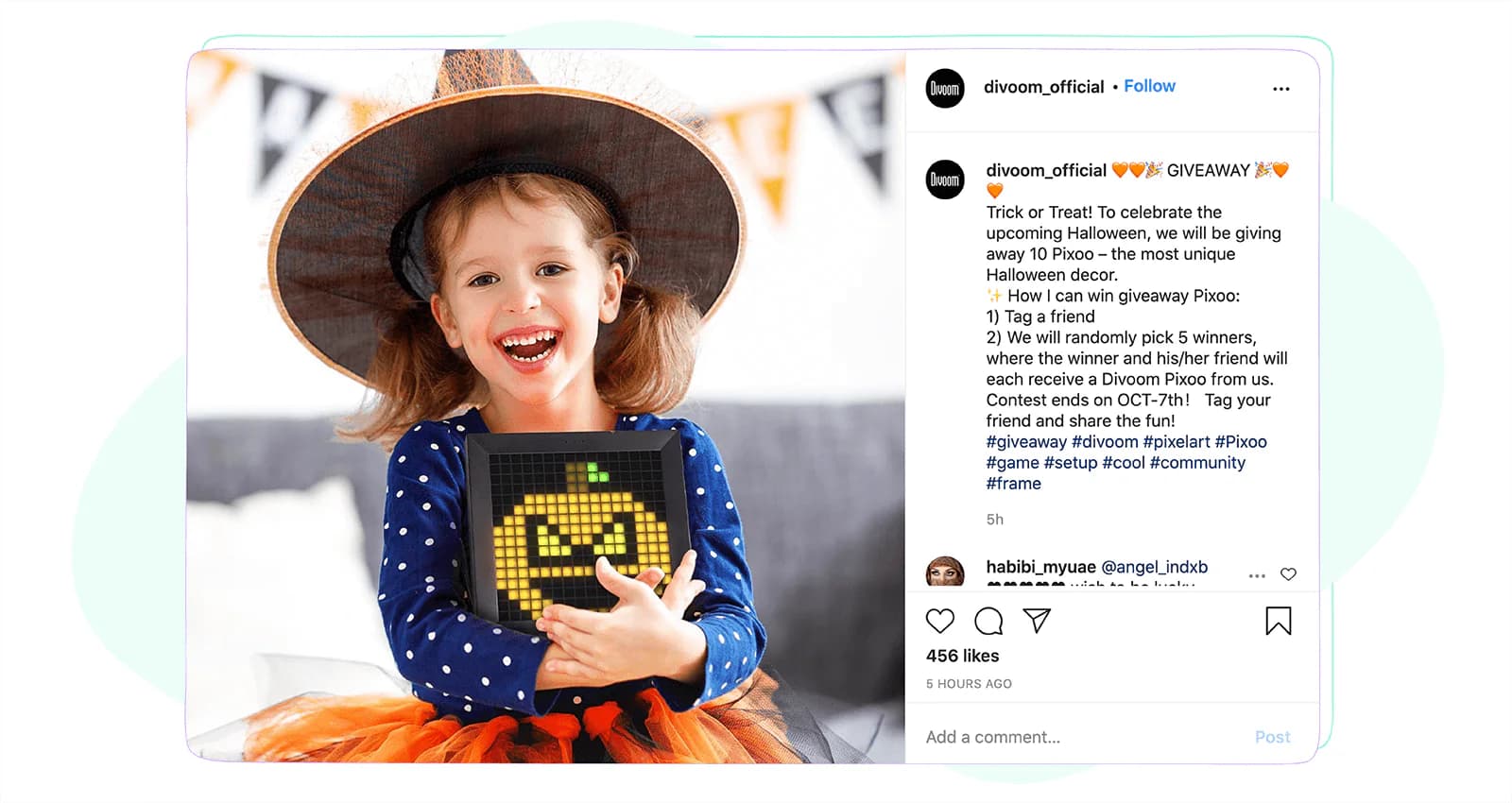
Deep inside, we all like winning, being the first. So if you trigger your audience to be the first to comment, the first to answer a question, everyone will want to win the game even if there is no medal for it at the end.
Captions like “Let’s see who knows me/our brand well,” “Who will be the first to remember…” provoke interest and a desire to act.
Another good idea is a giveaway caption, which can be done through a contest. Tell your audience the rules and requirements, wait for their comments.
Alternatively, you can organize an ask-me-anything competition, and the question you liked most becomes the winner.
But remember that for the above methods, you need a larger audience or at least one with active followers who like and comment on your posts. To achieve an engaging audience, you need to read the next step carefully:
Create a bond with your Instagram audience
Remember that social media is not about you but about your audience. How do you maintain communication with them? Besides answering their Instagram messages and comments, do you use captions that talk to them? How likely is it for your followers to get addicted to your Instagram posts?
Would it be you, would you like a brand to talk to you through their captions? Or would you rather see something which makes you indifferent and not connected with it in any way?
✨ Related article: How to check and view Instagram messages on PC?
Break the rules
Remember that your page is unique; there is no second you. Even if it’s a brand, it should still have its own tone of voice.
While writing a caption, think of how you can have the best version of it. Before posting anything, ask your friends who have an idea about the field to give you constructive feedback. It will help you see the content from another person’s perspective. This is a good chance to get an idea of how your audience perceives your captions.
If you have already planned all your social media content way ahead but while scheduling your posts an interesting idea comes to your mind, and you think your audience will love it, don’t hesitate to change it. Thoughts from your heart will pay off.
Or if you have already posted, but you still feel there is a need to tell more about the image, write that thought in a comment reply. The ones who are interested in your ideas will definitely read all of your answers.
Don’t write a caption if there is no need
If you constantly post images with interesting captions and this time you think the image speaks for itself, an interesting idea is not writing anything and hiding the hashtags in the comments. Your followers will start looking for a caption, knowing you always have the best captions, and will be surprised once they don’t find it. They will start wondering if this is a new hint; is there a hidden message behind your silence? They will start making comments – guessing what you could have said or just their opinion on the image without a caption.
If you implement at least three of these tips, you will gradually feel the growth of your page engagement as they will indirectly feel the care with which you post the images and the perfectly chosen caption for it.
Should you use AI to write Instagram captions?
Most people reading this already do. In our 2026 AI in social media marketing report, 45.9% of the marketers we surveyed said they use AI for text and caption writing, and 28.2% said more than half of their posts are AI-assisted in some way.
The more useful number is what happens next. 78.4% apply moderate or extensive editing before anything is published, split 43.2% moderate and 35.1% extensive. Almost nobody ships the first draft. And 44.7% said AI-assisted content performs better than what they were producing before, which is a real result and a thinner majority than the tooling market implies.
What that adds up to in practice: AI is good at the parts of caption writing that are volume problems, and bad at the part that matters. It will give you fifteen openers in ten seconds, which is genuinely useful when you are staring at an empty box. It will not know that your audience went quiet the last time you used the word “journey”, or that the photo was taken on the day your co-founder left.
So use it for the draft and the alternatives, then do what the 78.4% are doing. Cut the adjectives it reached for. Put back the specific detail it could not have known. Read the first line out loud and ask whether you would stop scrolling for it.
Tools for writing better Instagram captions
You have the limits, the shape and the tips. These are the tools worth having open while you write.
Sociality.io
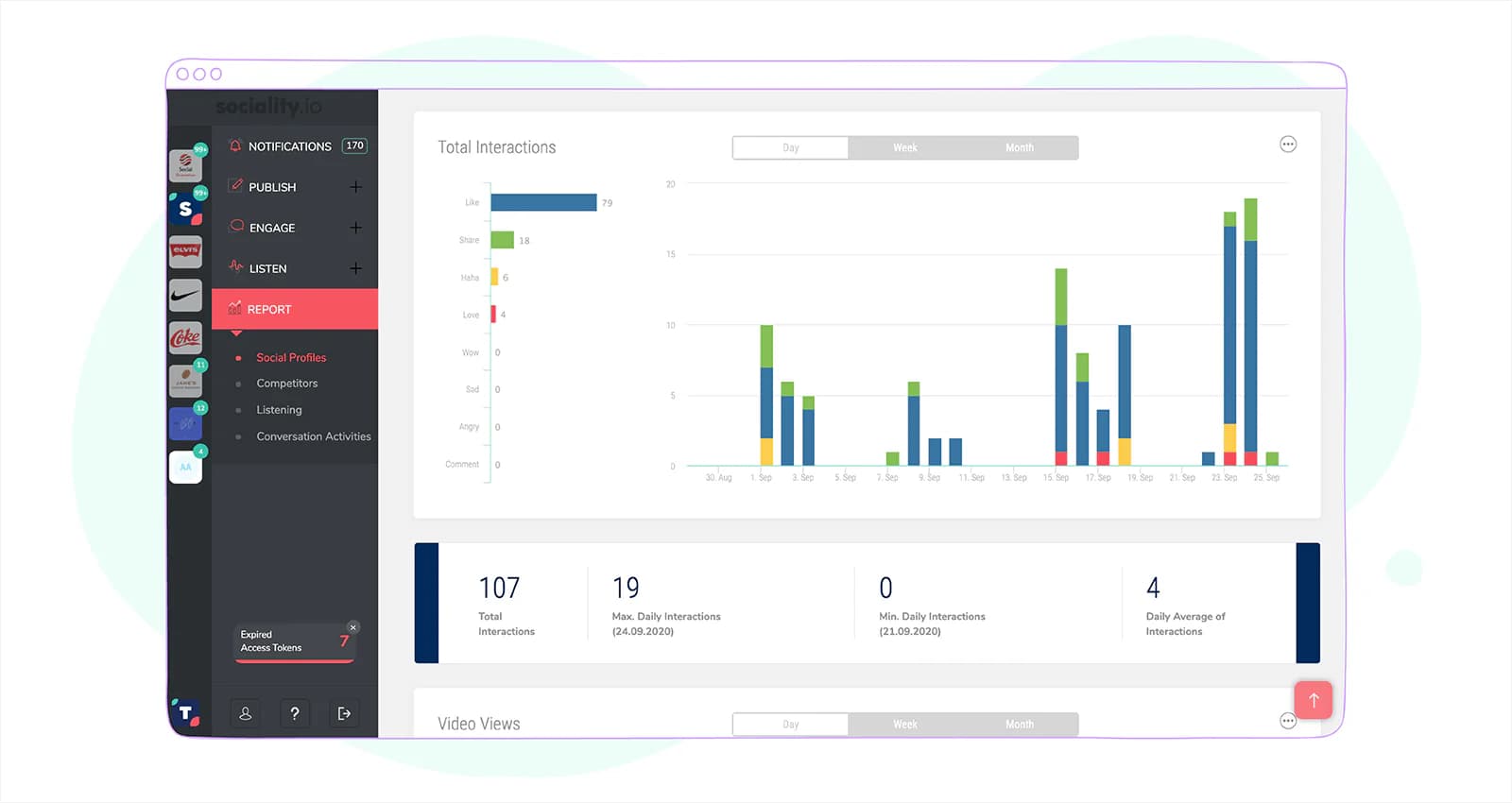
If you are posting across more than one platform, the caption is only part of the job. You also need somewhere to plan it, schedule it, and see afterwards what it did.
Sociality.io will help you to:
- Schedule and publish the content
- Respond to all conversations from one screen (you might even have multiple social media channels and managing them will become a piece of cake)
- Monitor the web and social media
- Track the latest news about your brand
- Analyze competitor pages
Bonus: How to prepare an Instagram competitor analytics report in 5 minutes?
Grammarly Chrome extension

To avoid any typos, Grammarly will help you:
- Correct the errors
- Find synonyms
- Write in American, Australian, British, or Canadian English
WordCounter
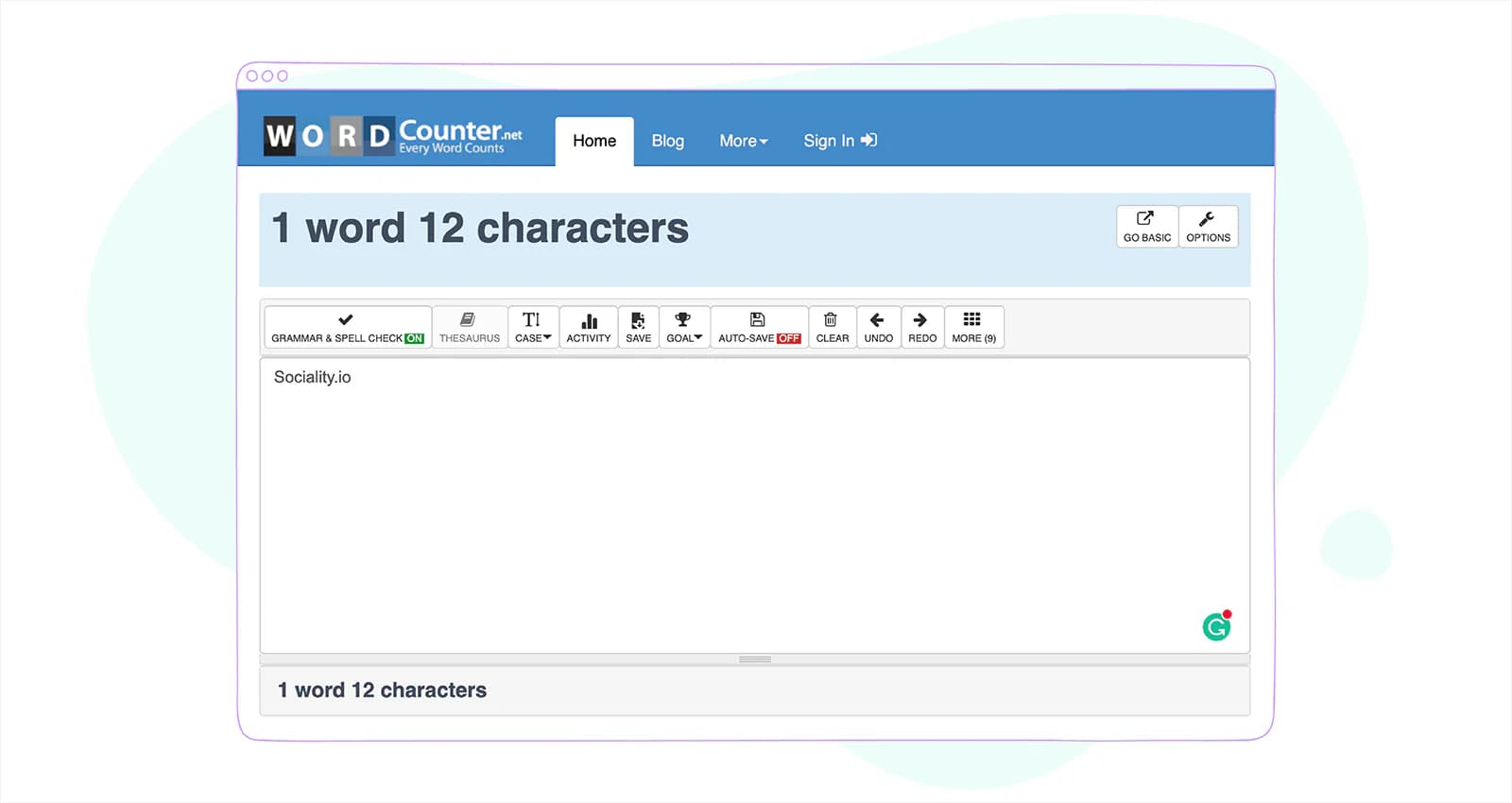
If you are concerned with the length of your captions, you can copy and paste it in Wordcounter, and you will get the number of words, characters used.
How to tell whether a caption actually worked
“Check your metrics” is advice that survives because nobody has to act on it. The shorter version: for a caption specifically, three numbers tell you most of what you need.
- Saves and shares. Someone found the words worth keeping or worth sending to a friend. This is the closest thing to a quality signal you get.
- Comments. The ask worked. If you asked a question and got likes, the question was not a good one.
- Profile visits from the post. The caption made someone curious about you rather than about the picture.
Reach is the number everyone quotes and it belongs on none of those lines, because it mostly reflects who Instagram showed the post to rather than what your words did once they got there.
Then compare. Take your last thirty posts, sort them by saves, and read the first lines of the top five next to the first lines of the bottom five. That one comparison has taught me more about what an audience responds to than any best-practice list, this one included.
Check when your audience is most active, too, and what kind of content works best at that hour.
Pulling all of that by hand is the part people quietly stop doing after a fortnight. If you would rather ask than export, a social media MCP server connects your Instagram, TikTok, LinkedIn, YouTube, X and Facebook accounts to Claude, ChatGPT or Gemini, so “which of my last thirty captions held attention longest, and what did their first lines have in common” becomes a question you type rather than a spreadsheet you build.
FAQs about Instagram captions
How many characters can an Instagram caption be?
Instagram captions can run to 2,200 characters, which is roughly 350 to 400 words. Meta documents that limit in its Instagram Platform reference for the caption field, alongside a cap of 20 @ mentions. Most captions never get near it. The limit that matters day to day is the one at the top of the feed, where only your first line shows before the more link.
How many hashtags can you use on an Instagram post?
Instagram’s Help Centre states that you can use up to five tags on a post, and that a comment containing more than five will not post. That is a change from the thirty most guides still quote, and Meta’s own API reference has not caught up: it still documents 30 hashtags for captions published through the Instagram Platform. Write to five.
Where does Instagram cut a caption off?
Instagram does not publish a number. You will see 80 characters and 125 characters quoted confidently across the web with no source behind either, and the real cut-off varies by surface, device and the text itself. The practical answer is to treat the first line as the only line you are guaranteed, and to put the most specific thing you have into it.
Should hashtags go in the caption or the first comment?
Either works, and Instagram reads both. Putting them in the first comment keeps the caption clean, which is the only real argument for it, and putting them in the caption means they survive if that comment is ever deleted. With the limit now at five rather than thirty, the tidiness problem that made first-comment hashtags popular has largely gone away.
Is alt text the same as a caption?
No. The caption is the text everyone sees under the post. Alt text is a separate description, set under Accessibility in the composer, that screen readers read aloud for people who cannot see the image. Instagram writes one automatically using object recognition, and you can replace it with something better. Meta’s API allows up to 1,000 characters.
When is it better to post without a caption?
When the image genuinely says the whole thing, and when your account writes captions often enough that the absence reads as deliberate rather than lazy. It works as a change of pace rather than as a habit. If you go without, the post still needs its hashtags and its alt text, because those are what make it findable.
How do I write a good caption for my Instagram post?
Start with the first line, because it is the only part most people will read. Make it specific: a number, a claim, a question, something that could only be about this post. Follow it with two or three sentences that pay the opener off, then one clear ask. Add up to five hashtags that describe the post, and write the alt text before you publish.
The caption checklist, before you hit publish
Six things are worth checking before a caption goes out, and the whole pass takes under a minute.
- Does the first line work on its own? It’s the only part most people will see, and Instagram doesn’t publish where the cut-off falls. If it reads like a warm-up, rewrite it.
- Is there one ask, or three? Tag someone, answer the question, or open the link in the bio. Pick the one you actually want.
- Five hashtags or fewer? That’s what Instagram’s Help Centre documents now, down from thirty, and it’s the single most common thing to get wrong in 2026.
- Would anyone find this by typing it? Caption text is searchable. Use the words your reader would put in the search box, not the clever ones you’d put on a poster.
- Is the alt text written? Separate field, under Accessibility, up to 1,000 characters. A screen reader is going to read it out loud, so write it for a person rather than for a crawler.
- If AI drafted it, did you edit it? 78.4% of the marketers in our 2026 report do. It shows in the ones who don’t.
None of this makes a caption good on its own. What makes it good is having something specific to say and saying it in the first line. The checklist only stops the avoidable mistakes, and those are most of them.