
Every TikTok marketing strategy lives and dies by its content, and creating it is the fun part. Remembering to hit “post” at the right moment, every single day, across every account you manage? Not that fun. Chasing the best posting times for TikTok by hand gets exhausting fast. You can schedule TikTok posts inside TikTok itself, or hand the job over to a tool that publishes them for you.
Quick takeaways
- TikTok’s own scheduler works from the desktop upload page, 15 minutes to 10 days ahead, and a scheduled video can’t be edited.
- Since October 2023, TikTok’s Direct Post API lets scheduling tools publish straight to TikTok, so most tools below auto-publish instead of sending reminders.
- Through these tools, TikTok allows around 15 posts per account per day, and you choose the privacy settings for every post.
- Most tools publish TikTok videos to Business accounts, and some, such as Loomly and Brandwatch, also connect personal accounts.
Below, you’ll find 13 TikTok scheduling tools, what each one actually does on TikTok today and what it costs. Plus, why you should schedule your content in the first place.
Can you schedule TikTok posts without a tool?
Yes. TikTok has its own video scheduler on the web upload page (TikTok Studio on desktop), and it lets you pick a publish time anywhere from 15 minutes to 10 days ahead. TikTok sends you a notification when the video goes live.
It has limits that matter once you post a lot. You schedule one video at a time, for the account you’re signed in to, and TikTok’s own help says you can’t edit the video, caption or time after scheduling, so a fix means deleting the post and uploading it again. TikTok’s pages also disagree on whether you need a Business account, so check your upload page before you plan around it.
For one account and a few videos a week, I’d say that’s enough. For several accounts, a shared content calendar or approvals, you need one of the tools below.
How TikTok scheduling tools publish your posts
Third-party tools reach TikTok through its Content Posting API, and they publish in one of three ways:
- Direct publishing. The tool posts to your TikTok profile at the scheduled time. TikTok opened this to partners with Direct Post on October 10, 2023.
- Upload to drafts. The tool sends the video to your TikTok inbox, and you finish and post it in the app.
- Mobile reminders. The tool sends a push notification at posting time and you publish by hand, which is still the way to add sounds from TikTok’s music library or tag people in some tools.
TikTok’s content sharing guidelines explain two things you’ll notice in every tool. You choose the privacy setting for each post (TikTok doesn’t allow a default), and direct posting is capped at around 15 posts per creator account per day.
Here’s how the tools in this list compare, with prices checked in October 2026:
| Tool | How it publishes to TikTok | Starting price (billed monthly) | Free plan or trial |
|---|---|---|---|
| Sociality.io | Auto-publish | $99/month | 14-day free trial |
| SocialBee | Auto-publish (single videos), reminders (image posts) | $29/month | 14-day free trial |
| Loomly | Auto-publish (videos), reminders (image posts) | $65/month | Free trial |
| SocialPilot | Auto-publish or reminders | $30/month | 14-day free trial |
| Planable | Auto-publish (Business profiles) | $39/workspace/month | First 50 posts free |
| Later | Auto-publish or notifications | $25/month | 14-day free trial |
| Buffer | Auto-publish or notifications | Free, paid from $6/channel/month | Free plan, 14-day Team trial |
| Brandwatch | Auto-publish (one video per post) | Contact sales | Demo |
| Sprout Social | Auto-publish (Business accounts) | $99/seat/month | 30-day free trial |
| Hootsuite | Auto-publish or mobile notifications | $99/user/month (billed annually) | 14-day free trial |
| Sprinklr | Auto-publish (Business accounts) | Contact sales | Demo |
| Khoros (Iris AI) | Scheduling with approvals | Contact sales | Demo |
| Dash Social | Auto-publish or push notifications | Contact sales | 14 days free access |
Most of these tools also schedule for Instagram, LinkedIn and other networks. If you want one calendar for every channel, see our comparison of the best social media scheduler tools.
Why should you use the TikTok scheduler tool?
Below are three advantages of scheduling your TikTok content in advance.
Win back time for other projects
If you work on a fast-paced team, you’d quickly realize that manually posting content to TikTok isn’t the most efficient use of your time. You can’t keep one eye on the clock, waiting for posting time to roll around when you have a million other things to do.
But if you create a TikTok posting schedule, you win back time that can be reinvested in other projects and activities.
That was exactly how Zeynep Serra Avan, Content Editor at AnnounceKit, felt after using Sociality.io with her team. She said:
“… switching to Sociality.io not only reduced our workload, it also allowed us to work on other projects a lot more.”
Scheduling your content sets you up for more posts engagement
On any social media platform, consistency is key to growth. This is the same for TikTok.
Keep to a regular posting schedule, and your audience will know when to expect your posts. Plus, if you post often, the TikTok algorithm will recognize your content and make you a regular on your audience’s feed. This ensures you stay top of mind.
But we know how hard it can be to keep up with posting times.
Life happens. Something urgent comes up, and in most cases, you can’t do a thing about it.
By planning your content in a tool like Sociality.io, you ensure you don’t miss out on audience interaction because a post failed to go out.
Take advantage of best time to post
Your audience won’t be on TikTok all day. Look at yourself. You’re someone’s audience and you’re not on TikTok right now.
What does this tell you?
It means it’s important to optimize your posting times for when your audience are most likely to be active on the TikTok platform.
It makes sense to do so: higher TikTok engagement equals more visibility on the platform for your brand.
But keeping up with these posting times can be difficult. So once you uncover your best posting times (Sociality.io gives you this data as part of your TikTok analytics report), a TikTok content planner will ensure you never miss an opportunity to get in front of your audience when they are on the platform.
13 TikTok scheduling tools to plan your posts
Sociality.io
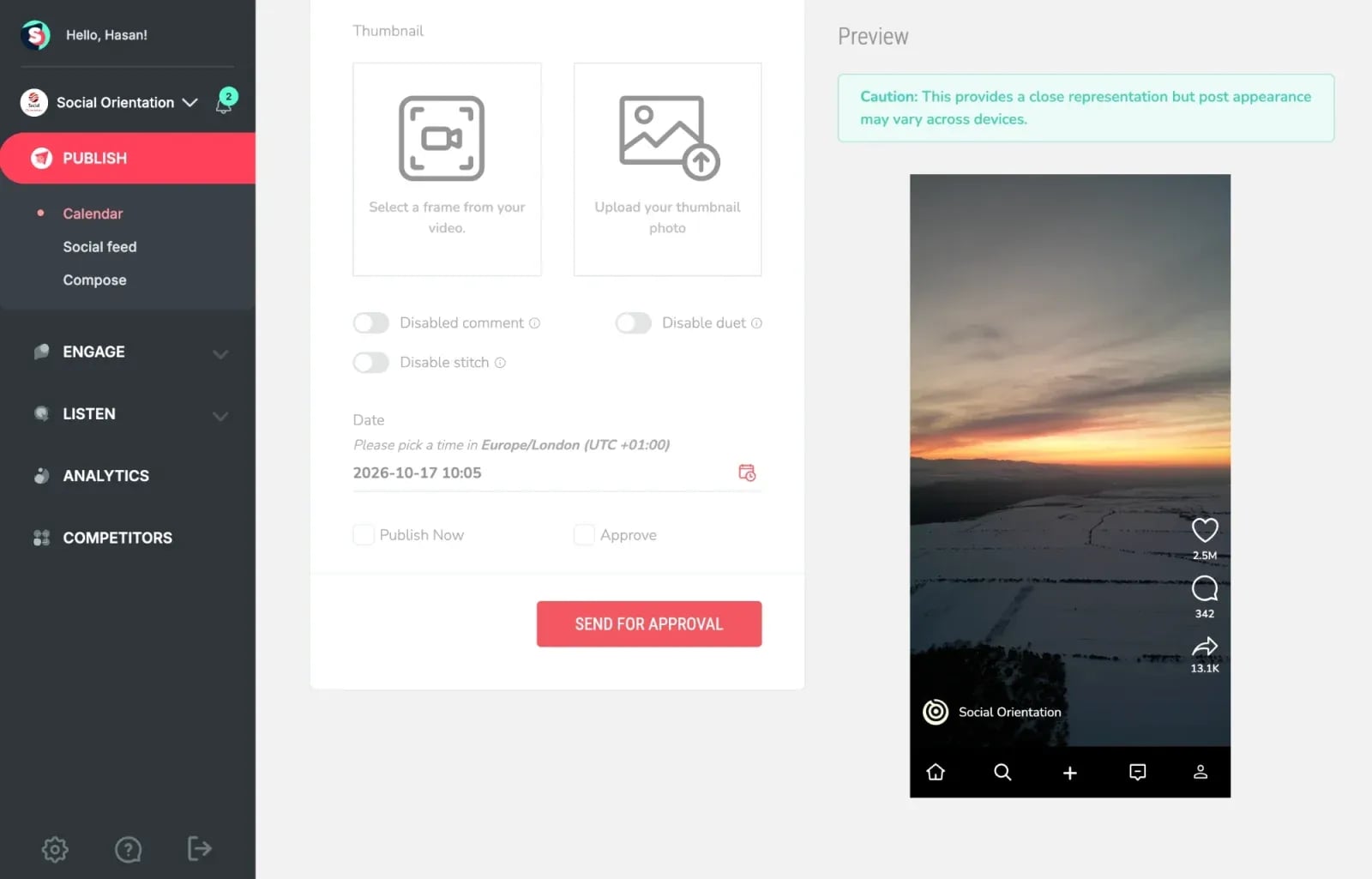
Sociality.io offers a complete all-in-one management solution, so you can publish, analyze, and manage comments for multiple TikTok accounts from one screen. It schedules and auto-publishes TikTok videos to TikTok Business accounts, including videos up to 10 minutes long. Here is a snapshot of the benefits of Sociality.io:
Plan and auto-publish TikTok videos
A simple and intuitive calendar makes it easy to automatically publish TikTok videos at the right time to drive engagements.
Keep up with TikTok video comments
Build brand loyalty by managing TikTok video comments at scale. Respond to TikTok comments faster so you can connect with customers quickly and efficiently.
See what works with TikTok analytics
Track follower growth, video views, watch time, Favorites and audience age from one dashboard, and compare your TikTok results with your competitors. If you’d rather ask questions than read charts, Sociality MCP brings the same TikTok analytics for your accounts and tracked competitors into ChatGPT, Claude or Gemini.
Sociality.io has a 14-day free trial with no credit card required. Here are the paid plans (October 2026):
- Pro plan: $99 per month, or $83 per month billed annually (1 user, 10 pages)
- Business plan: $199 per month, or $166 per month billed annually (unlimited users, 15 pages, approval workflows)
- Enterprise plan: custom pricing
SocialBee
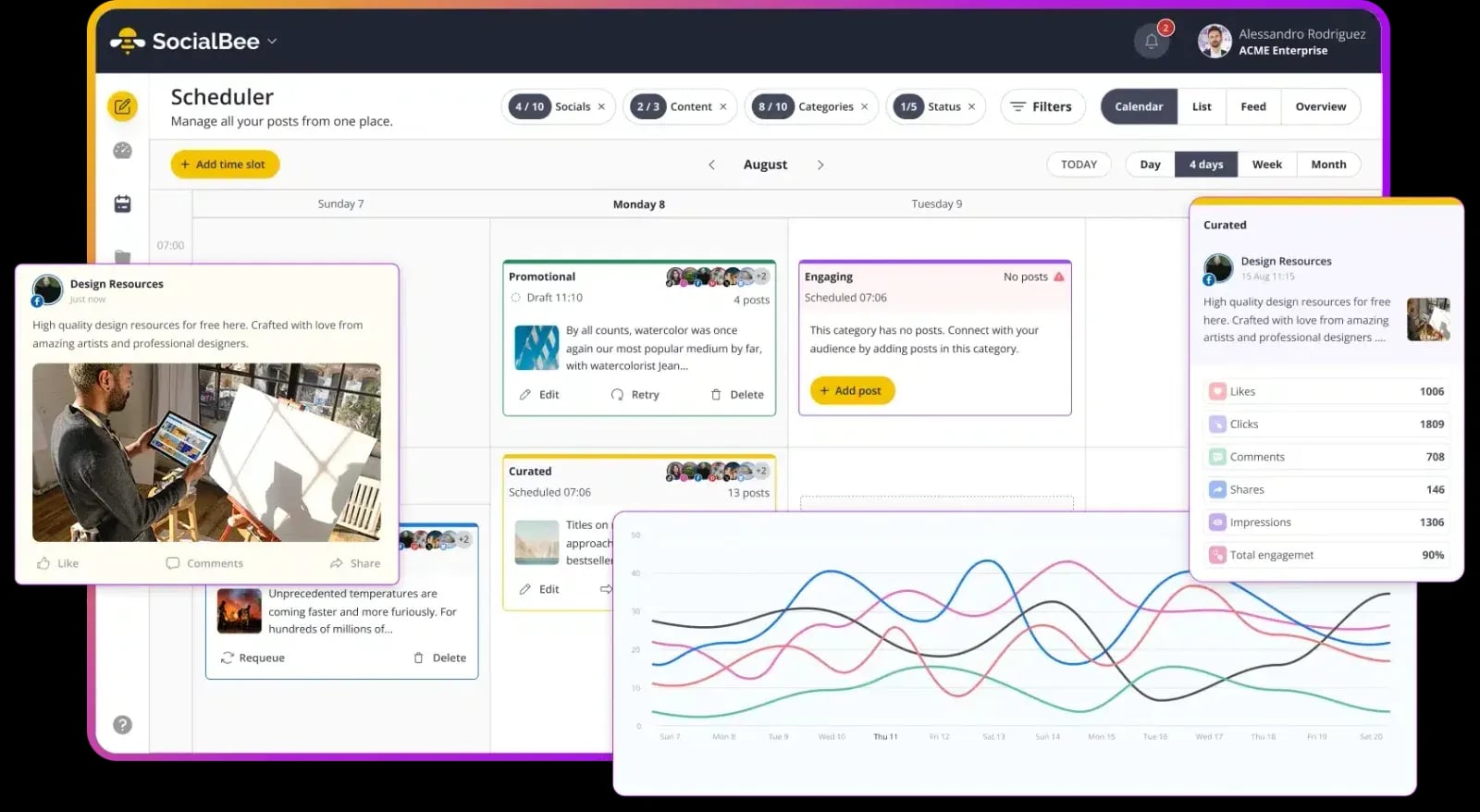
SocialBee is a TikTok scheduler that helps you plan and schedule TikTok videos in advance, so you can maintain a consistent posting schedule without having to publish everything manually.
One of its biggest advantages is direct TikTok scheduling. You can upload your videos, write captions, choose when they should go live, and let SocialBee handle the publishing. Single videos under 3 minutes go out automatically, while posts with several images or videos are published through a reminder. Its visual content calendar also makes it easy to see what’s coming up and adjust your schedule when plans change.
SocialBee also comes with AI-powered tools to help you brainstorm video ideas and write engaging captions. If you’re managing TikTok alongside other social media accounts, you can customize your content for each platform and schedule everything from the same dashboard. Plus, built-in analytics help you track video views and engagement to see which posts resonate with your audience.
SocialBee is a good fit for creators, small businesses, and agencies looking for a simple way to manage TikTok content alongside their other social media channels.
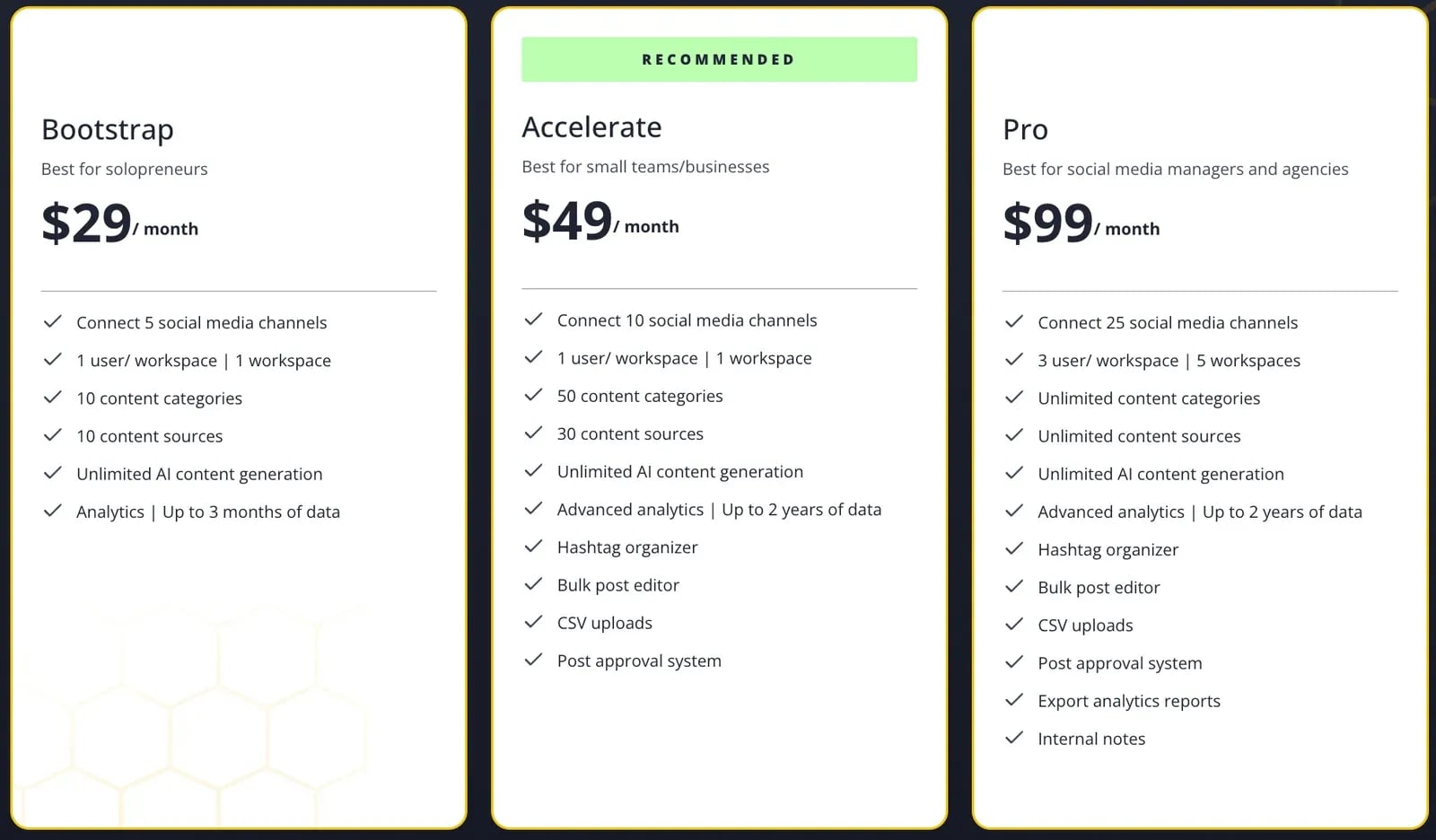
SocialBee offers a 14-day free trial and the following pricing plans (October 2026, billed monthly):
- Bootstrap: $29 per month
- Accelerate: $49 per month
- Pro: $99 per month
Loomly
Loomly is a social media management and scheduling tool that provides you with a single dashboard to manage your organic posts and ads.
One perk of Loomly as a TikTok scheduler is it helps you keep your content calendar full by suggesting new post ideas based on trending topics or date-related events. It auto-publishes single-video TikTok posts to Personal and Business accounts (3 seconds to 5 minutes, up to 1 GB), while posts with several images go out through a reminder. You can also reply to, like and hide TikTok comments.
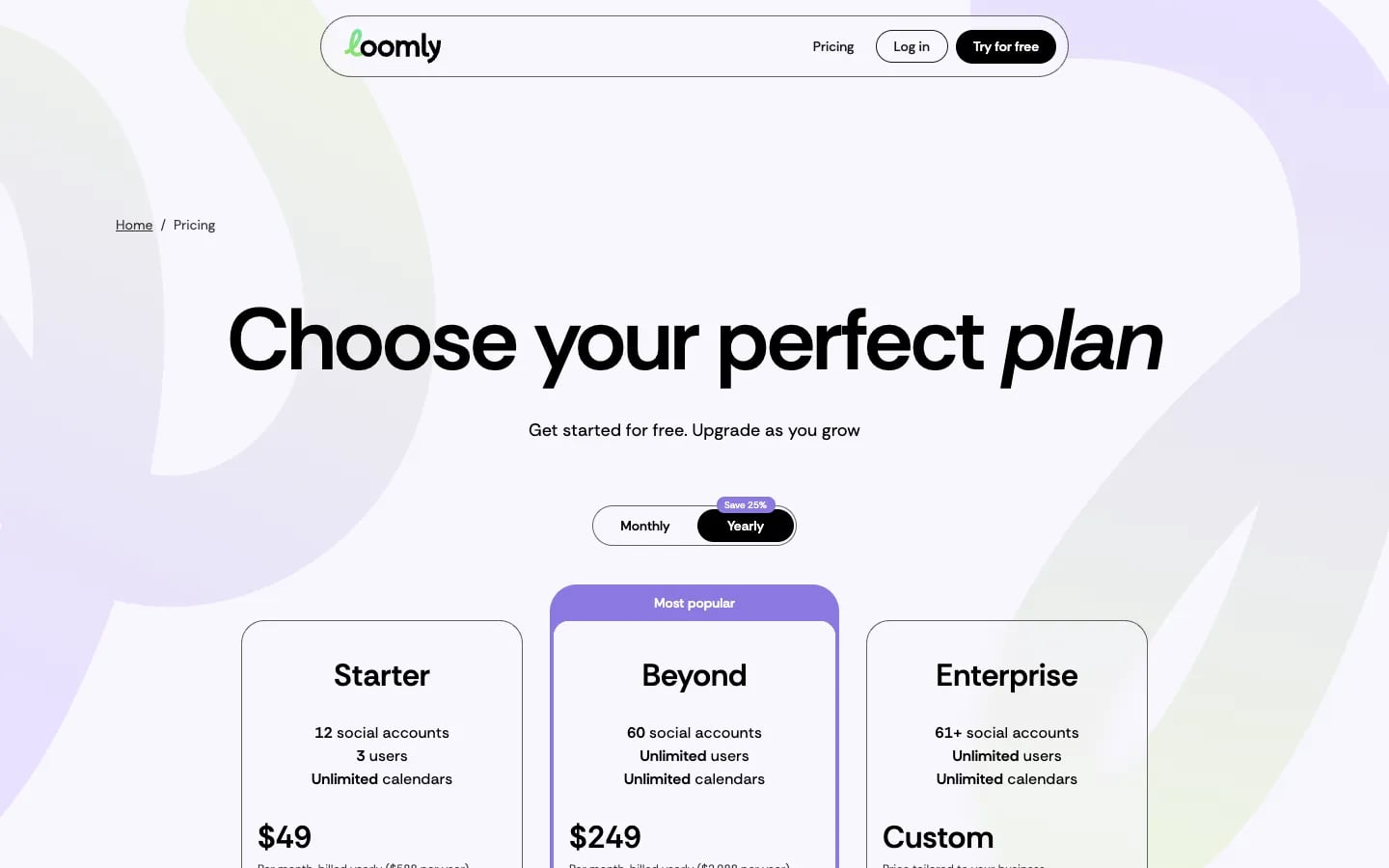
Loomly’s plans start at $65 per month (October 2026):
- Starter plan: $65 per month, or $49 per month billed annually (12 social accounts, 3 users)
- Beyond plan: $332 per month, or $249 per month billed annually (60 social accounts, unlimited users)
- Enterprise plan: custom pricing
SocialPilot
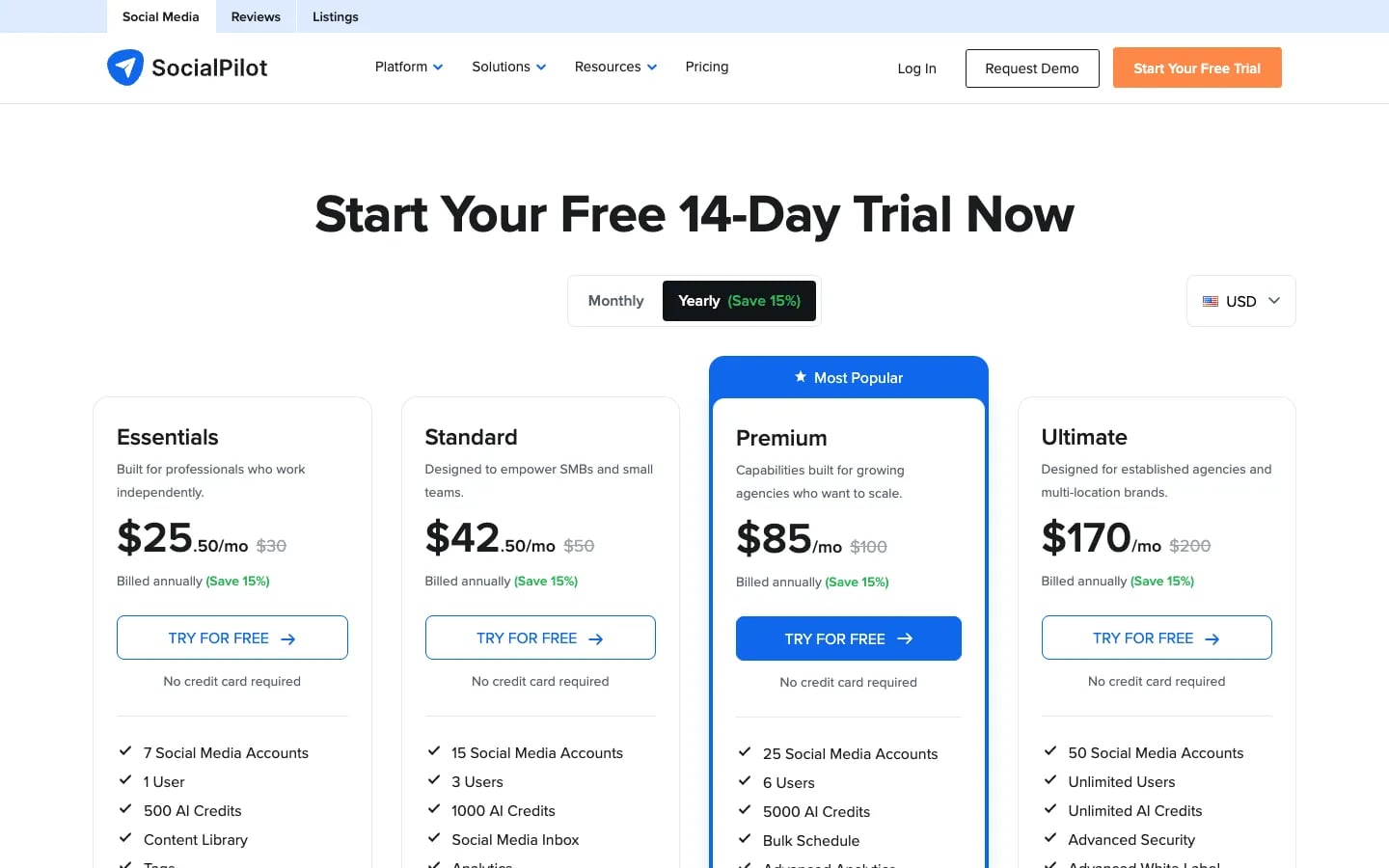
SocialPilot is a comprehensive social media management tool with features built for small businesses, agencies, and enterprise.
It was one of TikTok’s launch partners for Direct Post, and it can publish to TikTok directly or send mobile reminders, so you choose per post whether it goes out automatically or you finish it in the app.
SocialPilot’s plans (October 2026, US prices):
- Essentials plan: $30 per month, or $25.50 per month billed annually (7 accounts, 1 user)
- Standard plan: $50 per month, or $42.50 per month billed annually (15 accounts, 3 users)
- Premium plan: $100 per month, or $85 per month billed annually (25 accounts, 6 users)
- Ultimate plan: $200 per month, or $170 per month billed annually (50 accounts, unlimited users)
Every plan comes with a 14-day free trial.
Planable
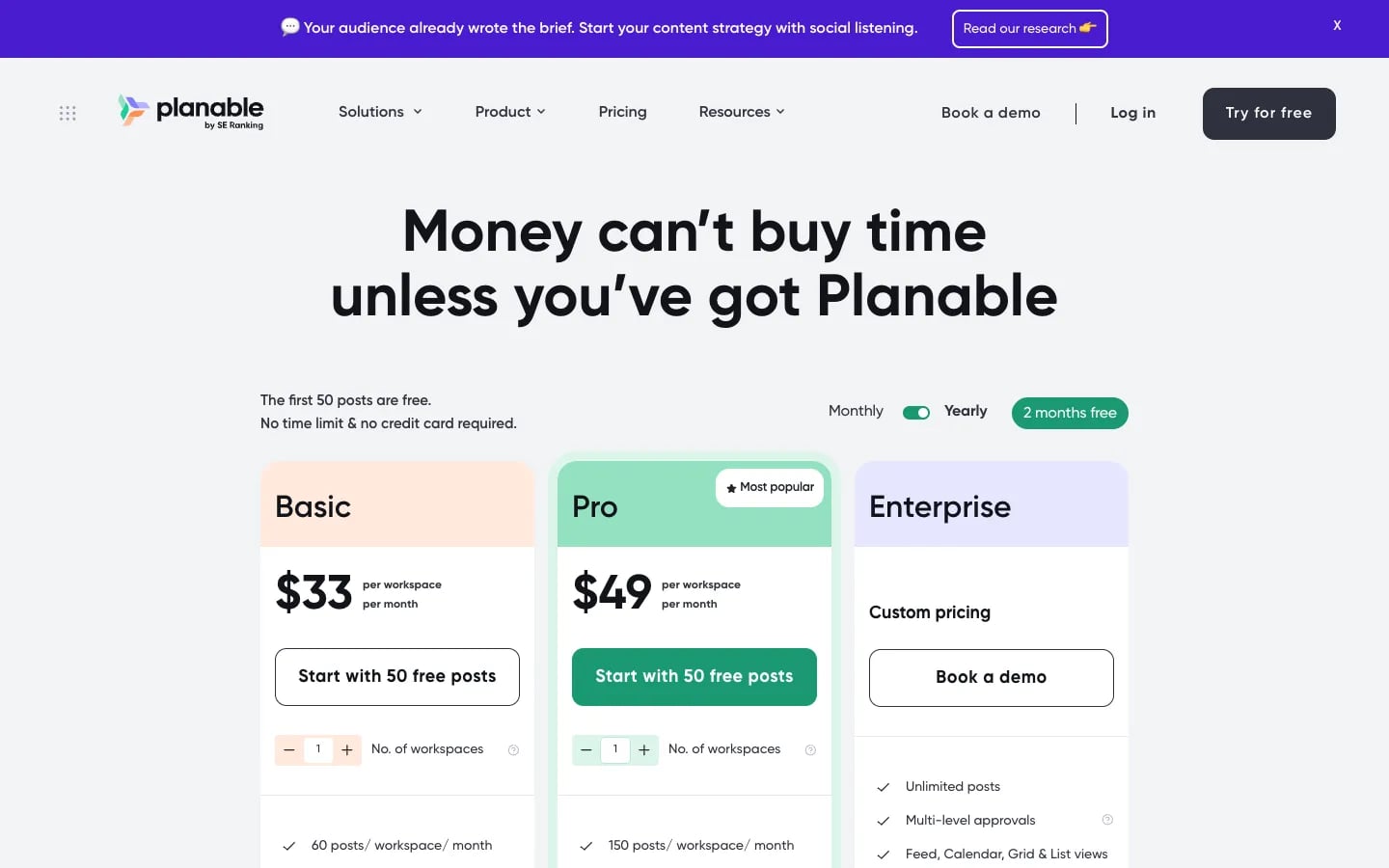
Planable is another social media tool to plan, collaborate and schedule your content on multiple social media platforms.
Its drag-and-drop calendar cuts down the time it takes you to plan your content, and getting feedback and approvals is easy. On TikTok, it publishes videos and photo carousels to Business profiles. It can’t add sounds, so for those you finish the post in TikTok after a mobile notification.
Planable’s first 50 posts are free, with no time limit. Its paid plans (October 2026) include unlimited users:
- Basic plan: $39 per workspace per month, or $33 billed annually (60 posts per month, 4 pages)
- Pro plan: $59 per workspace per month, or $49 billed annually (150 posts per month, 10 pages)
- Enterprise plan: custom pricing
Later
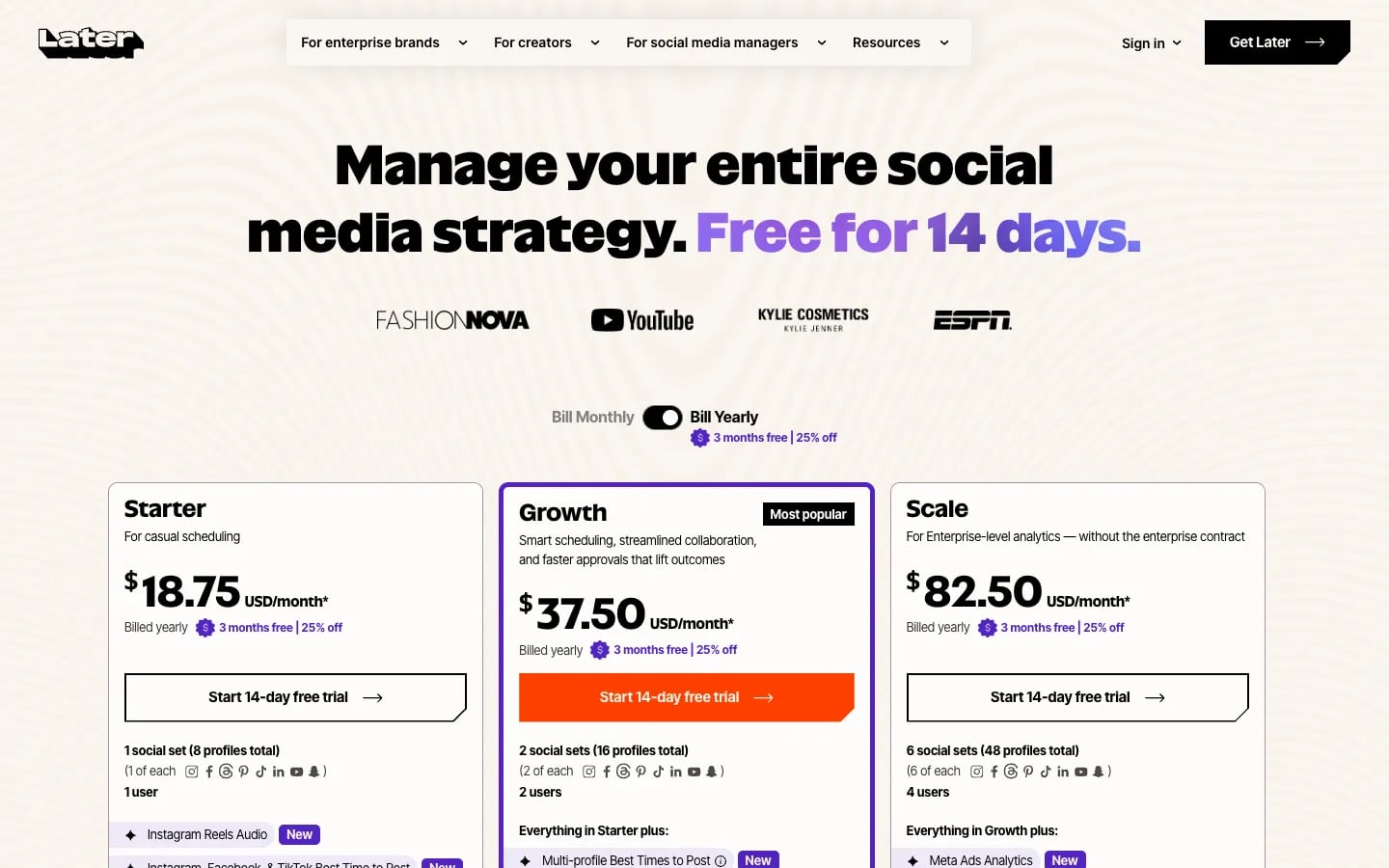
Later is a popular social media tool for content scheduling. It supports TikTok as well as other social media channels.
Later can schedule TikTok posts with auto publish, or send a push notification when you’d rather post by hand. It also lets you reply to TikTok comments on its Growth and Scale plans and add a customizable bio link so you can drive traffic to your website.
There are three pricing plans (October 2026), each with a 14-day free trial:
- Starter plan: $25 per month, or $18.75 per month billed annually
- Growth plan: $50 per month, or $37.50 per month billed annually
- Scale plan: $110 per month, or $82.50 per month billed annually
Buffer
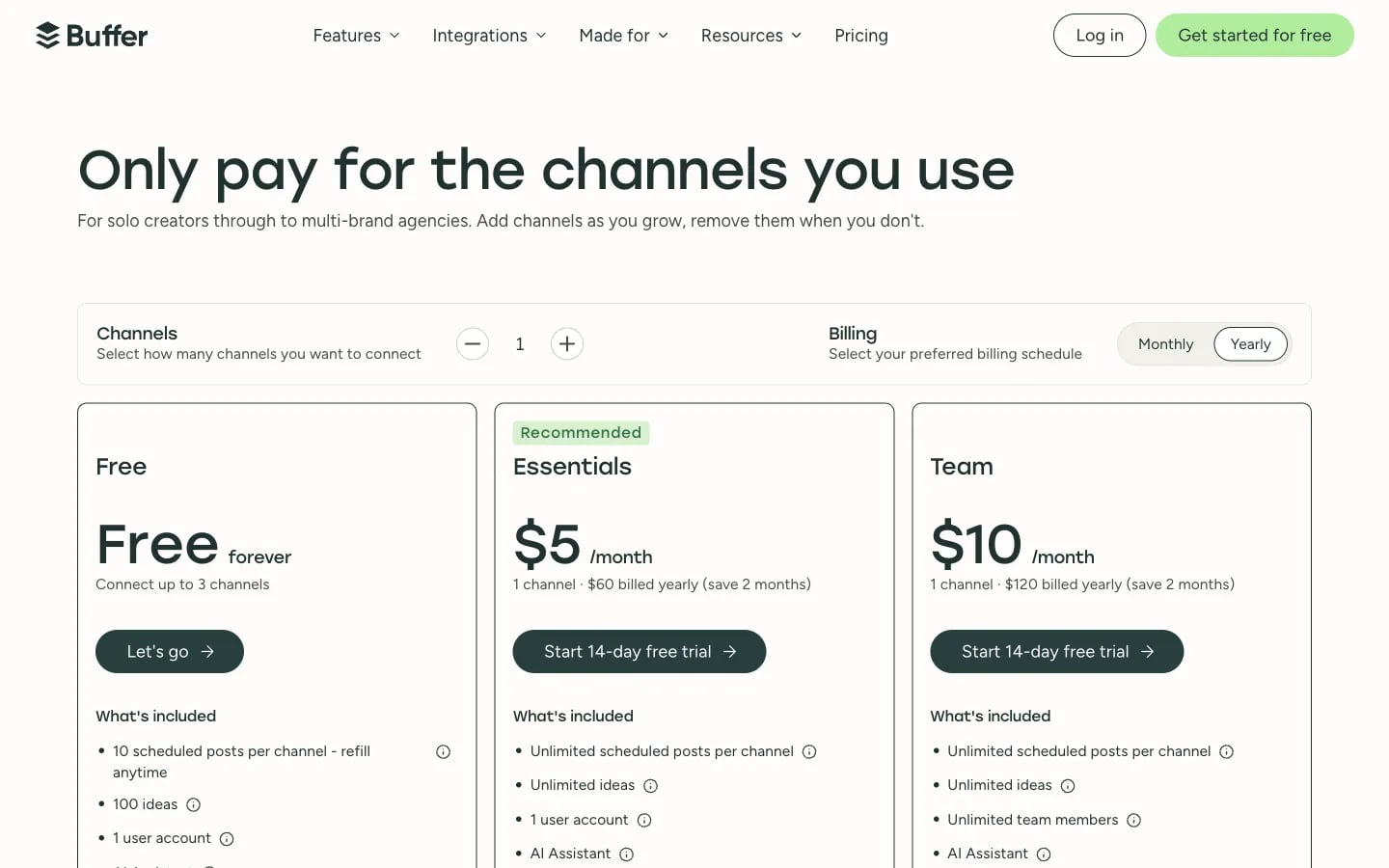
Buffer is another platform that provides you with tools to plan and publish your TikTok content.
Buffer publishes to TikTok automatically or by notification, with one video or up to 10 images per post and videos from 3 seconds to 10 minutes. TikTok comments show up in its Community feature, and TikTok results in its Insights.
Buffer has a free plan for 3 channels. Its paid plans are priced per channel (October 2026):
- Essentials plan: $6 per channel per month for your first 10 channels
- Team plan: $12 per channel per month for your first 10 channels, with a 14-day free trial
Brandwatch
Originally a brand monitoring tool, Brandwatch expanded its suite of products to help social media teams manage their presence online. As a social media management tool, it supports TikTok scheduling.
With Brandwatch, marketers can collaborate, schedule, preview, and publish TikTok videos, one video per post, to Business and personal accounts, and reply to TikTok comments in its Engage tool.
Brandwatch doesn’t list its prices. You book a demo to get a quote.
Sprout Social
Sprout Social is known as a leading platform in the social media management space. So, it’s no surprise that it offers tools to help marketers publish content to TikTok.
Sprout Social publishes TikTok videos directly to Business accounts (TikTok allows 15 posts per 24 hours this way) and photo posts of up to 35 images. You can also reply to TikTok comments and report on your TikTok results.
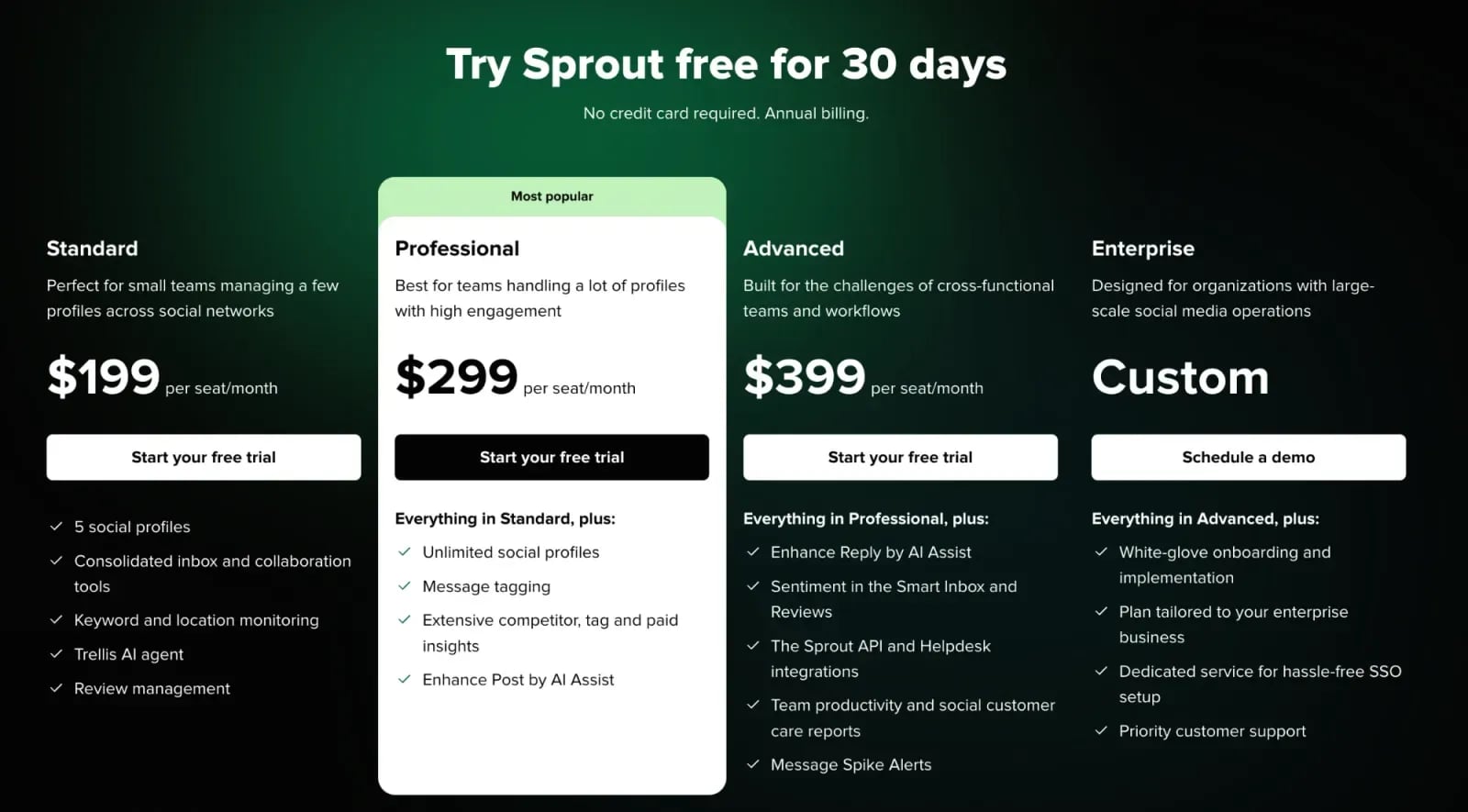
Sprout Social’s plans (October 2026) come with a 30-day free trial:
- Essentials plan: $99 per seat per month, or $79 billed annually
- Standard plan: $199 per seat per month, billed annually
- Professional plan: $299 per seat per month, billed annually
- Advanced plan: $399 per seat per month, billed annually
- Enterprise plan: custom pricing
Hootsuite
Hootsuite is another leading social media management solution that offers TikTok scheduling features.
From a single dashboard, you can schedule and publish TikTok videos to a TikTok Business account. Since July 2026, you can also publish through a mobile notification, so you can finish a post in TikTok with music and tags.
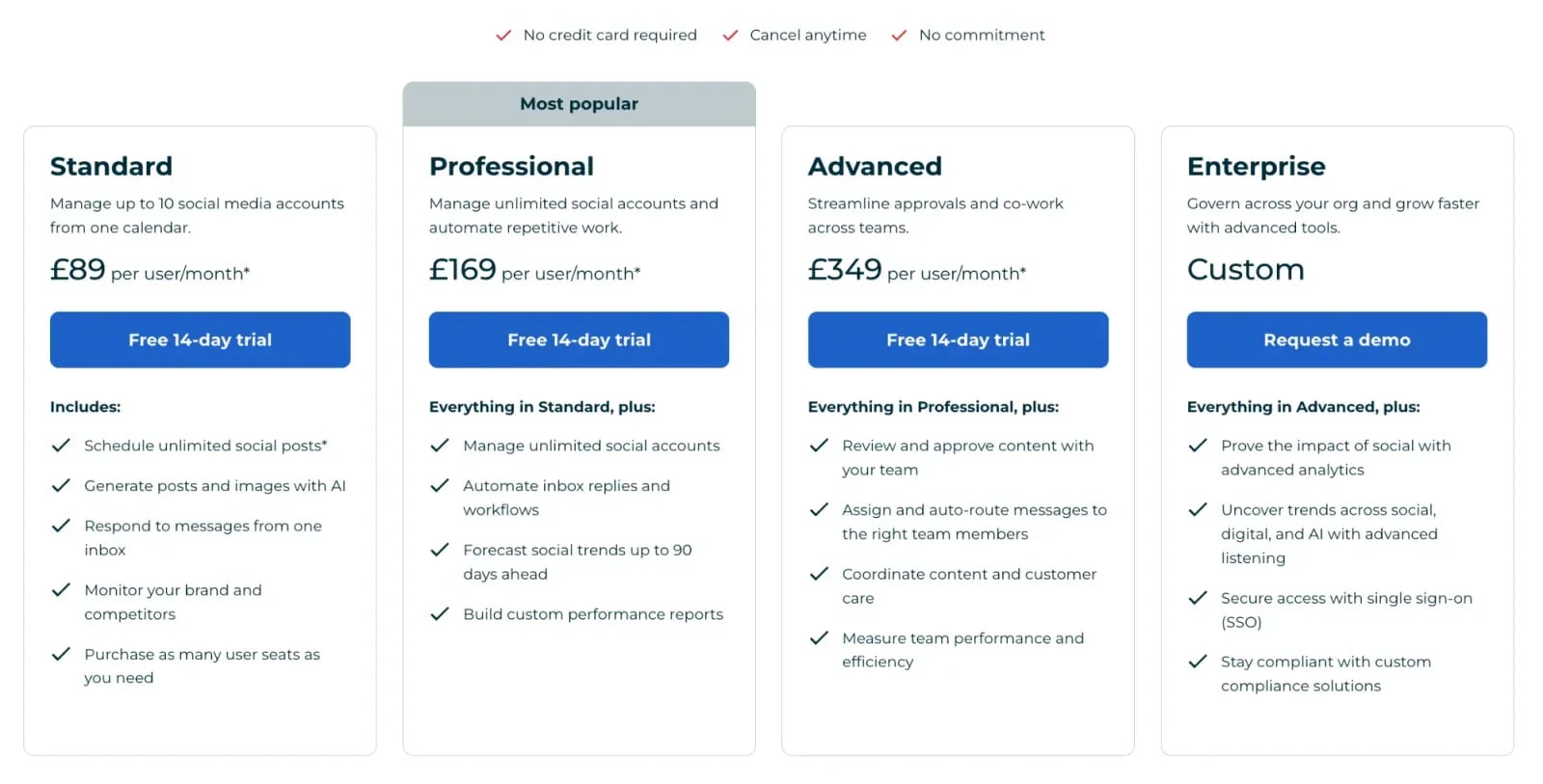
Hootsuite’s plans (October 2026, per user per month, billed annually):
- Standard plan: $99
- Professional plan: $199
- Advanced plan: $399 (adds approvals)
- Enterprise plan: custom pricing
Each plan comes with a 14-day free trial.
Sprinklr
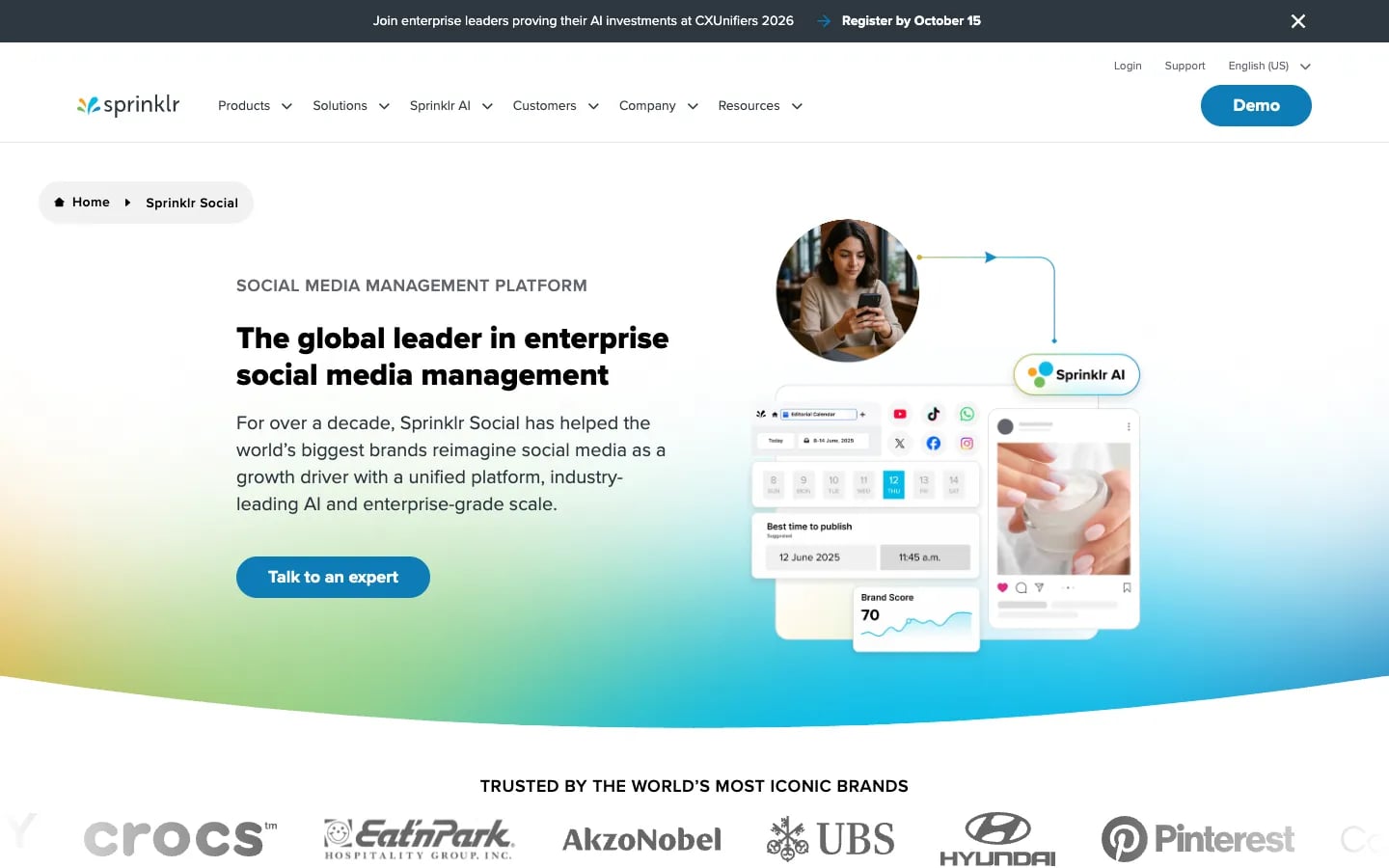
Sprinklr is a customer experience management platform that shows what your customers say about you across 30+ channels in one place.
It publishes videos and photos to TikTok Business accounts with scheduling, drafts and approvals, and videos can run up to 600 seconds. Sprinklr’s pricing isn’t available on its website. You’ll have to book a demo to get a quote.
Khoros (Iris AI)
Khoros is an enterprise customer engagement platform. IgniteTech acquired Khoros in 2025, and its social media product is now called Iris AI.
Iris AI supports TikTok scheduling with multi-level approvals from a single configurable dashboard. Pricing isn’t listed on its website, so you have to request a demo to get a customized proposal.
Dash Social
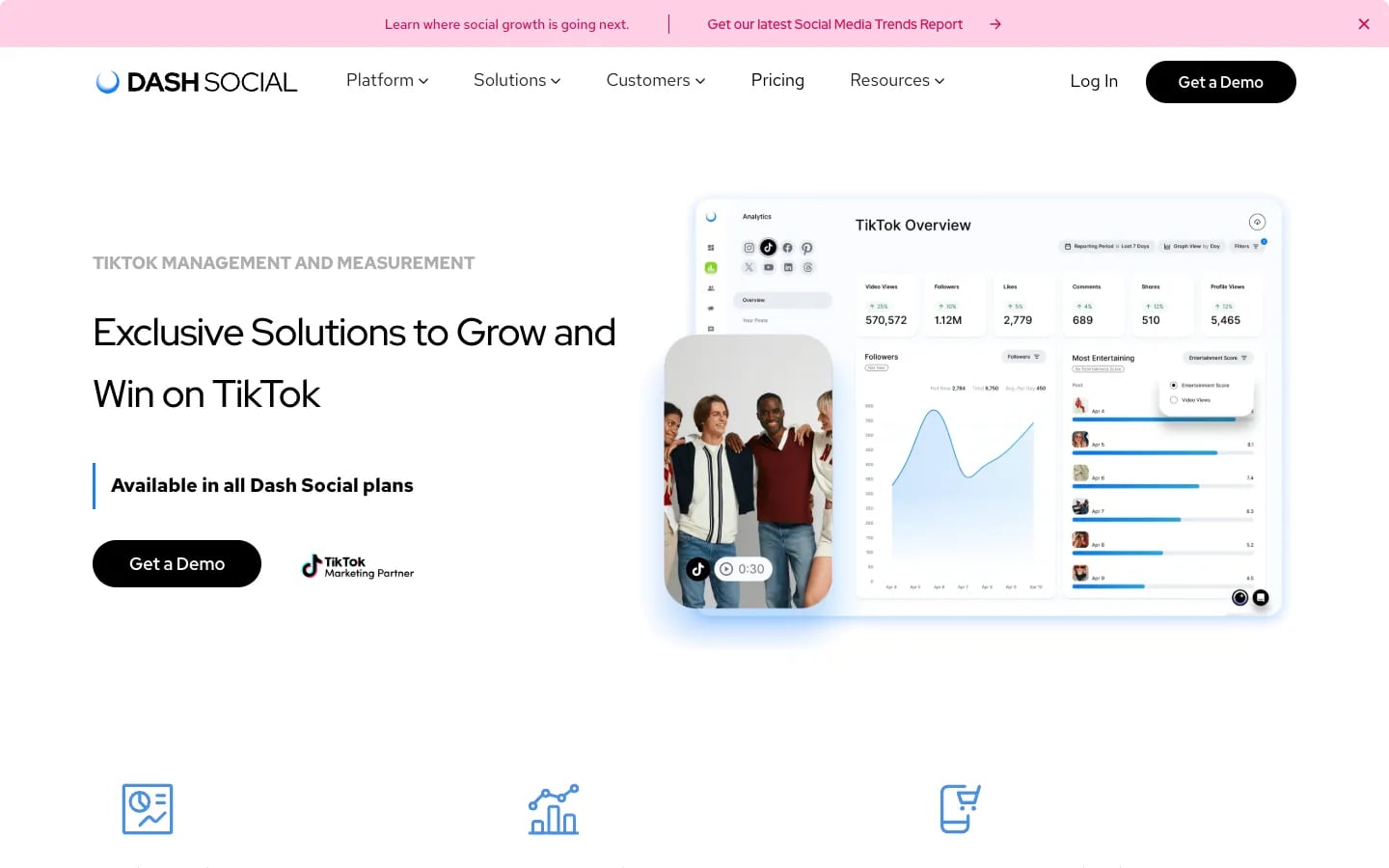
Dash Social (formerly Dash Hudson) is another enterprise-grade social media marketing solution. With focus on enterprise companies, its scheduling and publishing tool helps simplify publishing workflows and find the best time to schedule content on TikTok (and other platforms).
It can auto-publish to TikTok Business accounts or send a push notification, and TikTok comments land in its community inbox.
Dash Social doesn’t list prices for its Engage, Advance and Enterprise plans. You get 14 days of free access, then contact its sales team.
TikTok scheduling FAQs
Which tool can schedule TikTok posts for several brand accounts at once?
Any tool on this list that connects several TikTok Business accounts and auto-publishes through TikTok’s Content Posting API can do it. If the same team also answers comments and reports on results, Sociality.io keeps scheduling, TikTok comments and analytics for every account in one calendar, so nobody has to switch between profiles to see what went out and how it performed.
What is a TikTok scheduler?
A TikTok scheduler is a tool that publishes a TikTok post at a time you choose, so you don’t have to be online to post it. TikTok has a basic one built into its desktop upload page. Third-party schedulers add multiple accounts, a shared calendar, approvals and comment replies, and they post through TikTok’s Content Posting API.
Is there a free TikTok scheduler?
Yes. TikTok’s own scheduler is free and works on the desktop upload page, one video at a time. Among third-party tools, Buffer has a free plan for 3 channels and Planable’s first 50 posts are free. Most of the other tools on this list offer a 14-day or 30-day free trial instead of a free plan, so you can test TikTok publishing before you pay.
How far in advance can you schedule a TikTok?
Inside TikTok, you can schedule a video from 15 minutes to 10 days ahead, using the scheduler on the desktop upload page. Third-party tools keep your post in their own calendar until it’s time to publish, so you plan your content there and the tool sends it to TikTok at the scheduled moment.
Can you edit a TikTok after scheduling it?
Not in TikTok’s own scheduler. Once a video is scheduled there, you can’t change the video, the caption or the time, so the fix is to delete the scheduled post and upload it again. Third-party tools hold the post until publish time, which means you can usually edit it in the tool right up until it goes out.
Do you need a TikTok Business account to schedule posts?
It depends on the tool. Sprout Social, Hootsuite and Sprinklr publish directly only to TikTok Business accounts, while Loomly and Brandwatch also connect personal accounts. TikTok’s own pages disagree on whether its built-in scheduler needs a Business account, so check the upload page on your account before you plan your calendar around it.
Why does my scheduling tool ask for privacy settings on every TikTok?
TikTok requires it. Its content sharing guidelines say apps that post for you must let you pick the privacy setting for each post with no default value, and comments, Duet and Stitch must start switched off. That’s why every scheduler asks you to confirm who can see the video and what people can do with it before it posts.